The best AI tools for coaches are not the trendiest ones. They are the ones that save you the most time on the tasks that drain you.
The best AI tools for coaches are not about chasing the latest tech trend. They are about solving specific problems that steal your time and energy from coaching. As someone with more than 20,000 hours of one-on-one coaching, I understand exactly where coaches waste time, and I have tested every category of AI tool to find what actually works. According to the International Coaching Federation, the average coach spends 40 percent of their working hours on non-coaching activities. The best AI tools for coaches cut that percentage in half.
Here is my curated list of AI tool categories that deliver the highest ROI for coaching businesses, drawn from implementations across hundreds of coaches through our AI automation services.
AI Scheduling and Calendar Management
Scheduling is the most universally painful task for coaches. Between time zones, rescheduling, and no-shows, it can consume 3 to 5 hours per week. The best AI tools for coaches in this category:
- AI calendar assistants: Tools that negotiate scheduling via email, understand natural language ("How about Tuesday afternoon?"), and book without your involvement.
- Smart scheduling platforms: AI-enhanced versions of traditional scheduling tools that learn your preferences, buffer sessions automatically, and optimize your energy throughout the day.
- No-show prevention: AI-powered multi-channel reminders (email, SMS, push notification) that adapt timing based on when individual clients are most likely to confirm.
Implementation result: Most coaches save 3 to 5 hours per week immediately and reduce no-shows by 60 to 80 percent.
AI Content Creation and Repurposing
Content marketing is how coaches attract clients, but creating content from scratch is exhausting. The best AI tools for coaches in content creation:

- AI writing assistants: Generate first drafts of blog posts, emails, and social media content in your voice. You edit for authenticity. AI handles the heavy lifting.
- Video-to-content platforms: Upload a YouTube video and automatically receive a blog post, social media posts, email newsletter, and short-form clips. This is the tech behind the Authority Flywheel system.
- AI thumbnail and graphics generators: Create professional thumbnails and social graphics without design skills. See my YouTube thumbnail tips for design principles.
- AI video editing: Auto-edit long-form videos, add captions, generate highlights, and create short-form clips.
Implementation result: Coaches produce 3x to 5x more content while spending 50 to 70 percent less time on creation. For the full content strategy for coaching YouTube channels, read my YouTube for coaches guide.
AI Client Management and Communication
Client communication between sessions is critical for coaching effectiveness but time-consuming. The best AI tools for coaches here:
- AI session note-taking: Real-time transcription and summarization of coaching sessions (with client consent). Generates action items, themes, and progress tracking automatically.
- AI accountability assistants: Automated check-ins between sessions that ask about progress on commitments and report results to you before the next session.
- AI-powered CRM: Client relationship management that tracks interactions, flags disengaged clients, and suggests re-engagement touchpoints.
- Smart intake forms: AI-enhanced intake processes that adapt questions based on responses, pre-qualify prospects, and provide you with a client brief before the first session.
Implementation result: Coaches report 25 to 40 percent better client outcomes due to improved between-session support, according to research from Harvard Business Review on coaching effectiveness factors.
AI Lead Generation and Marketing
The best AI tools for coaches also address the marketing and sales side of the business:
- AI lead scoring: Automatically evaluate leads based on engagement patterns, demographics, and behavior to prioritize your follow-up.
- AI email sequences: Personalized nurture sequences that adapt based on subscriber behavior: opening emails, clicking links, visiting specific pages.
- Chatbot qualification: AI chatbots on your website that answer common questions, qualify prospects, and book discovery calls while you sleep.
- AI social listening: Monitor social media for conversations where people are discussing problems you solve, and get notified when potential clients are actively looking for help.
For the complete lead generation system, read my YouTube lead generation guide. Combine these AI tools with a YouTube content strategy for maximum impact.
AI Business Analytics for Coaches
Understanding your numbers is critical for growing a coaching business. AI analytics tools help coaches who are not spreadsheet experts:
- Revenue dashboards: AI-powered dashboards that surface trends, predict future revenue, and flag potential issues before they become problems.
- Client retention analysis: AI that identifies which clients are at risk of not renewing and suggests re-engagement strategies.
- Content performance tracking: Analytics that show which content pieces generate the most leads and revenue, not just the most views.
- Time tracking insights: AI analysis of how you spend your time, with suggestions for improving efficiency.
How to Implement AI Tools Without Overwhelm
The biggest mistake coaches make with AI tools is trying to adopt everything at once. Here is the implementation sequence I recommend:
- Week 1-2: Implement AI scheduling. Immediate time savings with minimal learning curve.
- Week 3-4: Add AI content repurposing. Set up the system for turning one video into multiple content pieces.
- Month 2: Implement AI client communication tools. Session notes, accountability check-ins, intake forms.
- Month 3: Add AI lead generation and marketing automation.
- Month 4: Layer in analytics and optimization tools.
Each phase builds on the previous one. By month four, you have a fully integrated AI stack that saves 20+ hours per week. For a deep dive into coaching automation, read my post on AI automation for coaches.
Budgeting for AI Tools
Here is what a realistic AI tool budget looks like for coaches:
- Starter stack (solopreneur): $100 to $300 per month: scheduling, basic content AI, email automation
- Growth stack (established coach): $300 to $700 per month: adds CRM, advanced content tools, lead scoring
- Premium stack (coaching firm): $700 to $2,000 per month: full suite including analytics, multi-user, and custom integrations
At any level, the ROI should exceed the cost within the first month through time savings alone. If you are billing $200 per hour and saving 10 hours per week, that is $2,000 per week in reclaimed time versus $100 to $300 in tool costs.
The 2026 Shift: One Assistant That Knows Your Method
When I first wrote this guide, the smart move was picking the right tool for each category. That still matters, but the bigger shift in 2026 is this: a single capable AI assistant, loaded with your coaching method, now does much of what used to take five separate tools. The coaches getting the most out of AI are not stacking more subscriptions. They are giving one assistant the context it needs to work like a trained member of their team.
Here is how I would set it up today:
- Document your method. Write down your core frameworks, the questions you ask in a first session, the exercises you assign, and how you define progress. This is the raw material. Without it, AI gives generic coaching advice.
- Load your business context. Add your offers, pricing tiers, ideal client description, and a few examples of your best emails and content so the assistant writes like you.
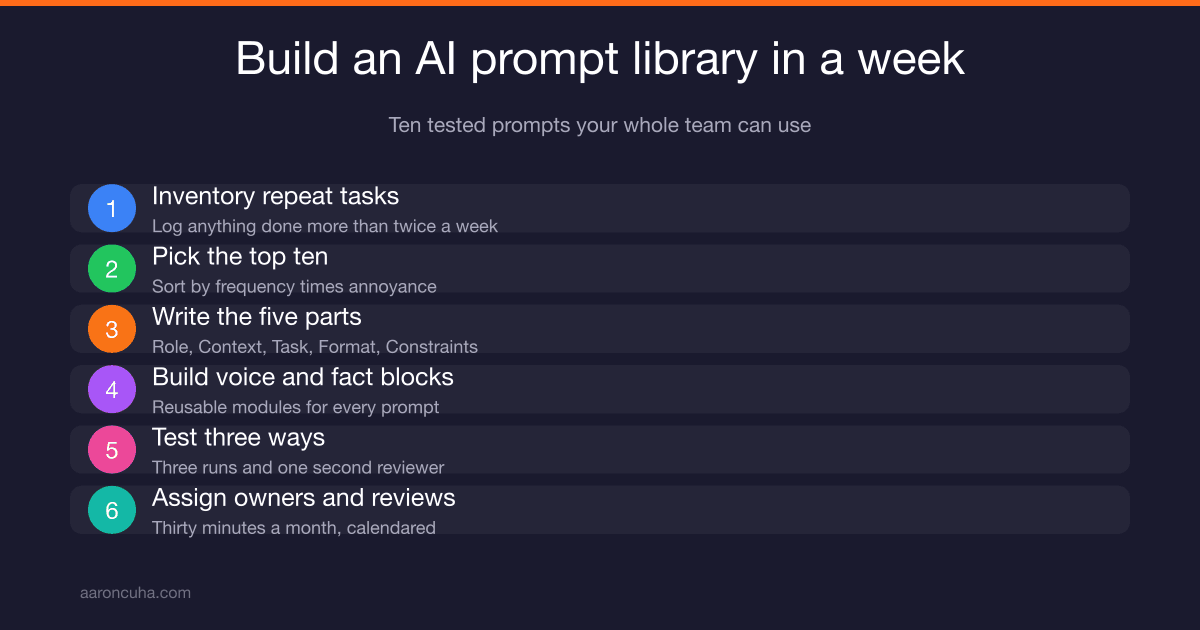
- Build a small prompt library. Five to ten reusable prompts for the tasks you repeat every week: session prep, follow-up summaries, content drafts from a video transcript, discovery call prep, and a monthly client progress review.
- Keep yourself in the coaching seat. Let the assistant prepare, draft, and organize. You do the coaching, the hard conversations, and the final read on anything a client sees.
- Review monthly. Retire prompts you stopped using, improve the ones that produce weak drafts, and add new ones for tasks you keep doing by hand.
The payoff is not just saved hours. It is more capacity for sales conversations, better-prepared sessions, and client results that drive referrals and renewals. Start with the prompt library, because it turns scattered experiments into a system. I show you how to build one in how to build an AI prompt library your whole team can use.
Best AI Tools for Coaches: The Bottom Line
The best AI tools for coaches are the ones that free your time for the work that matters most: coaching humans. Start with scheduling, add content automation, layer in client management and lead generation, and build a complete AI-powered coaching business. The tools are affordable, accessible, and proven.
If you want help selecting and implementing the right AI tools for your coaching business, book a strategy call. Our AI automation services are specifically designed for coaches and consultants. Join the Systems Over Hustle community for ongoing AI tool recommendations and implementation support.
Frequently Asked Questions
Are AI tools safe for handling client data?
Most reputable AI tools offer enterprise-grade security and comply with data protection regulations. Always review the privacy policy and data handling practices before implementing any tool that touches client information. Choose tools that offer data encryption and HIPAA compliance when relevant.
Will my clients be uncomfortable with AI in my coaching practice?
Most clients welcome AI tools when they improve the coaching experience. Be transparent about what you use and how it benefits them. AI session notes, accountability check-ins, and faster scheduling are all things clients appreciate.
Do I need different AI tools for group coaching vs one-on-one?
Some tools work for both. Scheduling and content creation tools are universal. Client management tools may need different configurations for group vs individual coaching. Community management tools are specific to group programs.
How quickly will I see ROI from AI tools?
Time savings are immediate, usually within the first week. Revenue impact from better lead generation and client retention typically shows within 30 to 60 days. Full ROI realization happens within 90 days.
What is the biggest mistake coaches make when adopting AI tools?
Subscribing to too many tools without fully implementing any of them. Start with one category, master it, then expand. One well-used tool beats five unused subscriptions every time.
Should I build a custom AI assistant trained on my coaching framework?
Yes, once your framework is written down. A custom assistant loaded with your method, offers, and examples is excellent for session prep, follow-up summaries, and content drafts. Build it for your own use first. Only give clients access after you have tested it for weeks and are confident it reflects how you coach. If your method is not documented yet, start there.

Written by
Aaron CuhaAuthor of Crazy Simple YouTube, keynote speaker, and executive coach with 20,000+ hours logged. NLP Master Practitioner and DISC Certified. Aaron helps entrepreneurs replace hustle with AI-powered systems that generate leads, content, and revenue on autopilot.