If your team pings you all day with questions you have already answered, you are the bottleneck. An AI knowledge base for business fixes that. Here is the exact five-step build, what to feed it, and how to test it before your team depends on it.
Your team pings you all day with questions you have already answered. You are not the owner. You are the search engine. Here is how to build an AI knowledge base for business that answers instead of you.
Key Takeaways
- Start from the twenty questions your team asks most, not from documents.
- Ten sharp, current documents beat two hundred stale ones.
- The instruction layer is where your judgment and standards live.
- Test with real questions before your team depends on the answers.
- One monthly review keeps the knowledge base from rotting.
If your operations still run through your phone, you do not have a systems problem you can hustle past. You have a design problem. Book a strategy session and we will map which parts of your business only exist inside your head.
You Are the Last Copy of Your Own Business
Most owners are the only remaining copy of how their business actually works. That makes every question route through one person. That person is you.
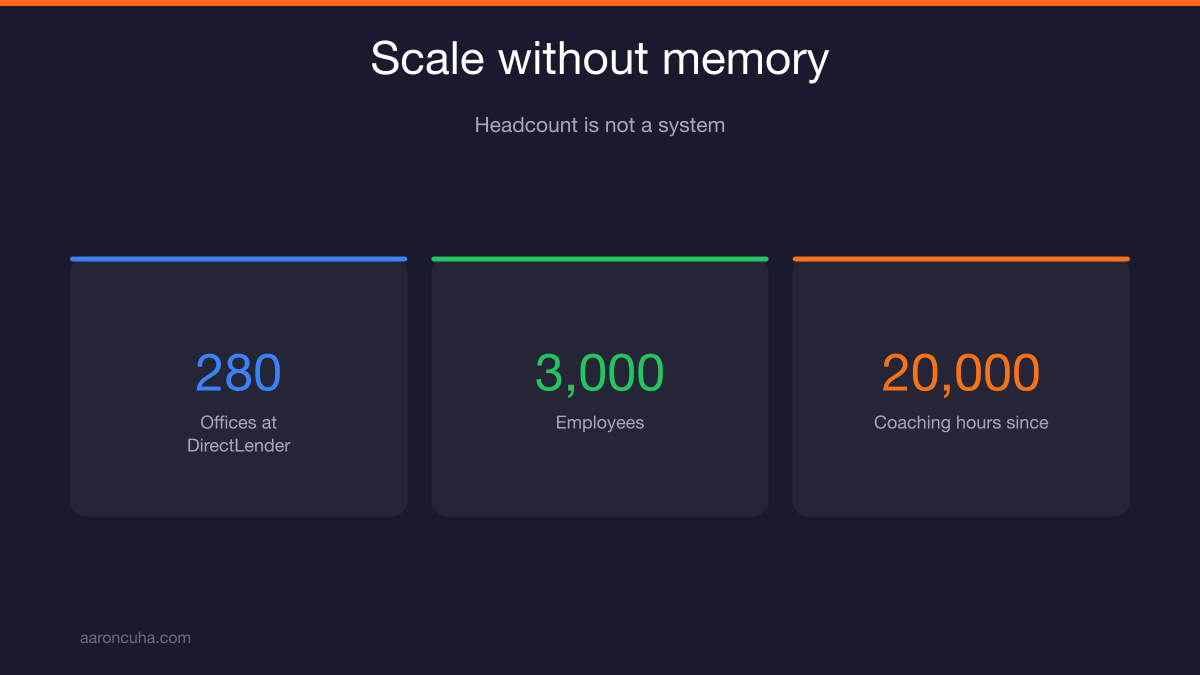
I learned this the expensive way. At DirectLender we grew to 280 offices and 3,000 employees. On paper we had scale. In practice, the knowledge lived in people, not in systems.
When a branch manager left, the way that branch handled edge cases left with them. When a top producer got busy, the answers stopped flowing. We had headcount. We did not have memory.
Then 2008 arrived and the whole thing came apart. I have spent the twenty thousand coaching hours since then studying what makes a business survive pressure. The answer is boring and it is always the same. Businesses survive when the knowledge lives outside the founder.
Here is the test. Take a week off with your phone in a drawer. If the business slows down, the problem is not your team's effort. It is that your team cannot reach the information without reaching you.
This is the same principle behind Systems Over Hustle. You do not fix a knowledge bottleneck by working more hours. You fix it by building something that answers when you do not.
What an AI Knowledge Base for Business Actually Is
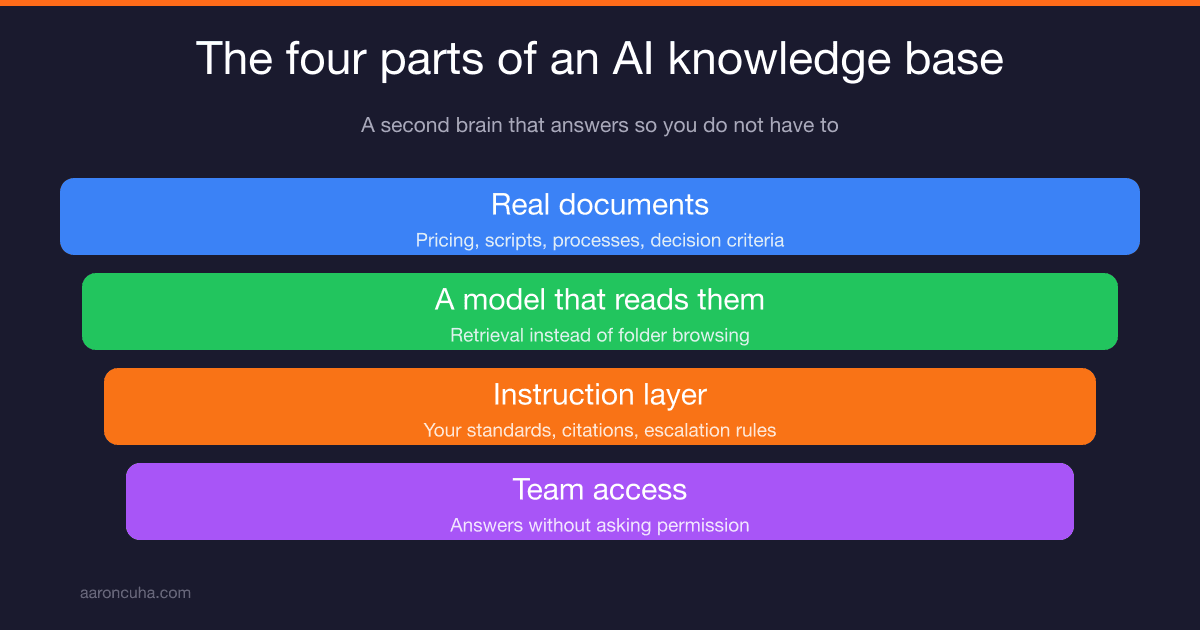
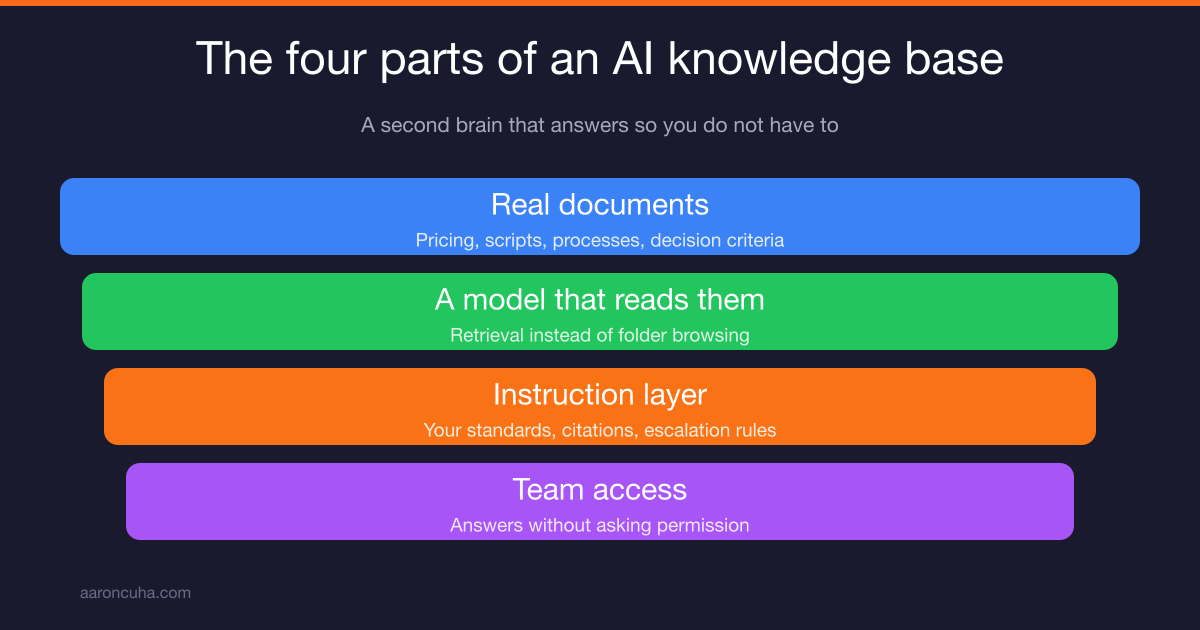
An AI knowledge base for business is four things: your real documents, a model that reads them, an instruction layer that sets your standards, and access for the people who need answers.
That is it. No enterprise contract. No six month implementation.
The documents are the truth of your business. Your pricing rules, your scripts, your processes, your decision criteria. The model is the reader. The instruction layer tells the model how to behave, what to cite, and when to say "ask Aaron." Access means your team can actually use it without asking permission.
People call this an AI second brain. I like the name because it sets the right expectation. A second brain does not think for you. It remembers for you, so your first brain can do work only you can do.
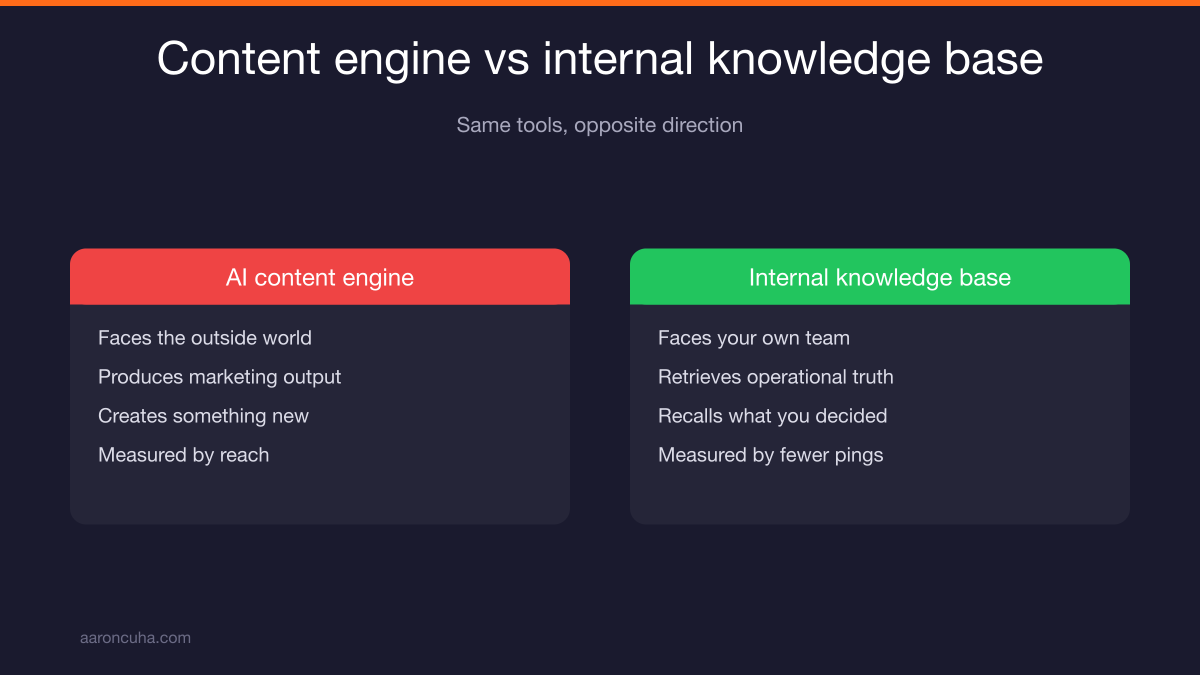
One clarification, because these two projects get confused. An AI content engine produces marketing output for the outside world. An internal knowledge base retrieves operational truth for the inside of your company. Same tools, opposite direction.
Why Your Old Wiki Failed and This Does Not
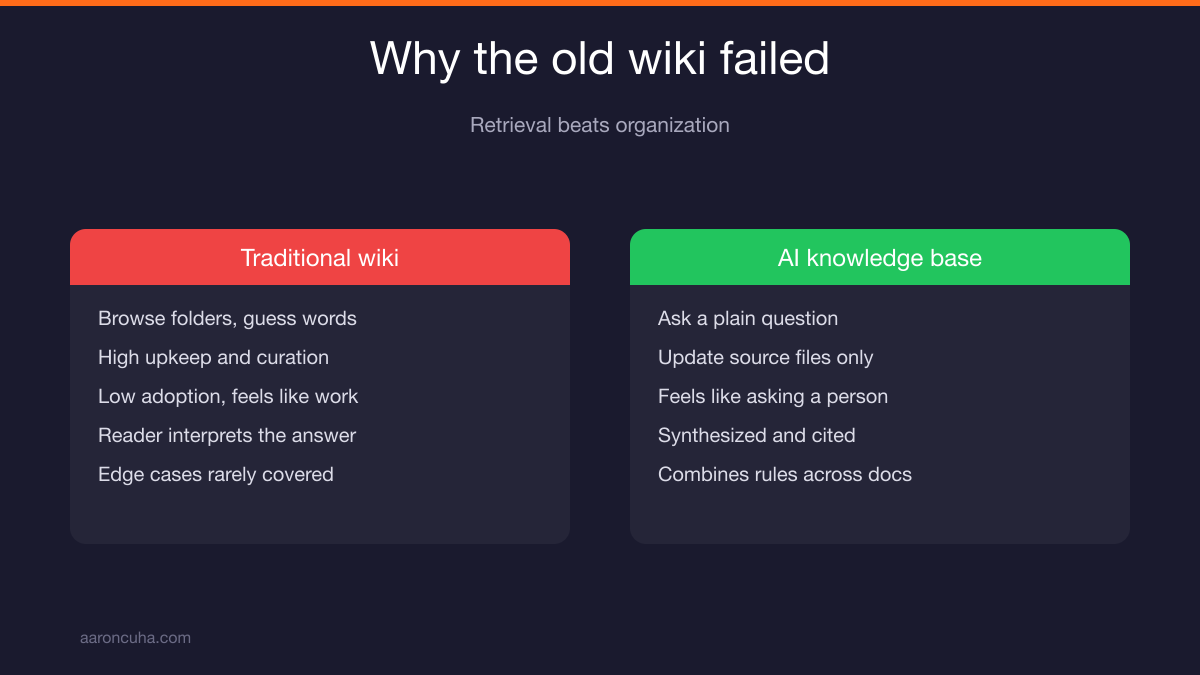
Wikis fail because they demand organization from people who only want an answer. An AI knowledge base wins because retrieval beats organization. Nobody browses folders. Everybody asks questions.
You have probably already built a wiki. It sat in a shared drive. Three people contributed. Nobody searched it because searching required knowing what the document was called and which folder it lived in.
The behavior you are fighting is real. When someone has a question in the middle of a workday, they take the path of least friction. Historically that path was texting you. Now it can be typing a question into a box.
| Factor | Traditional Wiki | AI Knowledge Base |
|---|---|---|
| How people find things | Browse folders, guess keywords | Ask a plain question |
| Upkeep burden | High, someone must curate structure | Moderate, update source files only |
| Adoption | Low, feels like homework | High, feels like asking a person |
| Answer quality | Whatever the reader interprets | Synthesized, cited, consistent |
| Handles edge cases | Rarely, only if documented verbatim | Yes, by combining rules across docs |
One caution. AI does not fix bad source material. Feed it a contradictory pricing policy and you get confident contradictions delivered faster. Garbage in, fluent garbage out. The build steps below exist to prevent that.
Step 1: Capture the Twenty Questions You Answer Most
Start from demand, not documents. For one week, log every question anyone asks you. Then cluster them and rank them. Your top twenty questions become the specification for the whole build.
Most owners do this backwards. They start by dumping every file they own into a folder and hoping the AI sorts it out. That produces a base that answers questions nobody asks and misses the ones people ask hourly.
Here is the capture method:
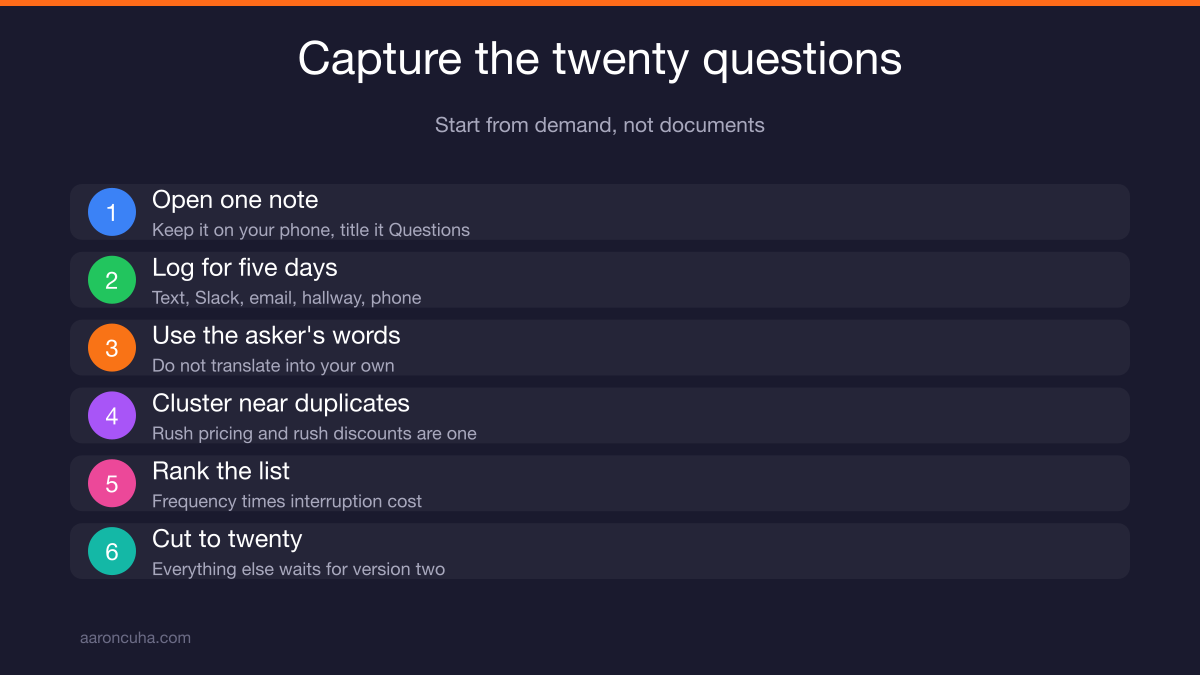
- Open one note. Keep it on your phone. Title it "Questions."
- Log every inbound question for five business days. Text, Slack, email, hallway, phone. Write it in the asker's words, not yours.
- Cluster at the end of the week. Group near duplicates. "What do we charge for rush work" and "can I discount a rush job" are one cluster.
- Rank by frequency times interruption cost. A question asked twice that stops a deal outranks a question asked ten times that costs you nine seconds.
- Cut to twenty. Anything below twenty waits for version two.
That list is worth the week by itself. Most owners I coach are shocked at how few distinct questions exist. It is rarely a hundred. It is usually fifteen to twenty-five, asked over and over by different people.
That repetition is the good news. Twenty answered questions removes the majority of your interruptions. This is the same math behind learning how to delegate as an entrepreneur. You do not delegate everything. You delegate the repeatable core.
Step 2: Choose the Source Documents That Answer Them
Work backward from your twenty questions. For each one, find or write the single document that answers it. Ten sharp, current documents beat two hundred stale ones.
Volume feels like value. It is not. Every outdated document you upload is a landmine that will eventually produce a wrong answer with total confidence.
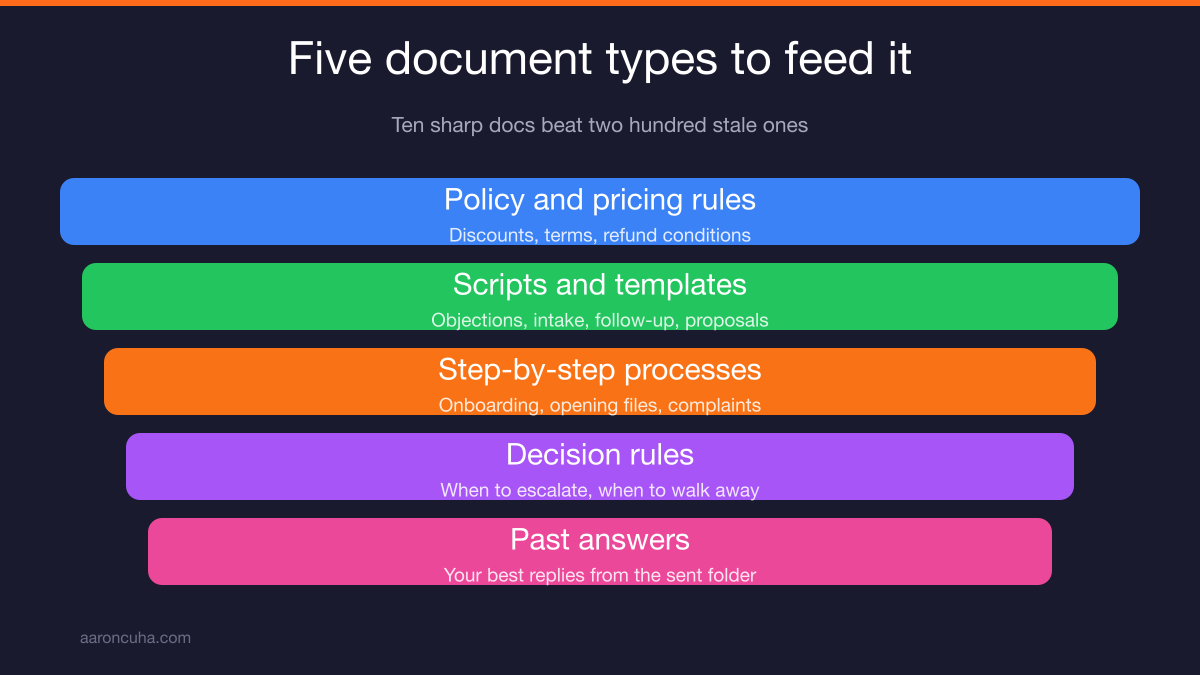
Feed these five document types:
- Policy and pricing rules. What you charge, what you discount, what you never discount, payment terms, refund conditions.
- Scripts and templates. Objection responses, intake questions, follow-up emails, proposal language.
- Step-by-step processes. Onboarding a client, opening a file, closing a deal, handling a complaint.
- Decision rules. When to escalate, when to walk away, which clients you take, what triggers a manager review.
- Past answers. Your best long-form replies to hard questions. Pull them from your sent folder. This is where your judgment already lives in writing.
Leave out anything you would not want quoted back to you. Old drafts. Half-finished SOPs. Meeting notes with opinions rather than decisions. Anything with sensitive personal data or client financials that does not belong in a shared tool.
If a document does not exist yet, write it. Twenty minutes of dictation into a doc beats a year of answering the same question in chat. That is the trade you are making.
Step 3: Structure Documents So Retrieval Actually Works
Formatting changes answer quality more than model choice does. One topic per file, descriptive filenames, question-shaped headings, short sections, and a date and owner at the top of every document.
The model reads text. If the text is buried in a screenshot, the model cannot read it. If one file covers pricing, hiring, and refunds, the model has to guess which part you meant.
Apply these rules to every file:
- One topic per file. "Rush job pricing" is a file. "Operations manual" is not.
- Descriptive filenames. "pricing-rush-jobs-2026.md" beats "final_v3_updated.docx."
- Headings shaped like questions. Write "What do we charge for a rush job?" as an H2. Your team asks in questions, so the document should answer in questions.
- Short sections. Three to six sentences under each heading. Long blocks get chunked in ways that split the answer.
- Date and owner at the top. "Last updated March 2026. Owner: Operations." This lets the AI flag stale material and tells your team who to ask.
- No text trapped in images. Retype anything that only exists as a screenshot.
- State the rule, then the exception. Rule first, edge case second. That ordering matches how people ask.
Plain text and markdown files work best. PDFs work but often carry messy layout. Spreadsheets are fine for pricing tables as long as the column headers make sense on their own.
If you want the deeper thinking on building repeatable documentation habits, read content systems for entrepreneurs. Same discipline, different output.
Step 4: Write the Instruction Layer So Answers Sound Like Your Standards
The instruction layer is where your judgment lives. It tells the model its role, its tone, its rule to answer only from your documents, its citation requirement, and when to escalate to a human.
Skip this step and you get a generic assistant that guesses. Write it well and you get something that sounds like your best operations manager on their best day.
Here is a template you can paste and edit. Put it in your project's custom instructions field.
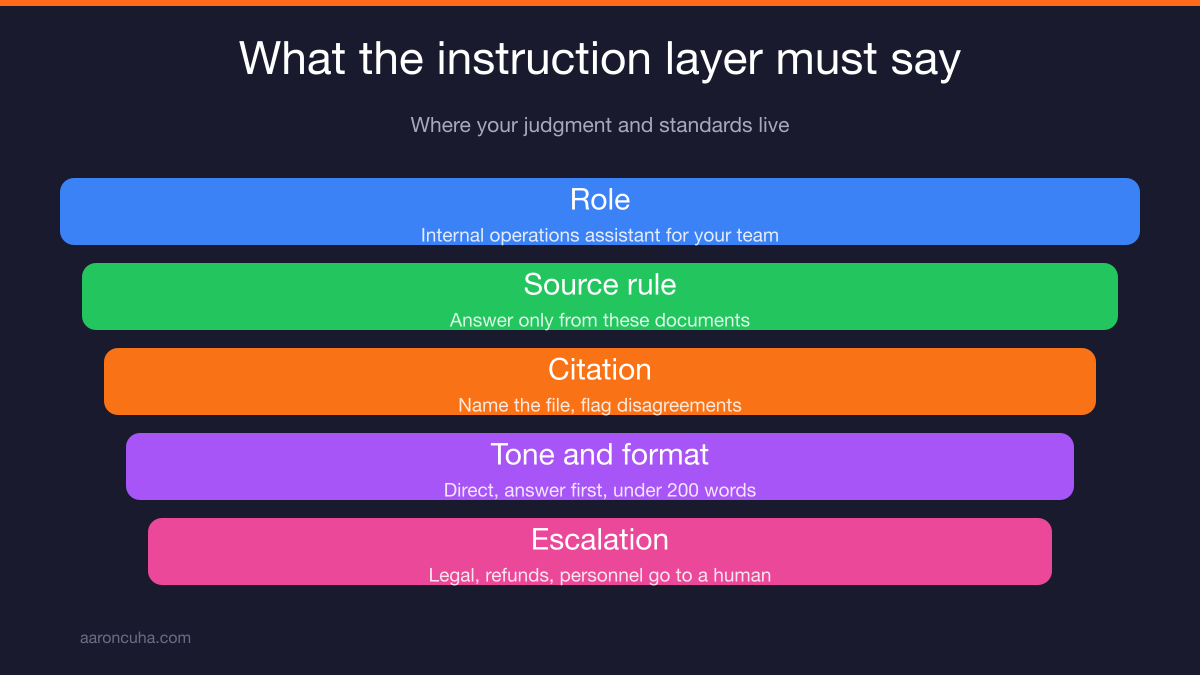
Role: You are the internal operations assistant for [COMPANY]. You answer questions from our team about our policies, pricing, processes, and standards.
Source rule: Answer only from the documents in this project. Do not use outside knowledge about how other companies do things. If the documents do not contain the answer, say: "That is not in our documented process. Ask [NAME]." Then stop.
Citation: After every answer, name the file you pulled from. If two files disagree, say so and name both.
Tone: Direct and plain. Short sentences. No filler. Write like a manager who respects the reader's time.
Format: Lead with the answer in one or two sentences. Then give steps or conditions as a numbered list. Keep the whole reply under 200 words unless asked for more.
Escalation: For anything involving legal exposure, a client refund above our stated limit, a personnel issue, or a contract change, do not advise. Say "escalate to [NAME]" and stop.
The source rule and the escalation rule matter most. Together they stop the failure mode that scares owners: a confident invented answer that someone acts on. Anthropic's documentation on Projects covers how custom instructions attach to a document set.
If you are still deciding where AI fits in your operation overall, AI business systems automation covers the wider map. Want help building this with you? Look at AI systems and we will scope it against your actual bottlenecks.
Step 5: Test It Before Your Team Relies On It
Red-team your own base before anyone else touches it. Run your twenty real questions, three questions with no answer in the documents, and two deliberately ambiguous ones. Grade each on accuracy, tone, and citation.
Skipping this step is how trust dies on day three. One wrong answer about pricing and your team quietly goes back to texting you.
Run this protocol:
- Ask all twenty real questions, word for word as your team asked them. Do not clean up the wording. Messy phrasing is what you will actually get.
- Ask three questions you know are not covered. The correct response is a refusal plus a name to ask. If it invents an answer, your instruction layer is too soft.
- Ask two ambiguous questions. Something like "what is our policy on discounts" when discounts vary by service line. It should ask a clarifying question or lay out both cases.
- Grade three ways. Accuracy: is it right? Tone: does it sound like your company? Citation: did it name the source file?
- Fix the documents first, the prompt second. Most bad answers come from vague or contradictory source material, not from the model.
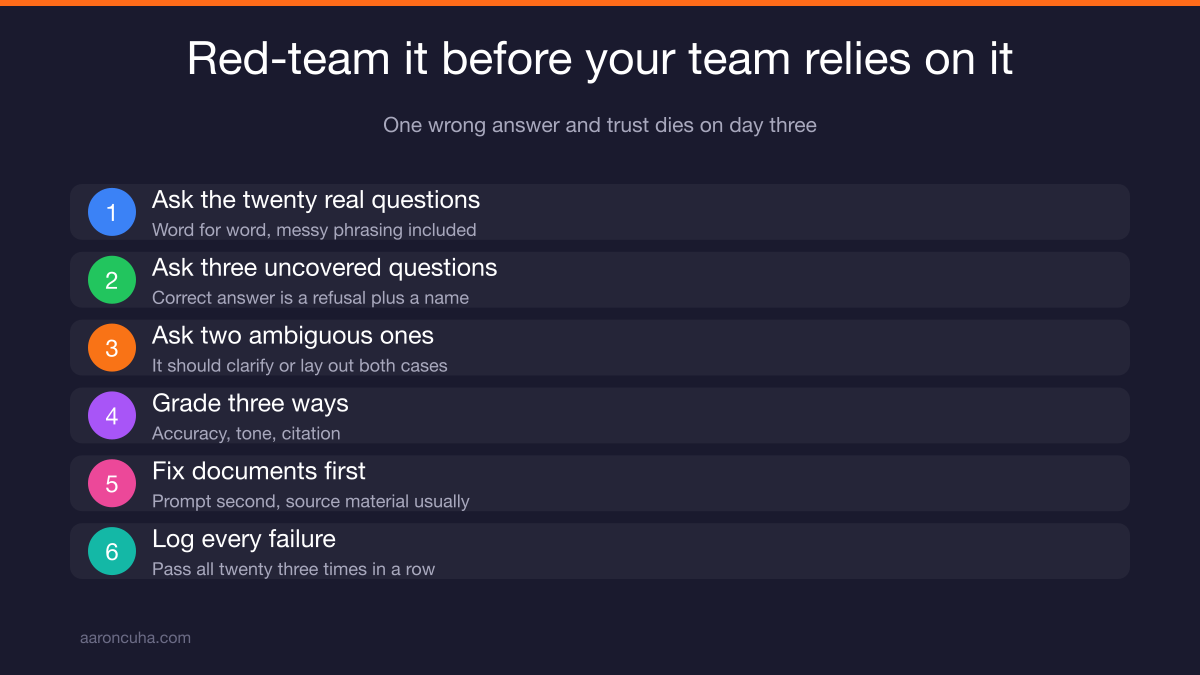
Log every failure and what you changed. That log becomes your maintenance record and it teaches you which parts of your business were never actually documented.
When all twenty questions pass three times in a row, you are ready to open it up. Not before.
Tools and Setup: Claude Projects, File Connectors, and What to Add Later
Start small. A Claude project with your documents uploaded and your instruction layer written will handle most of what a small team needs. Add connected drives and search later, only if you outgrow the simple version.
Claude projects for business work well here because you upload a document set once, attach persistent instructions, and share access with your team. Every conversation starts from the same knowledge and the same standards.
Alternatives exist and they work on the same principles. ChatGPT offers custom GPTs with uploaded files. Google Gemini connects to Workspace files. Notion layers AI on top of an existing workspace. Pick one. Do not pilot three.
Two things to handle before you invite anyone in:
- Check your data terms. Use a business or team plan and confirm your inputs are not used for training. Read the terms rather than assuming.
- Set a boundary on what goes in. Operational knowledge yes. Client financials, medical details, and personnel files no, unless your plan and your legal obligations clearly allow it.
What not to buy in month one: a dedicated enterprise search platform, a custom retrieval build, an annual contract on anything. Prove the base gets used first. Tools scale after adoption, never before. If you are weighing which tools are worth the spend, best AI tools for coaches breaks down the practical stack.
How to Roll It Out So Your Team Uses It First
Adoption is a leadership move, not a software feature. Set one rule: ask the base first. Then change your own behavior, because your team copies what you do, not what you announce.
Here is the rollout that works:
- Run one live session. Fifteen minutes. Show three real questions and the answers. Show one refusal so people see the guardrail working.
- Announce the ask-the-base-first rule. Before you message a person, ask the base. If it answers, act. If it refuses, then ask a human.
- Start a missing-answer log. One shared doc. Anyone who gets a refusal drops the question in. That log is your build queue for version two.
- Stop answering in chat. When someone texts a covered question, reply "check the base and tell me what it said." Do this for two weeks and the habit sticks.
- Praise the behavior publicly. When someone solves something without you, say so in front of the team.
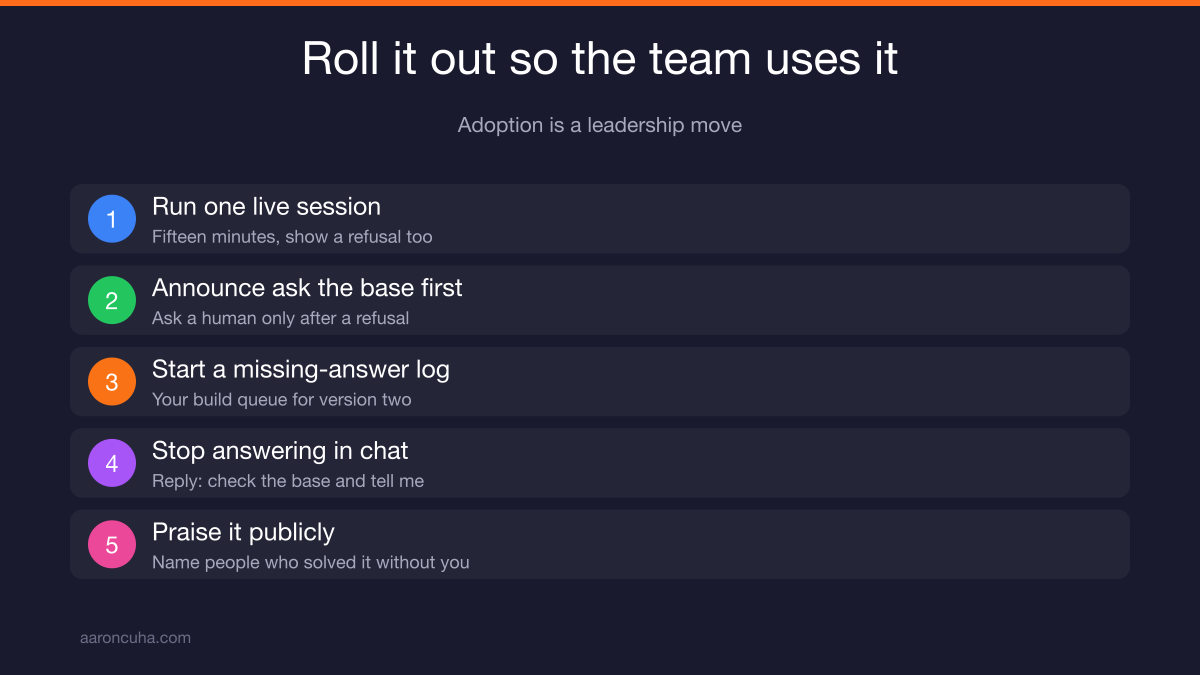
Step four is where owners fail. Answering feels helpful and it feels fast. It also guarantees you stay the bottleneck forever, because you are teaching your team that you are still the fastest path.
I saw this at scale during the Nepal decade. When I was working on humanitarian projects far from reliable communication, the teams that functioned were the ones where decisions were documented and distributed. The ones that stalled were waiting for a person.
The Monthly Ritual That Keeps the Brain Alive
A knowledge base rots without maintenance. Book thirty minutes on the same day each month. Review the missing-answer log, update anything that changed, and retire anything false.
Assign an owner. Not "the team." A name. Whoever owns operations owns the base. If nobody owns it, it dies quietly and your team drifts back to texting you.
The monthly agenda:
- Read the missing-answer log. Anything asked twice gets a document this month.
- Check the dates. Any document older than six months gets confirmed current or updated.
- Retire what is false. Delete it. Do not archive it into the same project. A wrong document that stays uploaded is still live.
- Spot check five answers. Ask five covered questions and grade them. Catch drift early.
- Add one thing you explained this month. If you wrote a long explanation to anyone, it belongs in the base.
That last habit compounds harder than anything else. Every long explanation you write is documentation you already paid for. Capture it once and you never write it again.
Add one more rule tied to change. Whenever you change a policy or a price, the document gets updated the same day, before the announcement goes out. Otherwise your base contradicts your leadership and people stop trusting both.
What Changes When It Works
Interruptions drop. New hires ramp faster. Decisions get made without you. And your business becomes worth more, because the knowledge is no longer trapped in one person.
The first change you feel is quiet. Fewer pings. Longer stretches of focus. Most owners I coach describe it as the first time in years they got through a morning without being pulled sideways.
The second change is onboarding. A new hire with a good knowledge base can answer their own questions on day two instead of shadowing someone for a month.
The third change is the one that matters for your exit. A business where all critical knowledge lives in the founder is hard to sell and harder to hand off. A business with documented, retrievable operating knowledge is an asset that runs without its founder. That is the difference between owning a job and owning a company.
I know that difference personally. I built something to 280 offices and lost it, partly because we scaled people faster than we scaled systems. Rebuilding taught me to put the system first every time.
This is Systems Over Hustle applied to knowledge. You are not trying to remember more. You are trying to need to remember less, so your attention goes to the work only you can do. If your bigger goal is running lean, building a one-person business at scale starts with exactly this kind of infrastructure.
Start today. Open a note, log every question you get, and by Friday you will have the spec for your entire build.
Ready to stop being the answer desk in your own company? Join the Systems Over Hustle community and build your knowledge base alongside owners doing the same work this month.
Frequently Asked Questions

Written by
Aaron CuhaAuthor of Crazy Simple YouTube, keynote speaker, and executive coach with 20,000+ hours logged. ICF PCC, NLP Master Practitioner, and DISC Certified. Aaron helps entrepreneurs replace hustle with AI-powered systems that generate leads, content, and revenue on autopilot.