Most teams use AI badly because everyone writes prompts from scratch. An AI prompt library fixes that by turning your best thinking into reusable assets. Here is the seven-step system to build one your team actually uses.
Your team uses AI every day. They just use it differently every day. An AI prompt library fixes that, because right now the output swings from brilliant to embarrassing and nobody trusts it yet.
Key Takeaways
- An AI prompt library turns random prompting into a repeatable, shared business system.
- Start by logging tasks your team repeats more than twice a week.
- Write every prompt with Role, Context, Task, Format, Constraints.
- Test each prompt three times with a second person before it ships.
- Never automate a prompt you have not run manually thirty times.
Want help building this inside your business instead of figuring it out alone? Take a look at our AI systems build for teams and see what a documented library looks like when it is done right.
Why Most Teams Get Bad AI Results
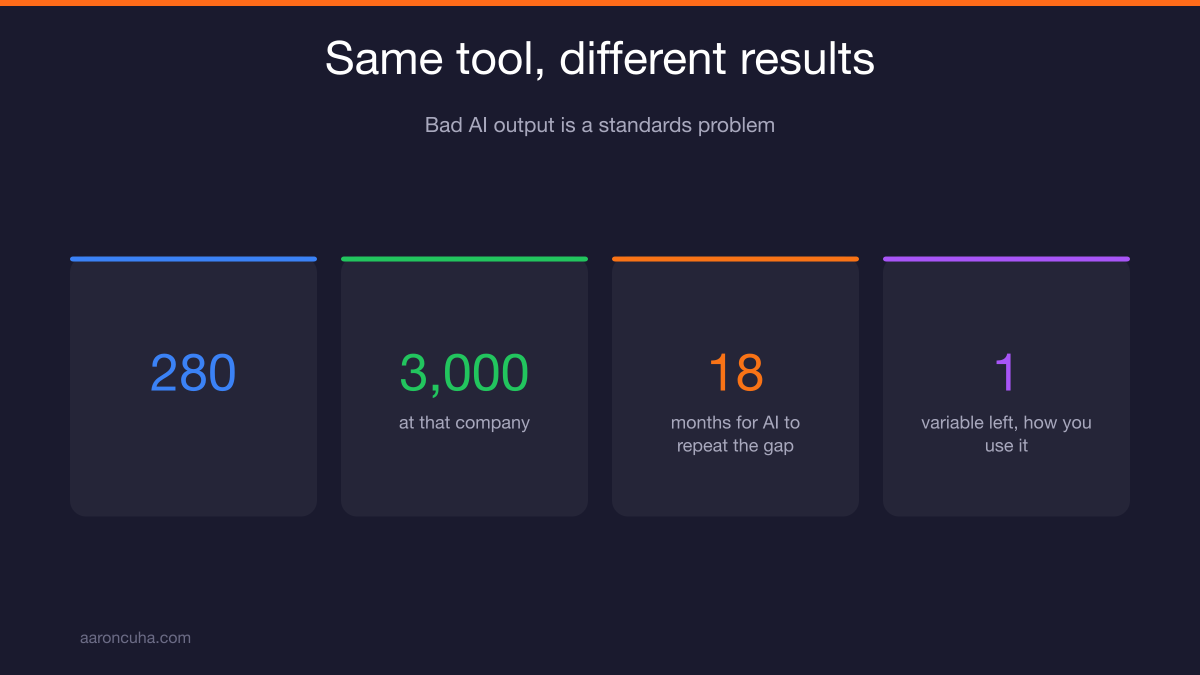
Bad AI output is almost never a model problem. It is a standards problem. Every person on your team is writing prompts from scratch, so quality depends on who typed it that morning.
Think about what that means. You bought the same tool everyone else bought. Your competitor has the same model. The only variable left is how you use it.
I ran DirectLender with 280 offices and 3,000 employees. The thing that broke first at scale was never talent. It was the gap between what my best people did and what everyone else did, because nobody wrote it down.
AI has recreated that same gap in about eighteen months. Your best marketer gets great copy out of the model. Your newest hire gets generic sludge. Same tool. Different results.
This is exactly what I mean by Systems Over Hustle. You do not fix inconsistent output by telling people to try harder. You fix it by giving them a tested starting point.
A prompt library is that starting point. It moves AI from a personal habit to a company asset. And it is one of the few projects you can finish in a week that keeps paying you every week after.
What an AI Prompt Library Actually Is
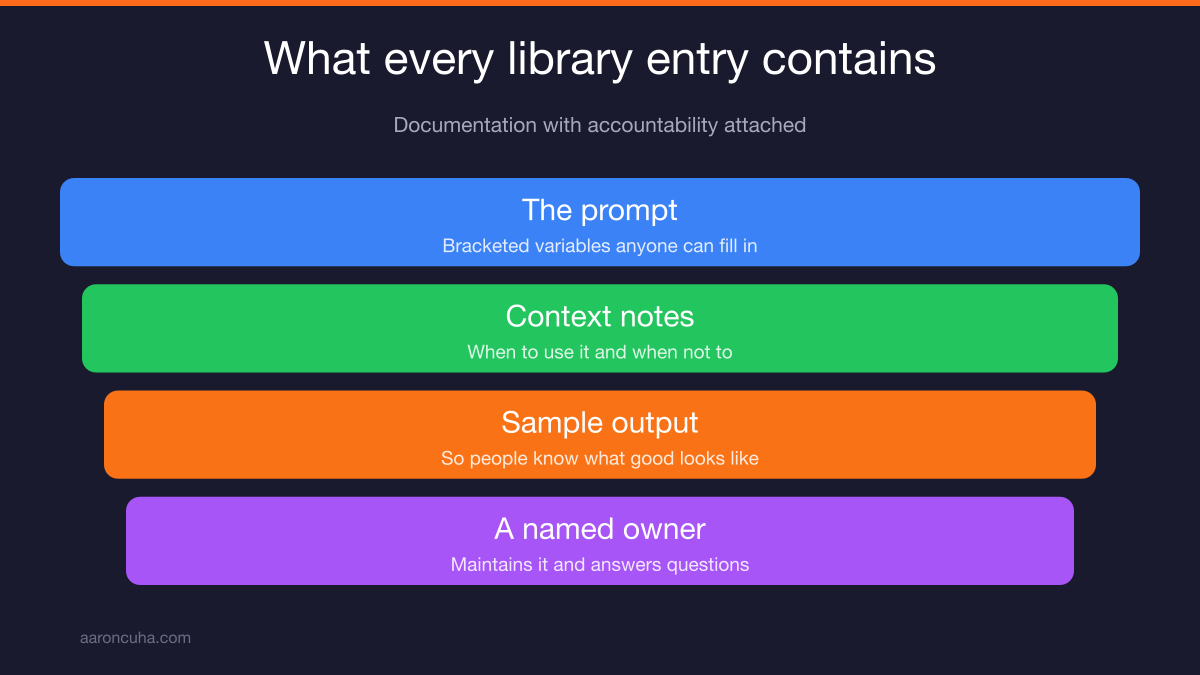
An AI prompt library is a shared, searchable, versioned set of tested prompts, each with an owner. It is not a folder of copied text. It is documentation with accountability attached.
Most companies think they already have one. What they actually have is a Slack thread where someone pasted a prompt that worked once in March.
Nobody knows if it still works. Nobody knows who wrote it. Nobody knows what output it was supposed to produce. That is a graveyard, not a library.
Every real entry in your library has four parts:
- The prompt itself, written with bracketed variables so anyone can drop in their specifics.
- Context notes explaining when to use it and when not to.
- A sample output so users know what good looks like before they run it.
- An owner, a named human who maintains it and answers questions about it.
That fourth part is the one teams skip, and it is the one that keeps the library alive past month two. Unowned documentation rots. Always.
If you have built standard operating procedures before, this will feel familiar. A prompt library is just SOPs for thinking work.
Prompt Library vs Random Prompting
Random prompting is faster on day one and slower every day after. A library costs you a week upfront and then removes rework, review cycles, and onboarding time permanently.
Here is the honest comparison.
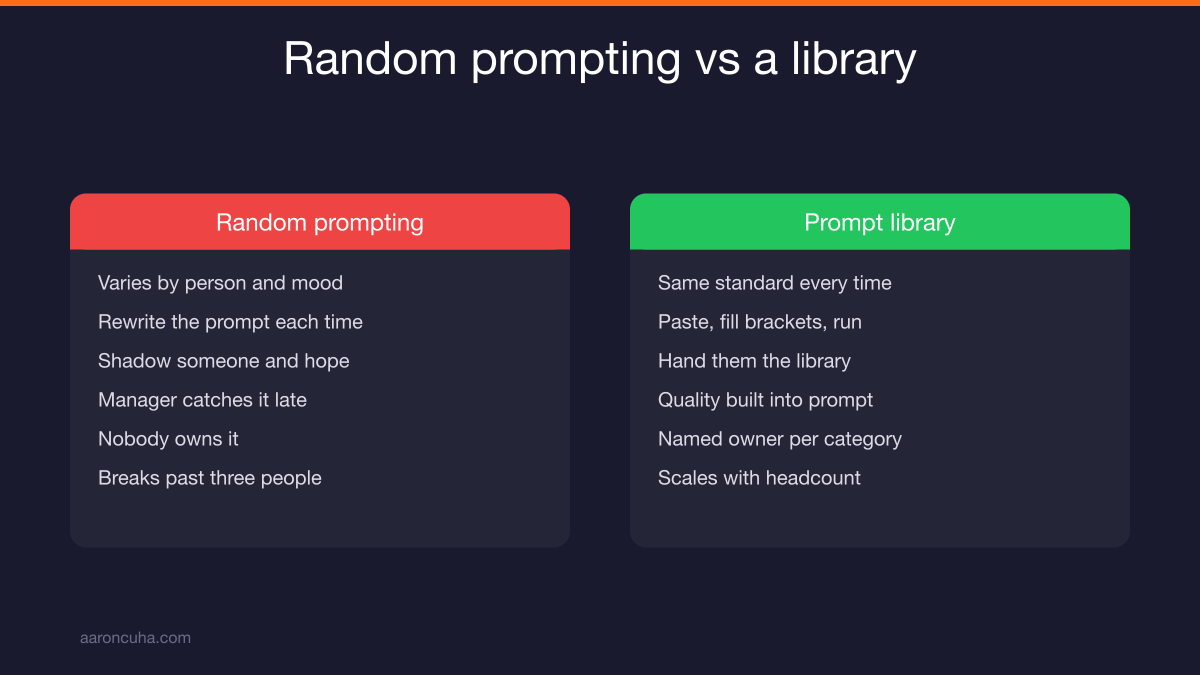
| Factor | Random Prompting | AI Prompt Library |
|---|---|---|
| Consistency | Varies by person and mood | Same standard every time |
| Speed to first draft | Rewrite the prompt each time | Paste, fill brackets, run |
| Onboarding a new hire | Shadow someone and hope | Hand them the library |
| Quality control | Manager catches it late | Built into the prompt |
| Ownership | Nobody | Named owner per category |
| Scaling | Breaks past three people | Scales with headcount |
The hidden cost of ad hoc prompting is not the prompting. It is the review loop.
Someone produces a draft. A manager reads it, finds it off brand, sends it back with notes. That cycle repeats until it is close enough. Multiply that by every piece of content, every email sequence, every client summary.
A good prompt bakes the manager's notes into the instructions before the first draft exists. That is the whole return.
The 7-Step Build Process
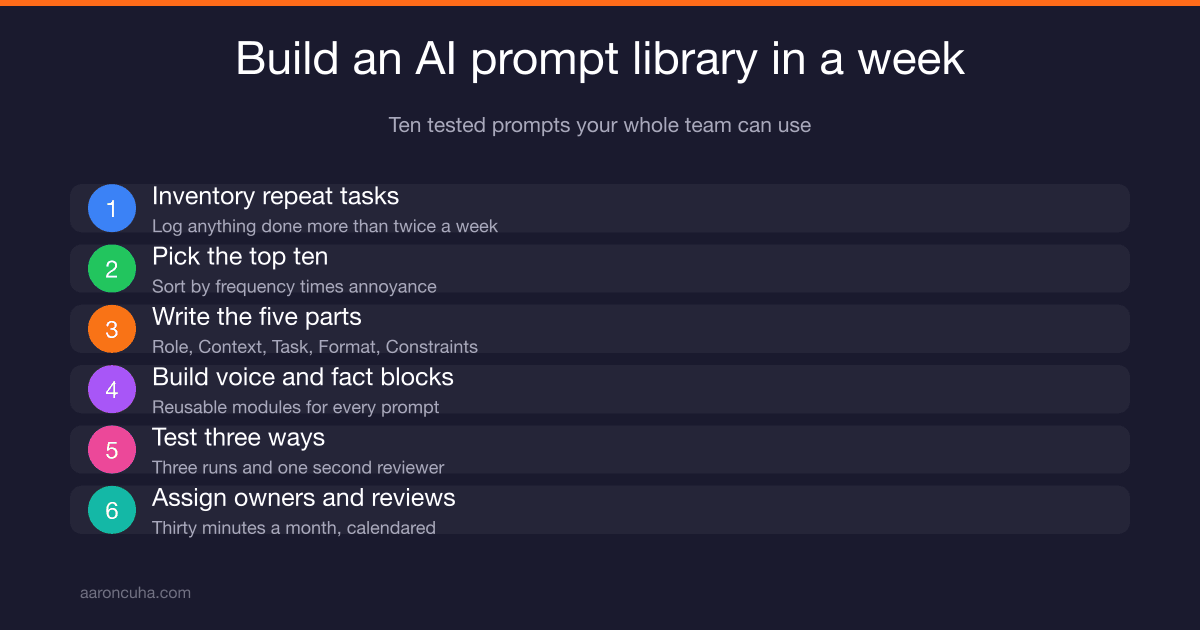
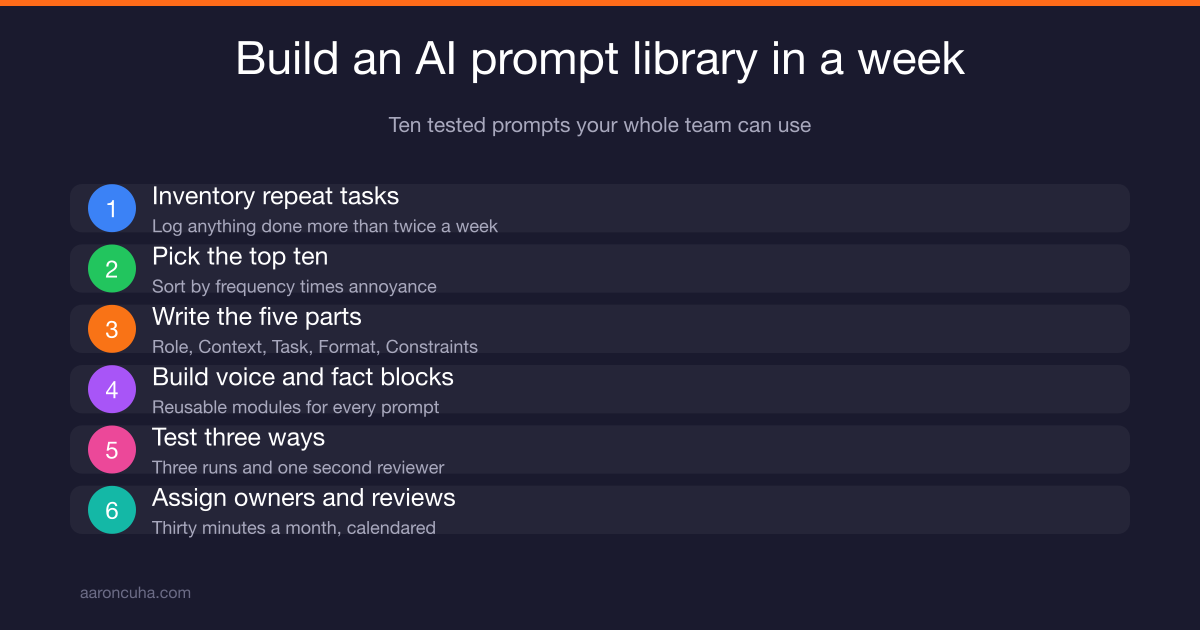
Building a usable library takes seven steps and about one focused week. You are not writing hundreds of prompts. You are writing ten good ones and making them findable.
- Inventory the repeat tasks. Log everything your team does more than twice a week.
- Pick the top ten. Sort by frequency times annoyance and cut the rest for now.
- Write each prompt with the five-part template. Role, Context, Task, Format, Constraints.
- Build your brand voice and fact blocks. Reusable modules that plug into every prompt.
- Test three ways. Three runs, three inputs, one second reviewer.
- Document and store. Consistent naming, clear categories, one searchable home.
- Assign owners and a review rhythm. Monthly, thirty minutes, calendared.
Ten prompts sounds small. It is not. Ten prompts covering your ten most repeated tasks will handle the majority of the AI work your team does in a normal week.
Resist the urge to build fifty. A library of fifty untested prompts is worse than no library, because people try two, get bad results, and stop trusting the whole thing.
Ship ten that work. Add more when the team asks for them.
Step 1: Inventory the Repeat Tasks
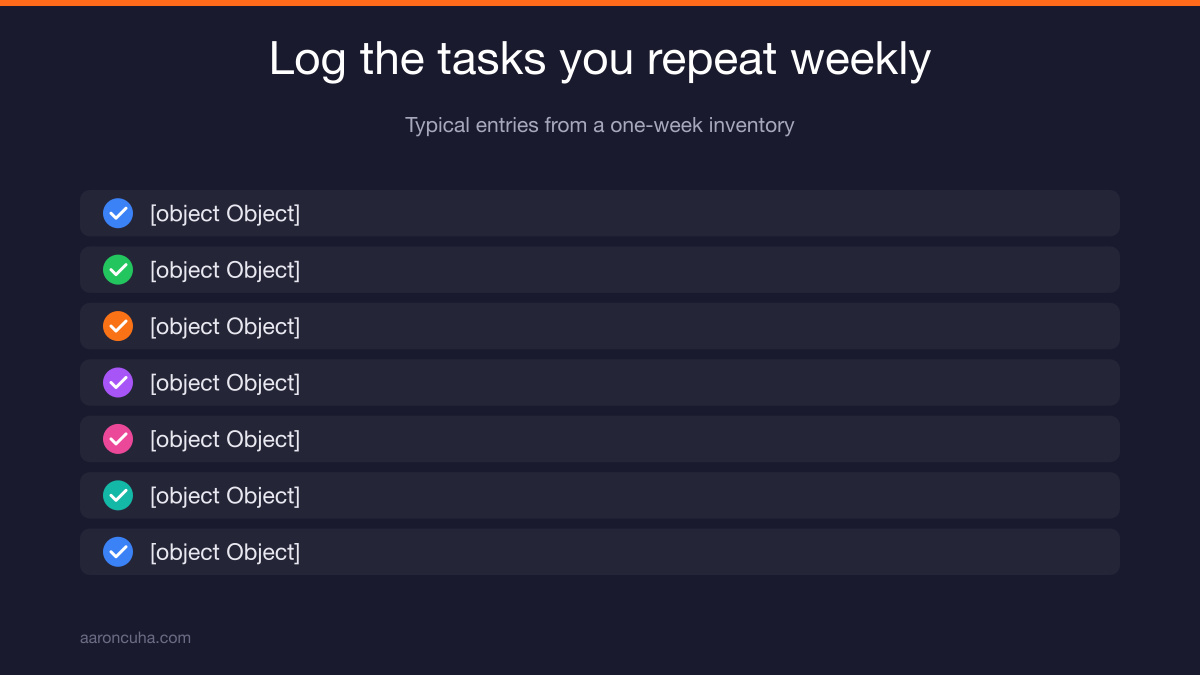
Run a one-week logging exercise. Every team member writes down any task they perform more than twice in that week, in plain language, no editing.
Keep it dumb and simple. A shared spreadsheet with three columns: task, how many times this week, how much I hate it on a scale of one to five.
That second number matters more than people expect. Frequency tells you where the volume is. Annoyance tells you where the adoption will be, because people gladly hand off work they resent.
Typical entries look like this:
- Writing follow-up emails after discovery calls
- Summarizing client meeting notes into action items
- Turning a long video into social captions
- Drafting property or product descriptions
- Answering the same five objections in writing
- Building weekly performance recaps for the team
Multiply frequency by annoyance. Sort descending. The top ten rows are your first library.
This is the same muscle you use when you learn how to delegate as an entrepreneur. You cannot hand off what you have never described. AI is just an employee that reads very literally and never gets tired.
The Five-Part Prompt Template
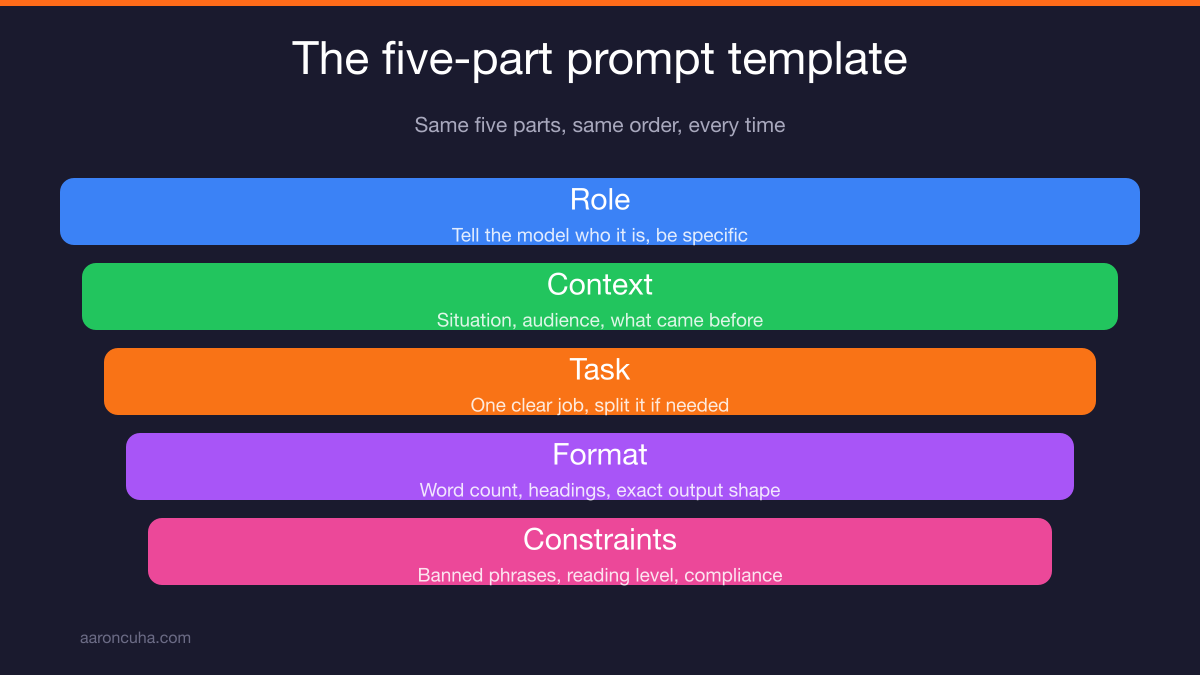
Every prompt in your library follows the same five parts: Role, Context, Task, Format, Constraints. Same order, every time, so anyone can read, edit, or troubleshoot a prompt they did not write.
Role. Tell the model who it is. "You are a listing agent with fifteen years of experience in first-time buyer transactions." Specific beats grand. "World class expert" tells the model nothing.
Context. Give it the situation and the audience. Who is reading this, what do they already know, what happened before this moment.
Task. One clear job. If your task has the word "and" in it three times, split it into two prompts.
Format. Say exactly what shape the output takes. Word count, headings, bullet count, subject line plus three paragraphs. Vague format is the number one cause of unusable output.
Constraints. The guardrails. What to never say, what to avoid, reading level, banned phrases, compliance language.
Use bracketed variables for anything that changes run to run: [CLIENT NAME], [CALL NOTES], [PRODUCT], [DEADLINE]. Uppercase inside brackets, always. It makes missing variables obvious at a glance.
The public guidance from the major labs lines up with this structure. The OpenAI prompt engineering guide and Anthropic's developer documentation both push the same idea: be specific, give examples, define the output shape.
Build Your Brand Voice and Fact Blocks
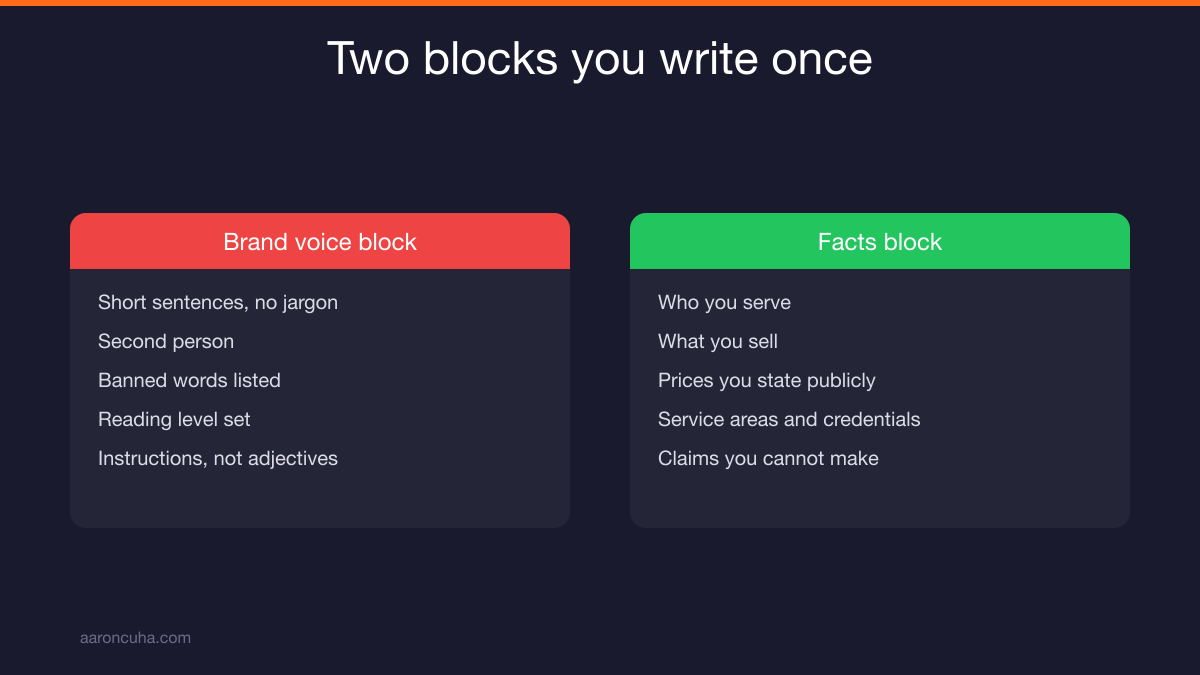
Write two reusable modules once and paste them into every prompt. A brand voice block and a facts block. This is the highest leverage twenty minutes in the entire build.
Your brand voice block covers how you sound. Sentence length. Reading level. Whether you use humor. Words you never use. Whether you say "clients" or "customers" or "partners."
Write it as instructions, not adjectives. "Short sentences. No jargon. Second person. Never use the words unlock, leverage, or journey." That is usable. "Professional yet approachable" is not.
Your facts block covers what is true about your business. Who you serve, what you sell, price ranges you are willing to state publicly, service areas, credentials, and the claims you are legally not allowed to make.
That last item matters. If you are in real estate, lending, law, or financial services, your constraints are not stylistic. They are compliance. Write them down once and they ride along with every single prompt forever.
Now here is the leverage. When your positioning changes, you update two blocks instead of forty prompts. When a new hire starts, you hand them two blocks and they sound like you on day one.
This is also the foundation for anything bigger you build later, including a full AI content engine that runs on your voice instead of a generic one.
If you want the deeper build, my Systems Over Hustle community walks members through the exact prompt structures we use, plus the review rhythms that keep a library from dying in month three.
How to Test a Prompt Before It Goes in the Library
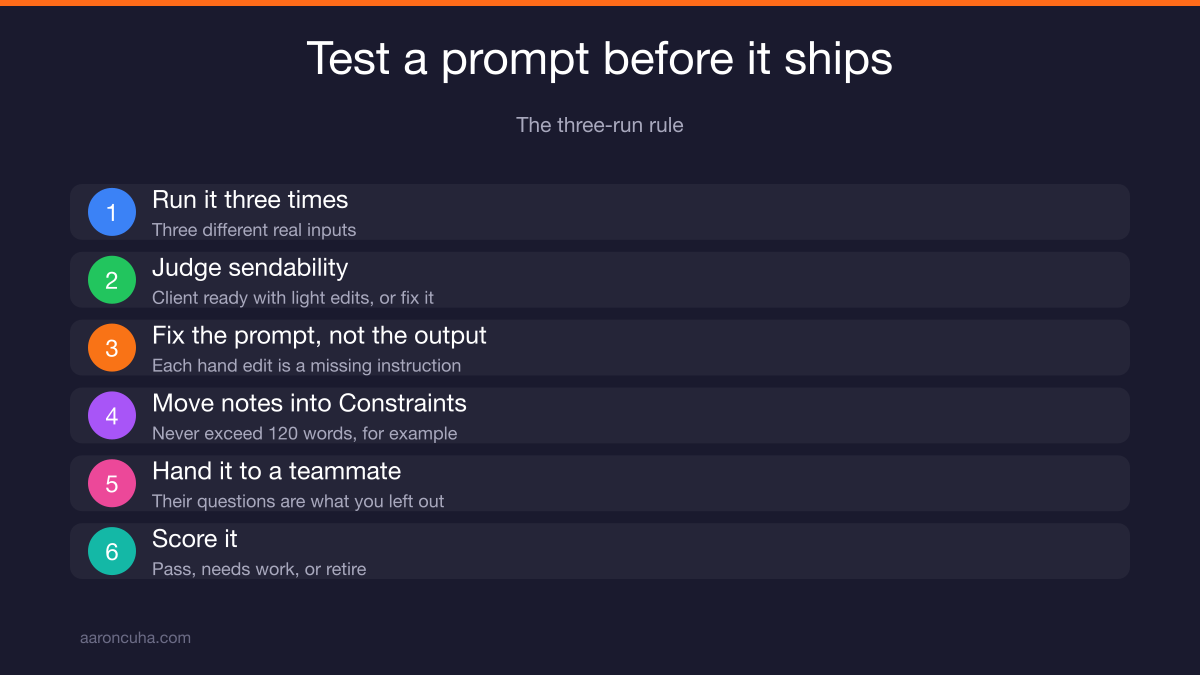
Use the three-run rule. Run the prompt three times with three different real inputs. If all three outputs would be sendable to a client with light edits, it passes. If not, fix the prompt.
Fix the prompt, not the output. This is the discipline nearly everyone breaks.
When output comes back wrong, the instinct is to rewrite the result by hand and move on. You just solved today and left tomorrow broken. Every correction you make by hand is a missing instruction in the prompt.
So take the note and put it in Constraints. "Do not open with a question." "Never exceed 120 words." "Always mention the inspection timeline." Then run it again.
Second rule: a prompt is not finished until someone other than the author gets a good result with it.
Authors carry invisible context. They know what they meant. Hand the prompt to a teammate with no explanation and watch what happens. Whatever they ask you is the instruction you forgot to write.
Score each prompt simply. Pass, needs work, or retire. No elaborate rubric. Elaborate rubrics never get used past week two.
Organizing and Storing the Library
Organize by business function, not by tool or model. Five categories cover most companies: sales, marketing, content, operations, and client service. Anyone should find any prompt in under fifteen seconds.
Fifteen seconds is the real standard. Past that, people give up and freestyle, and you are back where you started.
Use a naming convention and never break it. Function, then task, then output type:
- SALES - Discovery Call Follow Up - Email
- MARKETING - Weekly Newsletter - Draft
- CONTENT - Long Video to Captions - Social
- OPS - Meeting Notes to Action Items - Summary
- CLIENT - Onboarding Welcome - Email Sequence
Store it where your team already goes every day. Not a new app. A new app is a second thing to remember, and second things get forgotten.
If you live in Google Docs, put it in Google Docs. If your company runs on Notion, use Notion. If everything happens in a shared drive, use the shared drive. The Notion style database with filters is nice, but the tool matters far less than the habit.
One rule that saves you later: keep one prompt per page or per row, never a giant scrolling document. Giant documents cannot be linked to, versioned, or owned.
Governance: Owners, Reviews, and Version Control
Assign one owner per category and hold one thirty-minute review per month. The owner keeps prompts current, archives dead ones, and is the person teammates ask when something breaks.
Ownership does not mean the owner writes everything. It means someone is responsible for whether that category still works.
The monthly review has three questions:
- Which prompts did nobody use this month? Archive or fix them.
- Which prompts produced output that needed heavy editing? Rewrite the Constraints.
- What new repeat task showed up? Add it to the build queue.
Thirty minutes. Calendared. Recurring. If it is not on a calendar, it is a wish.
Version control matters more than people expect, because model updates break old prompts. A prompt tuned around one model's quirks can behave differently after an update. Keep a date-modified field and a one-line change note on every entry.
Archive rather than delete. A retired prompt often holds a phrase or constraint you want back six months later.
If you are operating in a regulated space, it is worth reading the NIST AI Risk Management Framework for how to think about documentation, oversight, and accountability at a higher level. Your library is the practical version of that thinking.
How to Get the Team to Actually Use It
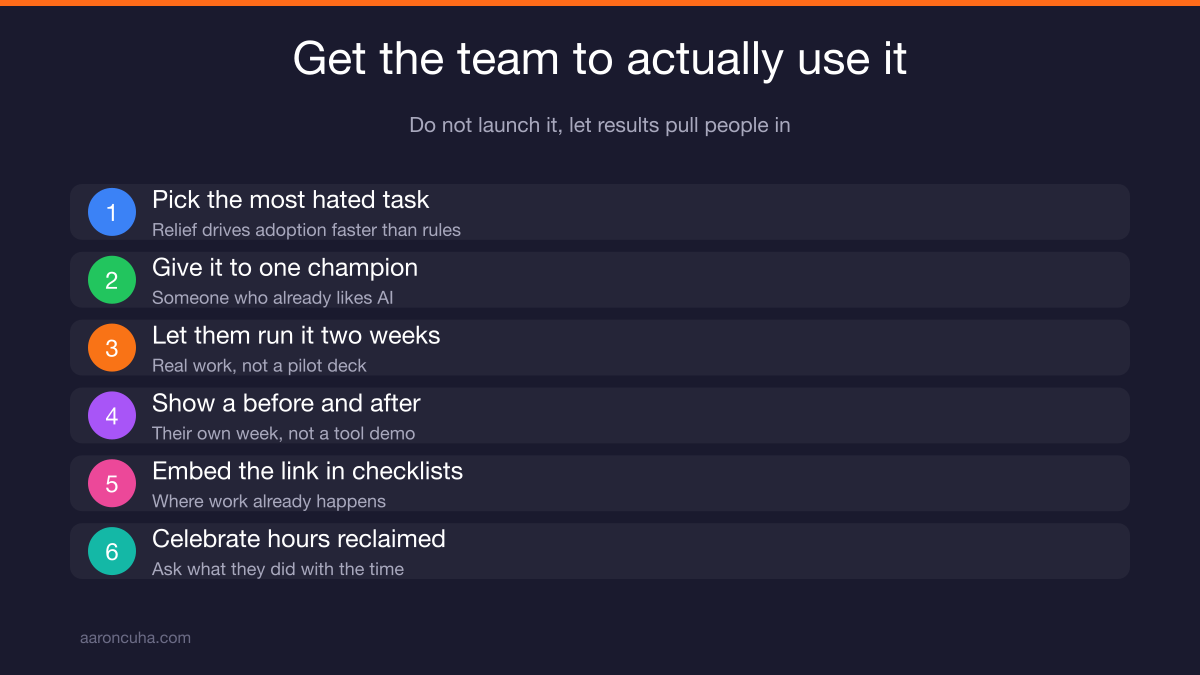
Do not launch it. Launches create polite nodding and zero behavior change. Instead, pick one painful task, one internal champion, and let results pull the rest of the team in.
Here is the sequence that works:
- Pick the most hated repeat task from your inventory. Relief drives adoption faster than any mandate.
- Give it to one champion who already likes AI. Let them use the prompt for two weeks.
- Have them show the team what it saved. Not a demo of the tool. A before and after of their own week.
- Embed the link into checklists and processes people already open. The library should show up where work already happens.
- Celebrate hours reclaimed, not compliance. Ask "what did you do with the time" in your team meeting.
Never make usage a policy in month one. Policy turns a helpful tool into a chore, and chores get faked.
Also expect a small group to resist because they think AI threatens their role. Address it directly. As I have written before, AI will not replace you, but someone using AI will. The library is how your people become the ones using it well.
Adoption is slower than the build. Plan for that. A library used by three people beats a perfect library used by nobody.
From Prompt Library to AI Agents and Systems
Your library is stage one. Proven prompts become automations. Reliable automations become agents. But you only earn each step by proving the one before it.
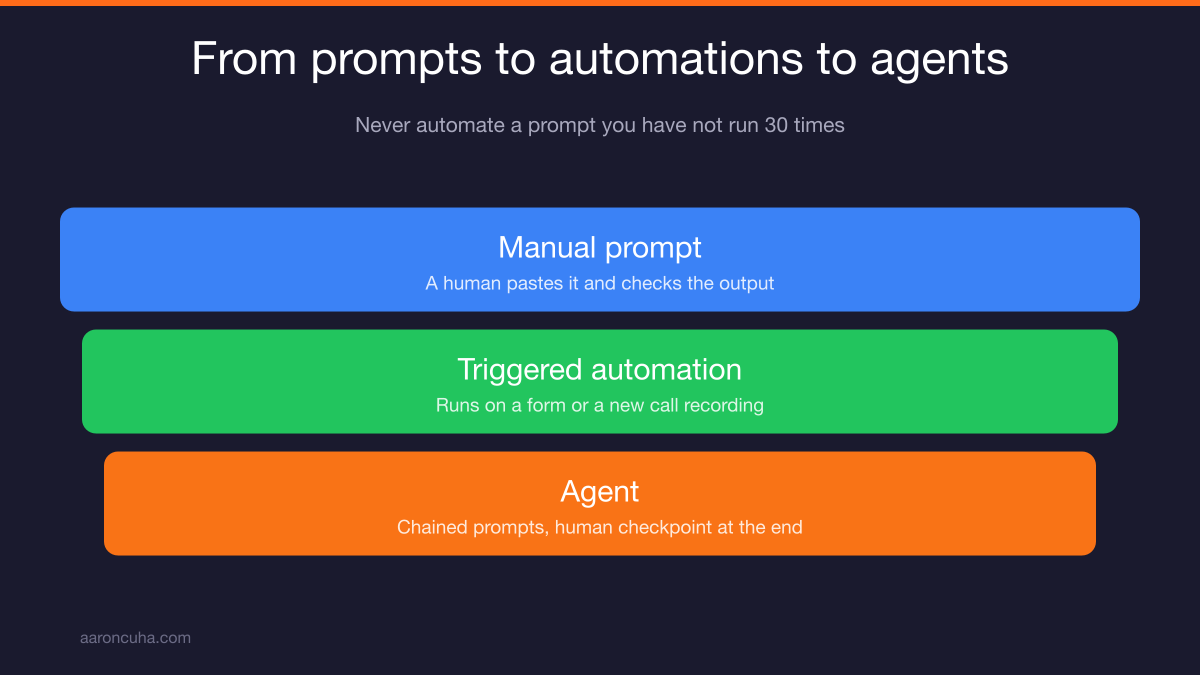
The rule I hold people to is simple. Never automate a prompt you have not run manually thirty times.
Thirty runs is where you find the edge cases. The weird input. The client whose situation does not fit the template. The compliance line you forgot. Automate before that and you have built a machine that produces the same mistake at speed.
The upgrade path looks like this:
- Manual prompt. A human pastes it, fills the brackets, checks the output.
- Triggered automation. The prompt runs when something happens, like a form submission or a call recording landing in a folder.
- Agent. A chain of proven prompts that handles a full workflow with a human checkpoint at the end.
Most owners try to start at step three. That is why their AI projects stall. You cannot chain steps you have never validated individually.
When you are ready to move up, the thinking behind AI business systems and automation and AI agents that run parts of your business takes over where the library ends.
I lost a company with 3,000 employees in 2008 partly because too much of how we operated lived in people's heads instead of on paper. When the pressure hit, the undocumented parts failed first. Then I spent a decade in Nepal learning what actually holds up under stress, and it is never heroics. It is process.
Your prompt library is a small version of that lesson. Ten prompts, written down, owned, reviewed. That is not exciting. It is just the thing that keeps working when you are not in the room.
Ready to stop guessing and get this built? Book a conversation with me and we will map your top ten repeat tasks, then build the library your team will actually open.
Frequently Asked Questions

Written by
Aaron CuhaAuthor of Crazy Simple YouTube, keynote speaker, and executive coach with 20,000+ hours logged. ICF PCC, NLP Master Practitioner, and DISC Certified. Aaron helps entrepreneurs replace hustle with AI-powered systems that generate leads, content, and revenue on autopilot.