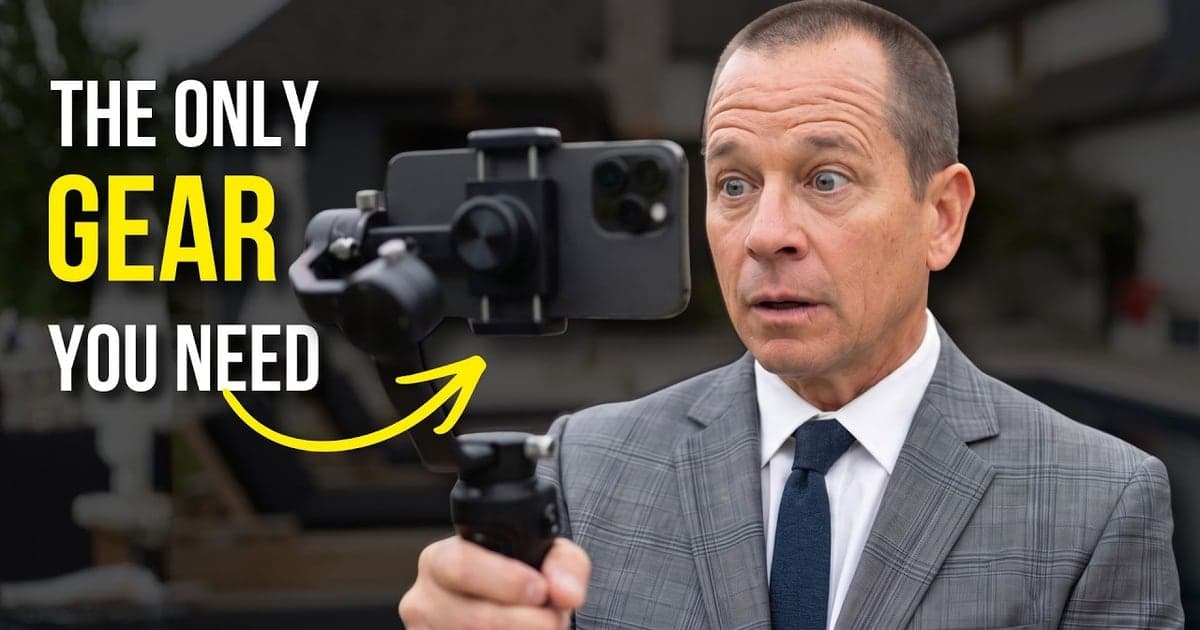
One agent has 300,000 subscribers filming on a phone with no editing. Another has a $10,000 camera, a studio, an editing team, and 47 subscribers. The only difference is YouTube SEO for realtors, and this is the full playbook.
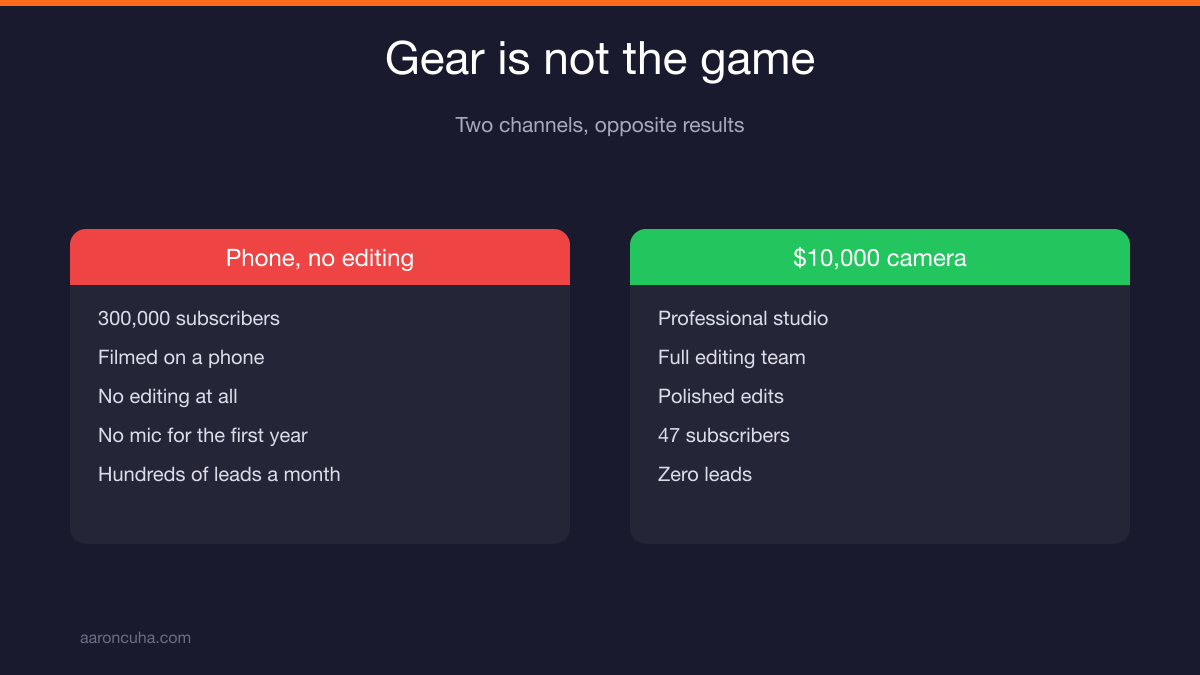
One channel has 300,000 subscribers. No editing. Filmed on a phone. Another agent has a $10,000 camera, a studio, an editing team, and 47 subscribers with zero leads. The difference is search.
Key Takeaways
- Never film a video until you confirm people are searching for that topic.
- Use YouTube autocomplete, TubeBuddy, and Keywords Everywhere to validate every keyword.
- Judge keywords by buyer intent, not by views or monetization potential.
- Three videos a week for two years produced a silver play button and weekly leads.
- Film and post. No editing beats a full editing team every time.
Want a second set of eyes on your channel before you film another video? Start with a Channel Audit and Plan and find out which keywords you are already close to owning.
YouTube SEO for Realtors Is the Whole Game
YouTube SEO for realtors is the only thing separating a 300,000 subscriber channel from a dead one. Production value does not decide who wins. Search intent does.
I can show you a channel with 300,000 subscribers where all they do is film and post. No editing. All of it shot on a phone. For the first full year, no microphone at all. You could hear wind in the background.
That channel generates hundreds of leads every single month.
Then I can show you an agent with a $10,000 camera, a professional studio, and a full editing team. Forty seven subscribers. Zero leads.
You have been lied to about what it takes to win here. The gear is not the game. The edit is not the game. The keyword is the game.
Everything in this article is the playbook I teach my coaching clients. It is the same playbook that built that channel. Nothing is held back.
Validate Demand Before You Film
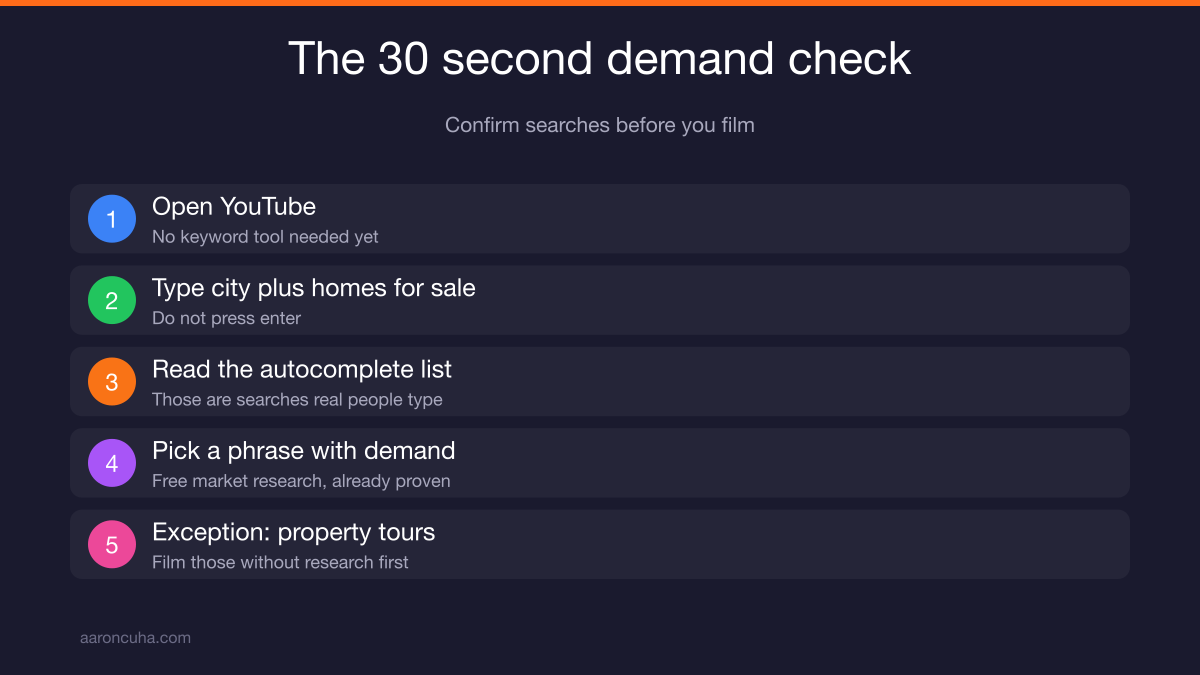
Never film a video unless you have confirmed people are searching for it. The check takes 30 seconds. Skip it and you are guessing with your calendar.
Here is the test. Go to YouTube. Type your city plus "homes for sale." Do not hit enter.
Watch what YouTube suggests. Those suggestions are the most common searches real people are typing. YouTube is literally telling you what to film.
You will see things like:
- Homes for sale in Denver
- Homes for sale in Denver under 500,000
- Homes for sale in Denver under 300,000
- Living in Big Bear
- Best neighborhoods in Huntington Beach
That drop down is free market research. Every phrase on it is demand that already exists.
There is one exception. If you are shooting property tours, film away. You do not need research first. Property tours are their own animal.
For every other pillar, do the 30 second check. It is the cheapest insurance you will ever buy on your time.
The Keyword Tools That Do the Work for You
Use TubeBuddy or vidIQ, plus Keywords Everywhere. The autocomplete test tells you what people search. These tools tell you how many, how hard, and whether you can win.
I run Keywords Everywhere connected to my browser. So when I type into YouTube, I do not just get suggestions. I get search volume from both Google and YouTube right there in the drop down.
Here is a live example from my own market. I am based in Park City. I type "Park City homes for sale."
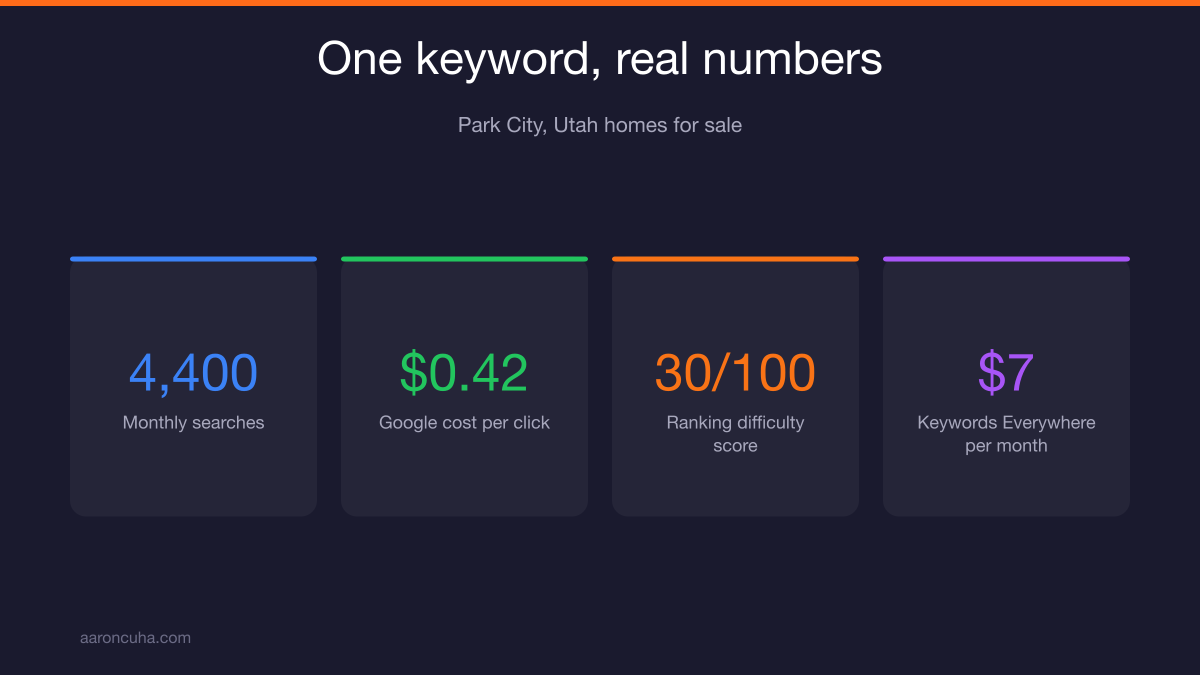
YouTube suggests "Park City, Utah homes for sale." Keywords Everywhere shows 4,400 searches a month with a cost per click on Google of 42 cents. That is a real term with real money behind it.
It also gives me a ranking difficulty score of 30 out of 100. That is low. That is winnable.
Keywords Everywhere runs about $7 a month. That is nothing for the leverage it gives you when you are building out your keyword list.
On the extension question, you need TubeBuddy Legend. I tell all my clients to use TubeBuddy because it is what I know and what I can teach. vidIQ is fantastic too. I have clients doing really well with it who have stayed with it for years. Pick one and go deep.
How to Read Competition and Optimization Strength
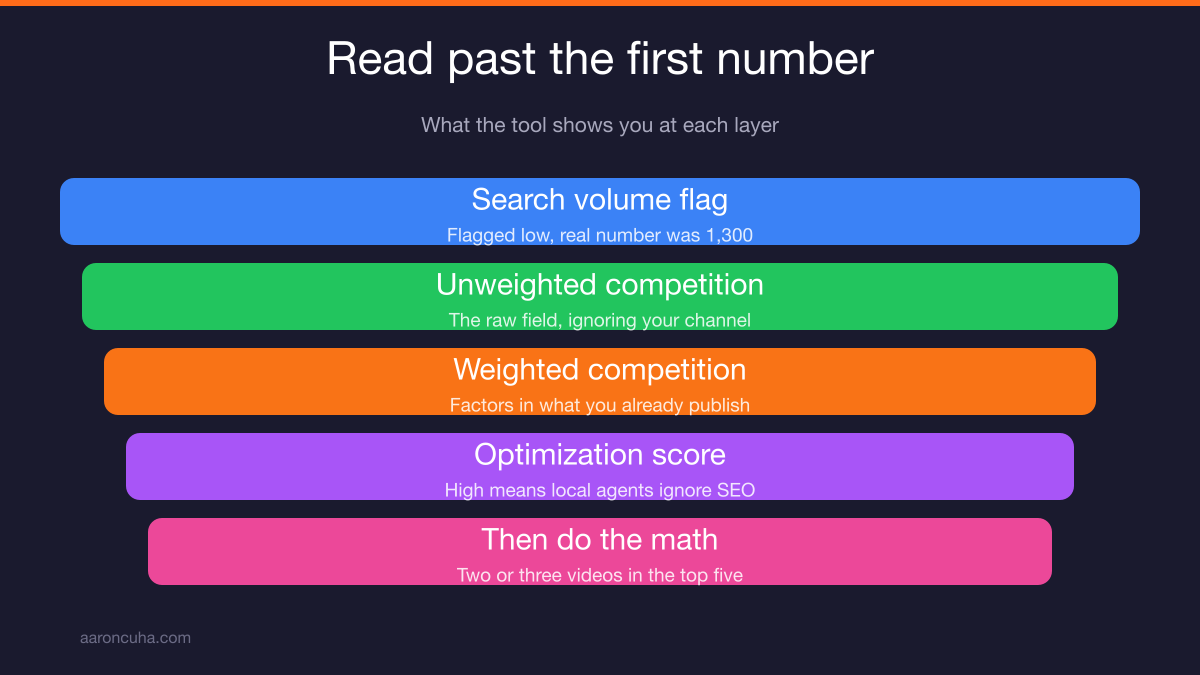
Do not stop at the first number a tool shows you. The surface read on "Park City homes for sale" said low volume. The deeper read said 1,300 searches a month and weak competition.
When I first pulled that term in TubeBuddy, it flagged the search volume as low. Most agents would move on right there.
Then I opened it up. Unweighted competition came back excellent. Optimization score was through the roof. And the real search number was 1,300 a month.
Here is what weighted and unweighted mean, because this trips people up.
Unweighted competition is the raw field. Who else is targeting this term, ignoring your channel entirely.
Weighted competition factors in your channel. As you publish more content containing those search terms, you earn more organic weight in the algorithm. Your bar climbs. A term that looked hard on day one gets easier by video twelve.
I did not click weighted on Park City because I do not publish Park City content. It would not tell me anything useful.
The optimization score is the one that matters most for realtors. When it is through the roof, that means the local agents ranking for that term do not understand SEO. Their titles, descriptions, and tags are a mess. That term is sitting there waiting for someone to take it.
Now do the math. If you had two or three videos ranking in the top three to five results for a term with 1,300 monthly searches, would that help your business? If your answer is anything but yes, we have a different problem.
If the mechanics of ranking are new to you, my breakdown of YouTube SEO tips for ranking videos goes deeper on titles, descriptions, and tags.
Filter Every Keyword Through Buyer Intent, Not Views
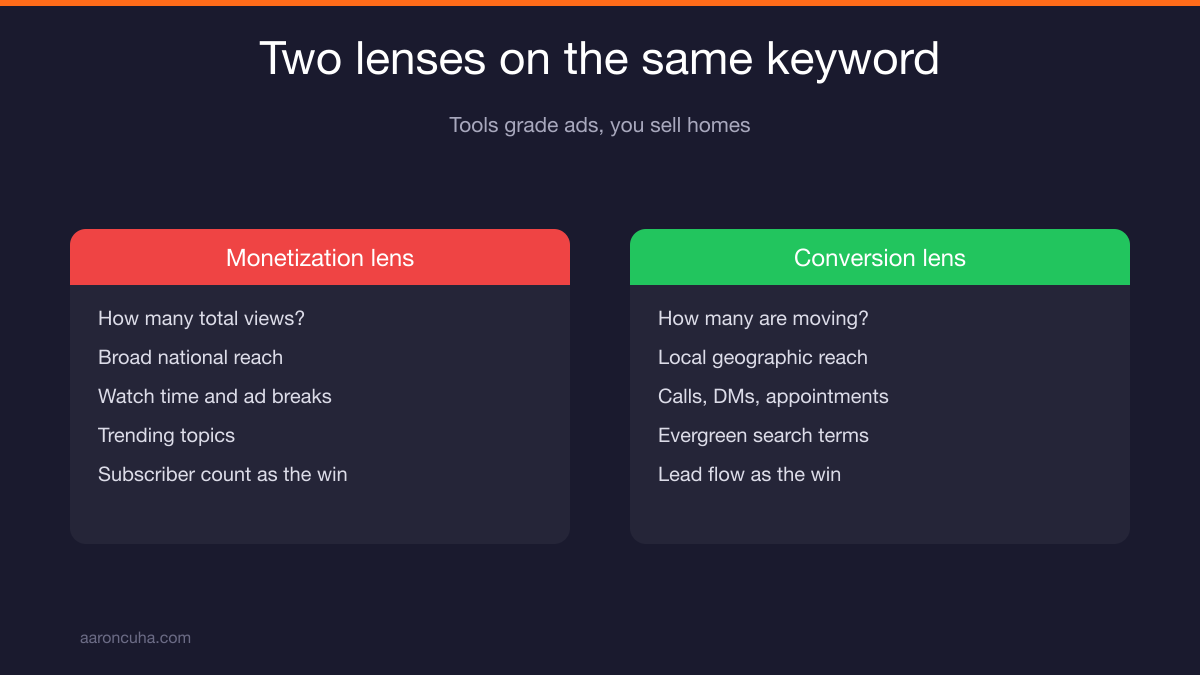
AI and keyword tools grade terms on monetization potential, not conversion. You are not selling ad views. You are selling homes. Different lens required.
When you run keyword research through AI, it is making judgment calls based on what earns ad revenue. That is not your business model.
Every keyword decision has to pass one question: will this bring me buyers and sellers who click, call, ask me something, or book an appointment?
That is the filter. Run everything through it. AI output, TubeBuddy scores, YouTube suggestions. All of it.
| Monetization Lens (what tools use) | Conversion Lens (what realtors need) |
|---|---|
| How many total views can this get? | How many of these viewers are moving? |
| Broad, national reach | Local, geographic reach |
| Watch time and ad breaks | Calls, DMs, and booked appointments |
| Trending topics | Evergreen search terms buyers type for months |
| Subscriber count as the win | Lead flow as the win |
A video with 400 views that produces two buyer calls beats a video with 40,000 views that produces none. Every time.
Map Keywords to Your Four Content Pillars
Load your four content pillars into Gemini, then run a prompt that generates and validates 30 video ideas mapped to those pillars. You go from blank calendar to a full quarter in minutes.
I keep my pillars saved in Gemini's memory. It knows what my engine content is, what my magnet content is, and what my advisor content is. Then I paste in the prompt and let it run.
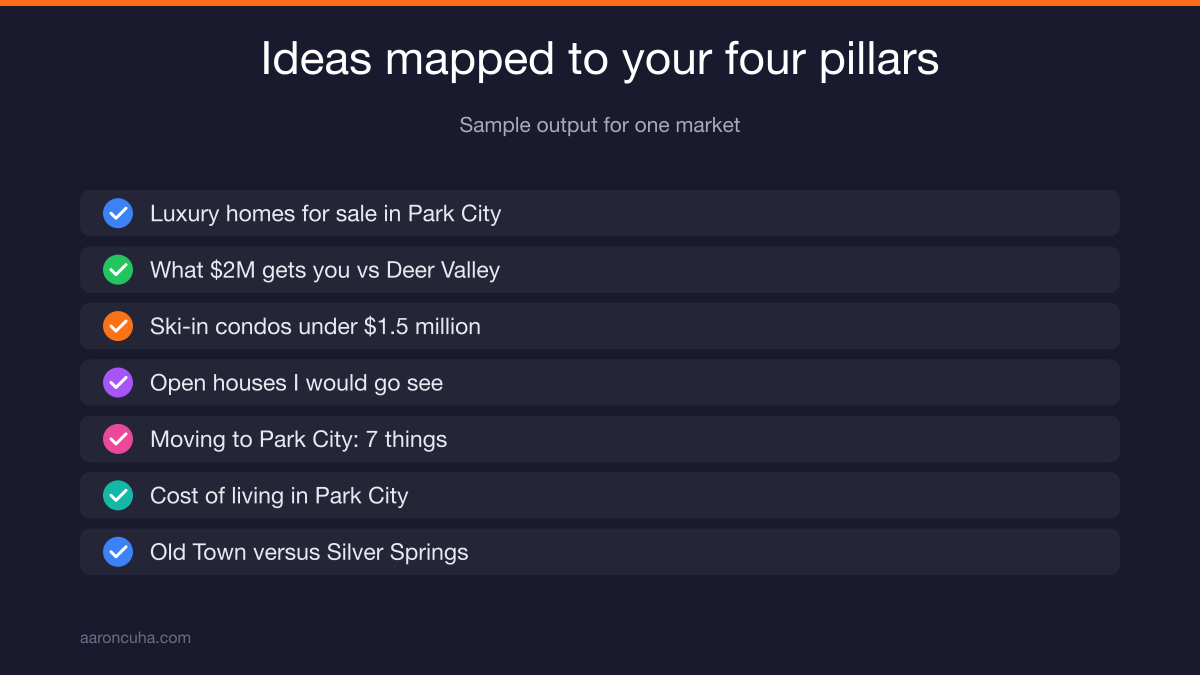
Here is the kind of output it returns for Park City.
Transactional buyer intent, high:
- Luxury homes for sale in Park City, Utah
- What $2 million gets you in Park City versus Deer Valley
- Three ski-in ski-out condos under $1.5 million in Park City
- Park City open houses: this week's best finds
- Empire Pass Park City: what $5 million gets you
Magnet content:
- Moving to Park City: seven things you must know first
- Cost of living in Park City
- Old Town versus Silver Springs
Notice the numbered titles. Seven things you must know. The top five. The top three. People love them and they perform. That is a pillar of its own.
On the open house idea, it does not have to be your open house. Most MLSs publish the full list. Make a video called "the open houses I would go see this week." I usually leave the address out and make them call me for it. Then I offer to take them over and show it.
If your pillars are not built yet, start with the four content pillars that turn a channel into a lead machine before you run any prompts.
The AI Plus TubeBuddy Workflow, Step by Step
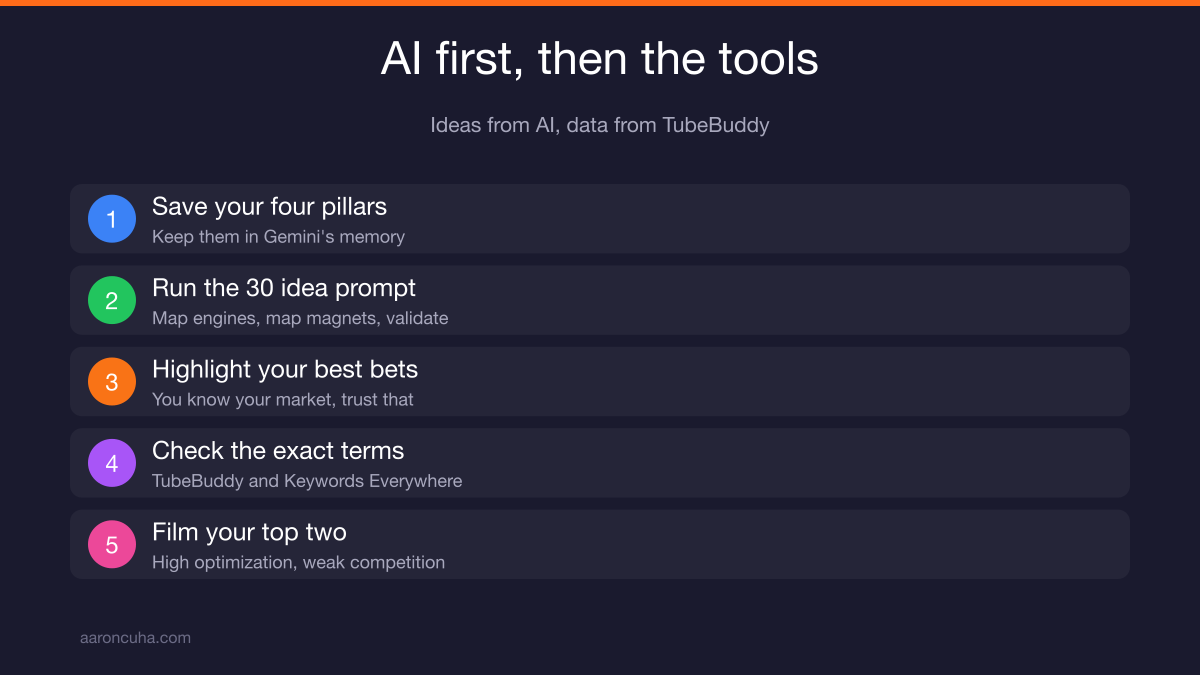
AI gives you ideas. TubeBuddy gives you data. You need both, in that order, and the tool check is not optional.
Here is the exact sequence:
- Give AI your four content pillars. Save them to memory so you never retype them.
- Run the prompt for 30 video ideas. Ask it to map engines, map magnets, and validate the list.
- Highlight the ideas you believe will perform. You know your market. Trust that.
- Drop those exact search terms into TubeBuddy and Keywords Everywhere. Get real monthly search volume and the optimization score.
- Pick your top two and film those next. Not the ones that sound fun. The ones where optimization is high and competition is weak.
Step four is where most agents quit. They take the AI list and start filming. Gemini is not giving you search volume. It is not giving you optimization strength. That data only comes from the tools.
So you take the terms, run them one by one, and find the ones where the optimization is through the roof and the local competition is asleep. Those are your next two videos.
This is a system, not a mood. If you want the broader version of this thinking for your whole business, read content systems for entrepreneurs.
If you want me to build this keyword map with you for your specific market, book a YouTube strategy session and we will pick your next two videos together.
The Case Study: From an Art Project to a Silver Play Button
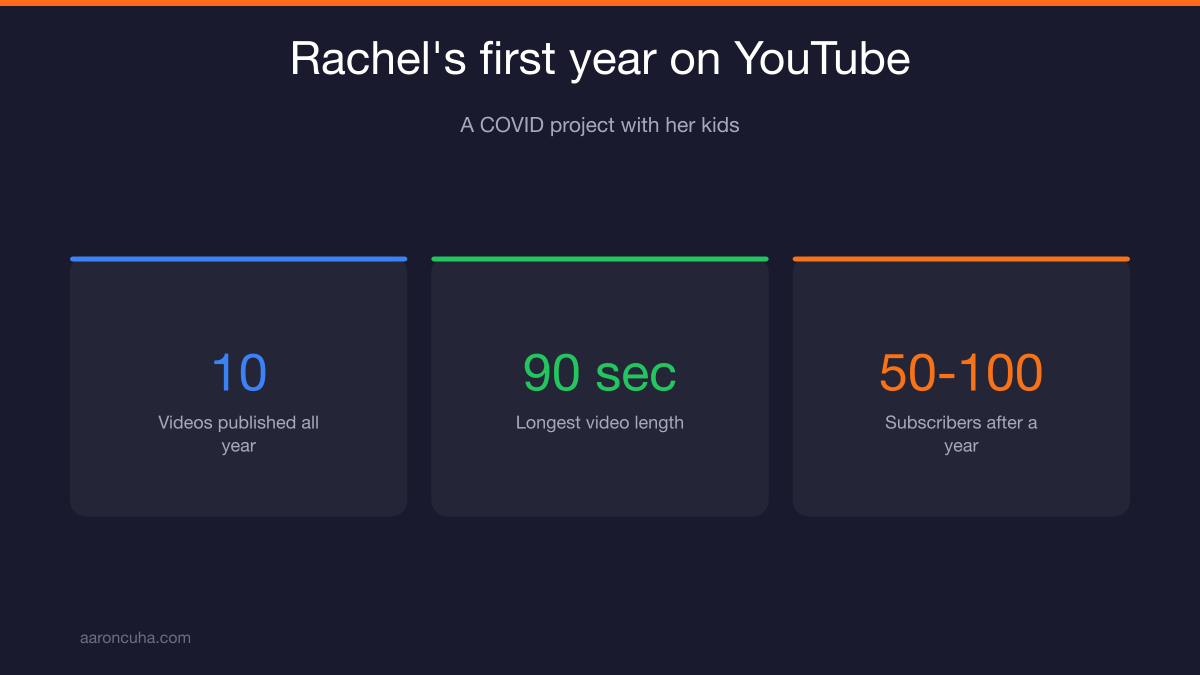
Rachel Smith from Big Bear, California started her channel during COVID as a project with her kids. Her words: it was awful. Today she has a silver play button.
Year one looked like this. About 10 videos in the entire year. Just under one a month. A subscriber count somewhere between 50 and 100, and I am being generous with that guess.
Nothing over 90 seconds. She would walk into a large house, rip through it fast, and post a four bedroom tour in a minute and a half.
She did not know what a thumbnail was. She is not sure she even had a channel banner. No strategy. Views came from her parents and a few family members.
Was it disheartening? Her answer: you feel like you are doing it and you think, why am I even doing this? But it was COVID. She figured maybe this is how the world works now. So she kept going to see what would happen.
Then life changed. She went through a divorce with three young girls at home. She decided she needed a coach so her business had someone watching it while her life was in pieces.
She had always liked the Tom Ferry program. When she interviewed, she asked for one specific thing: somebody who knows what they are doing with YouTube. They put her with me.
And with me came accountability.
My early list for her was short and unglamorous:
- Go longer. Way longer.
- Clean it up.
- Get a banner.
- Make real thumbnails.
- Buy a microphone, because there was wind in half her videos.
- Get a gimbal.
- Slow down.
She did not like any of it. She did it anyway.
What Three Videos a Week for Two Years Actually Produces
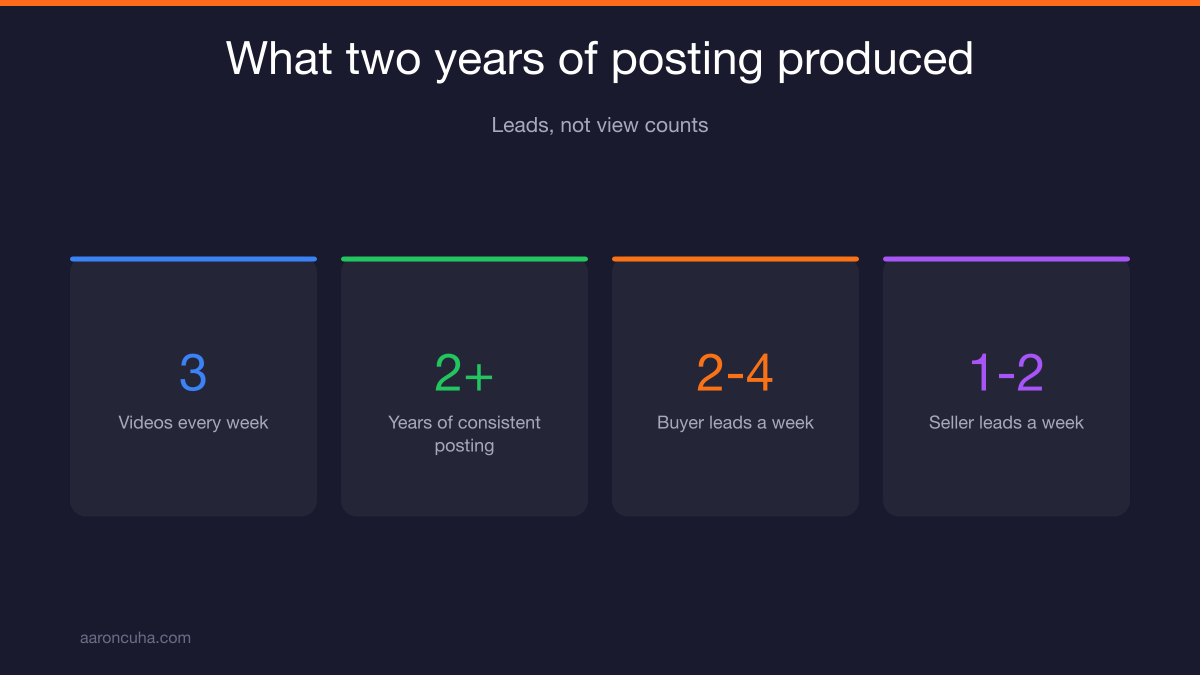
Rachel has published three videos a week, every week, for just over two years. She now gets two to four buyer leads a week and one to two seller leads a week.
Not view counts. Leads. People who call her.
One of them opened with this: "I have a $1.5 million budget. Do you think you have time to work with me?" Her answer, obviously, was yes.
Here is the part that matters most. Those leads arrive warm. They have been watching her for months before they ever pick up the phone. There is already a connection. She is not starting from cold. She is starting from trusted.
That is the difference between YouTube and every other lead source you have paid for.
How did it happen? She committed to a system. She loaded up on engine content, and I mean loaded up. Then the algorithm did the rest.
If you scroll her channel, sort by oldest, and scroll forward, you are watching two and a half years of consistent publishing turn into a business. She earned a silver play button along the way. That note she sent me is the highlight of my year.
This is what I mean when I talk about systems over hustle. She did not work harder than everyone else. She worked the same plan longer than everyone else.
Film and Post: Why No Editing Beats an Editing Team
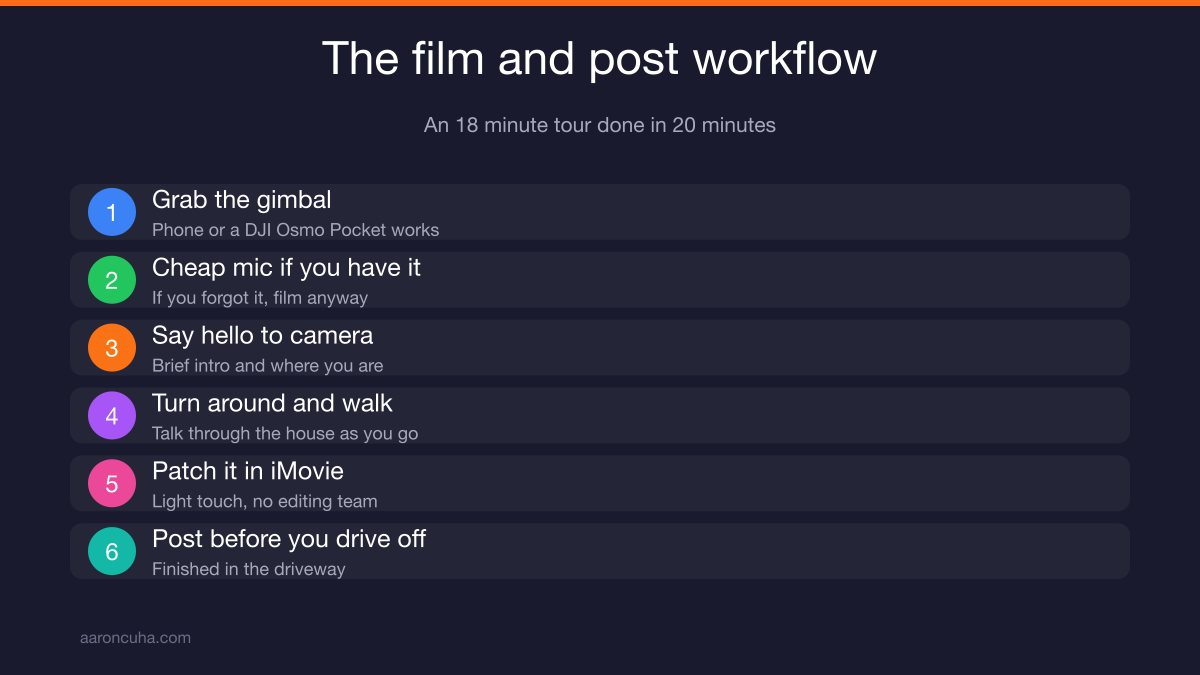
Rachel shoots an 18 minute property tour and is done in 20 minutes. Gimbal, iMovie, quick intro to camera, walk the house, patch it together. All her.
That is the whole workflow. She is at the house, she films, the video is finished before she leaves the driveway.
She faces the camera at herself, says hello, gives a brief introduction and where she is, then turns the camera around and starts walking.
On microphones: she uses a cheap one from Amazon with the little foam windscreen. If she has it that day, great. If she does not have it, she does not overthink it. She films anyway.
Remember, that 300,000 subscriber channel I opened with used no microphone at all for the entire first year. You could hear the wind. It did not stop them.
If she is doing a multi million dollar property, sure, there will be a few edits. For everyday filming, she shoots and posts.
So why are you spending so much time editing?
Gear, if you want to upgrade past the phone: get a DJI Osmo Pocket. It has a stabilized gimbal and a little Bluetooth microphone. It is my favorite device. The Pocket 3 is excellent and it goes on sale whenever a new version is announced. You do not need the newest one.
Editing, if you must: use Descript, and keep it light. I fix eye contact, remove ums and ahs, clean up the sound, and maybe delete a line or two. Descript re-cuts it automatically and I post. That is it.
B-roll: not important at all. It is closer to a waste. If you insist on using it, keep it under eight seconds or you will lose people. You are not Ryan Serhant.
Be natural. Be yourself. Watch Rachel. Watch Armando Nava Realty Group. Those channels work because they feel like a person, not a commercial.
How to Fill 18 Minutes in Any House
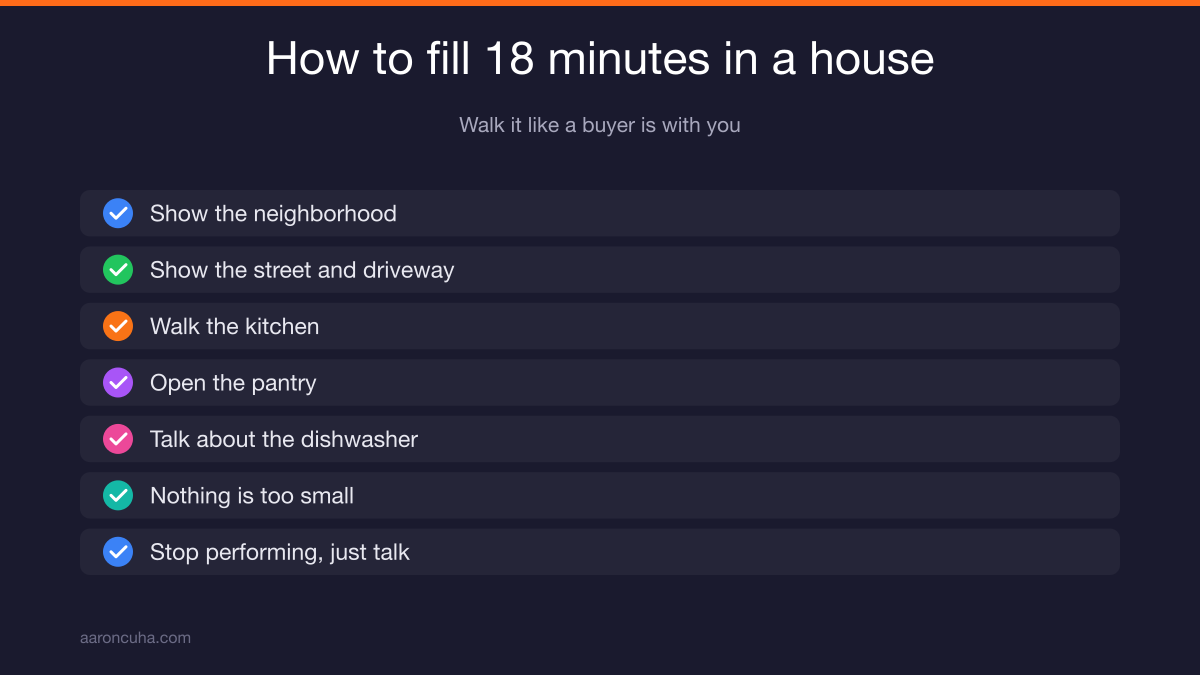
Stop performing. Pretend you are walking a real buyer through the property. That is the entire outline. It fills 18 minutes without effort.
Here is the neighborhood. Here is the street. Here is the driveway. Here is the kitchen. Oh, here is the pantry. I have watched Rachel open the dishwasher and talk about the dishwasher.
It is everything. Nothing is too small.
Rachel did an 880 square foot cabin recently. Seventeen minutes. I have shown that video to a hundred people.
Meanwhile I get clients telling me there is no way they can spend 18 minutes in a 5,000 square foot house. Come on. If you cannot spend 18 minutes walking a live buyer through a home, you have a bigger problem than your content.
Talk to the camera the way you talk to a client standing next to you. The length takes care of itself.
For more on tour structure and short-form companions, see my guide to YouTube for real estate agents.
The $20 Promotion Rule
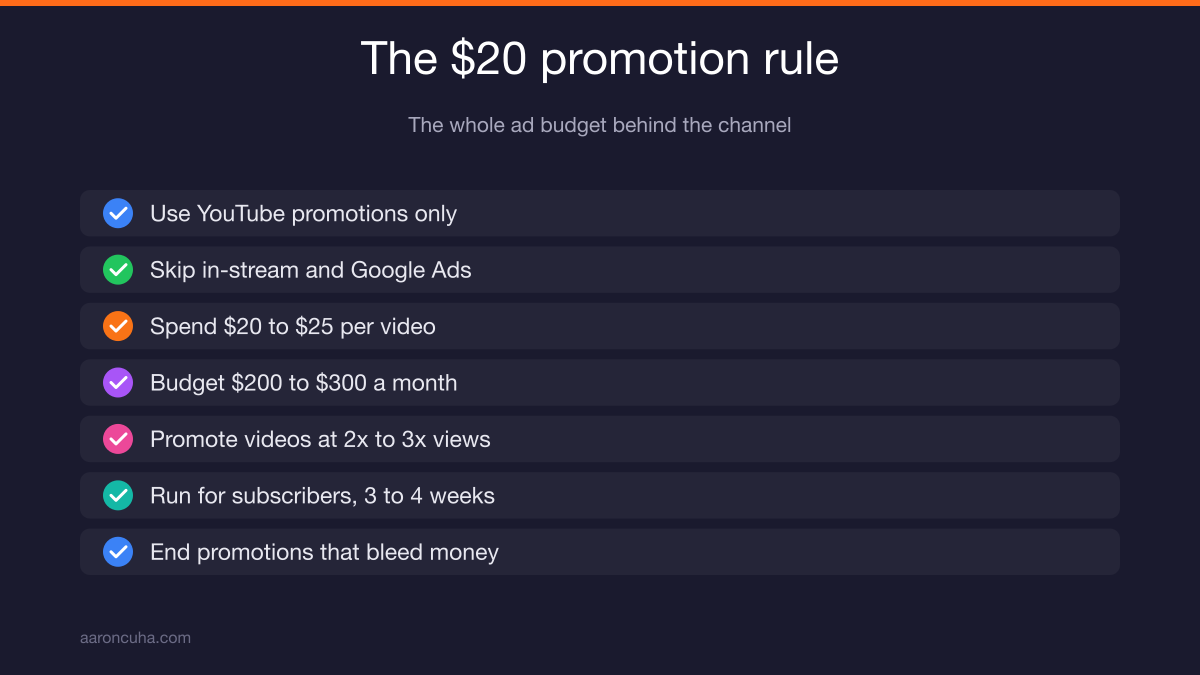
YouTube promotions only. No in-stream ads. No Google Ads. Rachel spends about $20 to $25 per long-form video, roughly $200 to $300 a month total.
That is the whole budget behind a channel producing two to four buyer leads a week.
Here is my rule for when to promote. Promote any video doing two to three times your normal views. If you normally get 50 views and a video hits 100 or 150, put money behind it and see what happens.
Run the promotion for subscribers. That video goes out to everyone searching that topic and pulls subscribers in.
Rachel runs about $20 on an above-average video for three or four weeks. That is it.
If a promotion is not working, end it or change it. Do not let it bleed. You are testing, not committing.
One exception worth knowing. If you are in a slow market where average days on market runs 180 days, you need to shoot tours of your own listings to justify your work to the seller. Those get different treatment. Run a views promotion plus a subscribers promotion on your personal listings. The seller sees the reach and you still get algorithm love.
Everything else on your channel exists to funnel people into the top of your pipeline. It is not about selling that specific house. YouTube's official blog is worth following if you want to track how promotion and discovery features change.
For the conversion side of this, read the YouTube lead generation strategy breakdown.
Your Next Two Weeks
Here is the homework, due in two weeks. Run the AI prompts for 30 video ideas, pick 10 to record, complete the video planning worksheet, block a filming day, and film.
Step by step:
- Run the AI prompt against your four pillars. Get 30 ideas.
- Validate the best ones in TubeBuddy and Keywords Everywhere.
- Pick your 10 to record.
- Complete the video planning worksheet for each.
- Block one filming day on your calendar. An actual block, not a wish.
- Film.
Some of you will film all 10 in that one day. Some will get three or four done. Either is fine. What is not fine is not filming.
A few small rules that come up every single time:
- Leave old videos up. Do not delete the one where you said the address. Everything you have published helps the algorithm understand your channel. Leave it.
- Shoot any house. Your house. Your neighbor's house. A friend's house. "This is what a million dollars buys you in Huntington Beach" works whether the home is active or not. When they call, you say it sold, then ask about their criteria.
- Get permission and give credit when you feature another agent's listing. Just ask. It is fine. Those callers are going to reach you because you made the video.
Ready, fire, aim. Film and post.
If you do not film, you never post. If you never post, you never get anywhere. That is the whole thing.

You have the keyword system, the workflow, and the proof it works. If you want accountability behind it, the same kind Rachel got, join the Systems Over Hustle community and start your filming block this week.
Frequently Asked Questions

Written by
Aaron CuhaAuthor of Crazy Simple YouTube, keynote speaker, and executive coach with 20,000+ hours logged. ICF PCC, NLP Master Practitioner, and DISC Certified. Aaron helps entrepreneurs replace hustle with AI-powered systems that generate leads, content, and revenue on autopilot.