Most people open Claude and treat it like a smarter chatbot. This Claude Cowork tutorial walks through the five features that turn it into an agent that works while you work: scheduler, projects, dispatch, connectors, and skills.
Most people use AI like a search bar. Claude Cowork is different. It takes actions, runs on a schedule, and finishes work while you are on calls. Here is how it works.
Key Takeaways
- Cowork combines a language model with an agent, so it acts instead of just talking.
- Start with connectors. You control what Claude sees and does.
- Use the scheduler for blog posts, morning briefings, and daily MLS updates.
- Plan in Cowork, then hand the plan to Claude Code to build.
- Skills make Claude perform like a specialist instead of a generalist.
If you want help wiring this into your business instead of guessing, start with a Channel Audit and Plan and we will look at where automation saves you the most hours.

What Claude Cowork Actually Is
Claude Cowork is a combination of a large language model and an agent. That means it can take actions, not just answer questions. This claude cowork tutorial walks through the pieces that matter most.
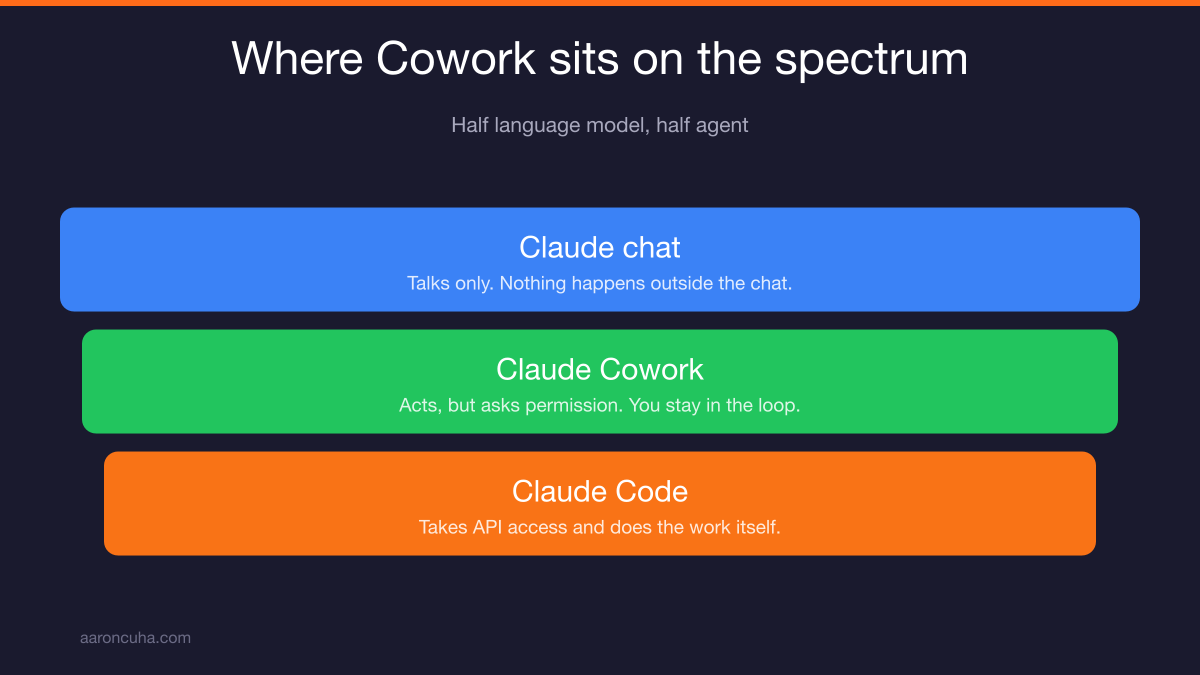
Think of it as a spectrum. Regular Claude chat is a large language model, like Grok. You type, it responds. Nothing happens outside the chat window.
Claude Code sits at the other end. You hand it API access and it goes and does the work directly, start to finish.
Cowork sits in the middle. It is half Claude and half Code. You get all the reasoning power of the language model plus some of the doing power of Code.
That middle ground matters. In Cowork, Claude asks for permission before it touches something. It says "I am going to open this website, please authorize it." You stay in the loop.
By the time you finish this tutorial, you will stop opening ChatGPT. Not because ChatGPT is bad, but because a tool that only talks cannot compete with a tool that works.
Start With Connectors: Gmail, Calendar, Drive
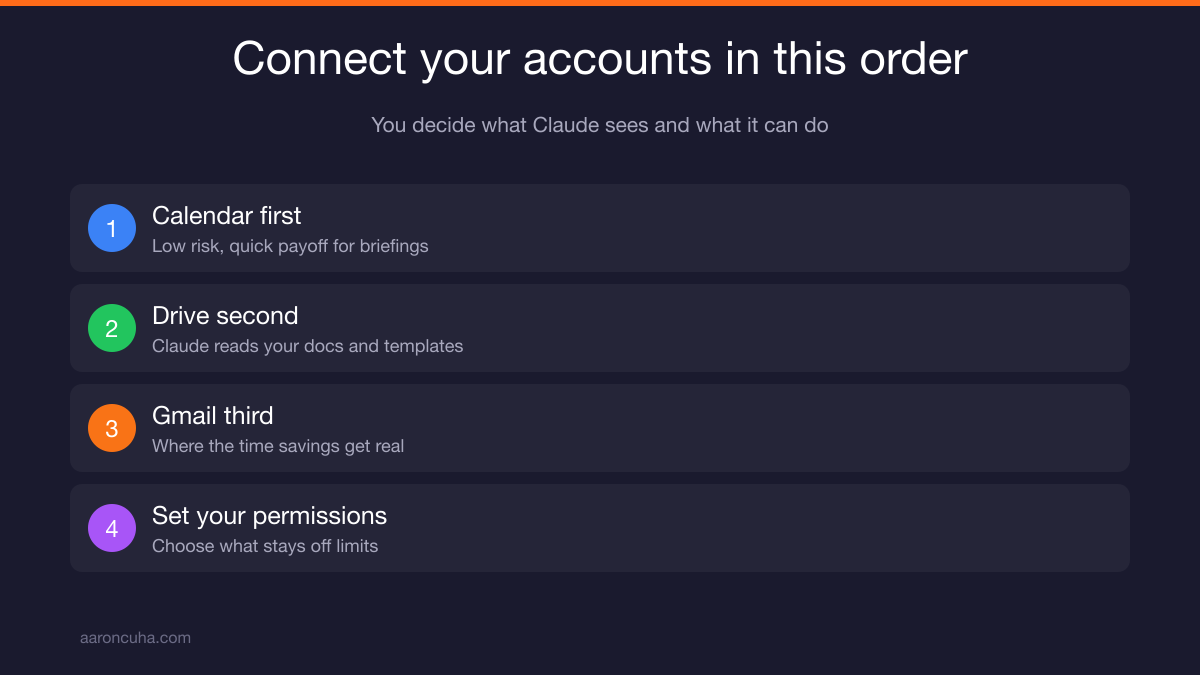
Connect your accounts first. Gmail, Google Calendar, Google Drive. You control exactly what Claude can see and what it can do, so there is nothing to be afraid of here.
Most people hesitate at this step. They worry about handing an AI access to their inbox. I understand it, but the permission model is built for exactly that concern.
You decide what is visible. You decide what is off limits. You decide what actions Claude can take without asking you again.
Here is why this is step one. Cowork without connectors is just a smarter chat window. Cowork with connectors becomes an assistant that already knows your schedule, your files, and your email.
Start small if it makes you comfortable:
- Calendar first. Low risk, immediate payoff for briefings and scheduling questions.
- Drive second. Now Claude can read your documents and templates.
- Gmail third. Once you trust the permission model, this is where the time savings get real.
For the permission details straight from the source, the Anthropic news and product updates page documents how connectors and access controls work.
The Scheduler: Tasks That Run Without You
The scheduler lets you create recurring tasks that run on a clock instead of running when you remember. This is the feature most people have never seen, and it is the one that changes your week.
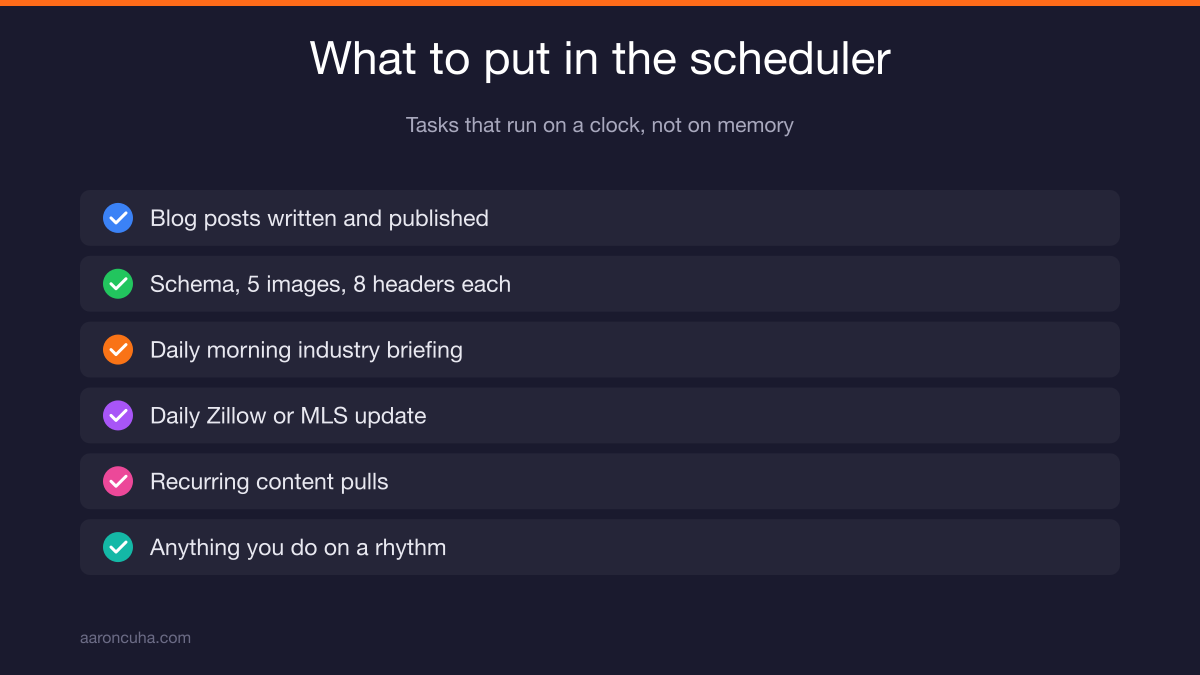
Here is exactly what I schedule. I taught Cowork how I want blog posts written. It takes my videos and my content, writes the posts, and publishes them to my website.
Every post ships with the proper schema. Every post has five images. Every post has eight headers. Every post is built to perform in Google, in ChatGPT, and across the platforms that matter.
That is SEO and AEO content going live without me touching it.
Other tasks I run on a schedule:
- A morning briefing every day. Research the industry, pull new articles and posts, summarize it.
- A daily update from Zillow or the MLS. Give Claude access and it reports every morning.
- Recurring content pulls that feed the rest of my publishing system.
The pattern is simple. Anything you do on a rhythm belongs in the scheduler. If you want the deeper version of this idea, read how I structure content systems for entrepreneurs.
Projects: Train Claude Once, Reuse Forever
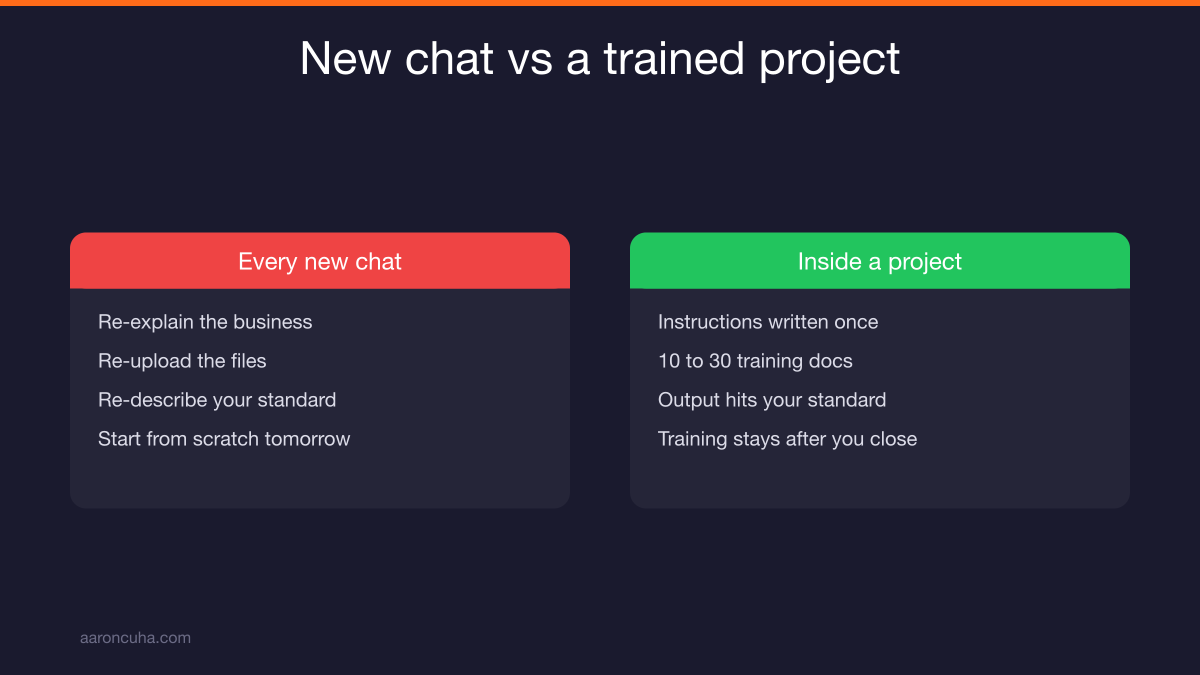
A project holds instructions, documents, and chats in one place. You train it once and stop starting from scratch every time you open a new chat.
Most people work the slow way. New chat, re-explain the business, re-upload the files, re-describe the standard. Then do it all again tomorrow.
Projects kill that loop. If it is something you come back to often, it should be a project.
Here is a real example. Say I want a landing page project. I name it, then I write detailed instructions about what the project is for.
Then I train it. I drop in 10, 15, 20, even 30 documents. For landing pages, I might pull the cheat sheets from Russell Brunson's DotCom Secrets and ClickFunnels material and load all of it in.
Now I have a project that produces landing pages to a standard, over and over. The training does not evaporate when I close the tab.
Build projects for the work you repeat: proposals, listing presentations, email sequences, market reports.
Dispatch: Approve Work From Your Phone
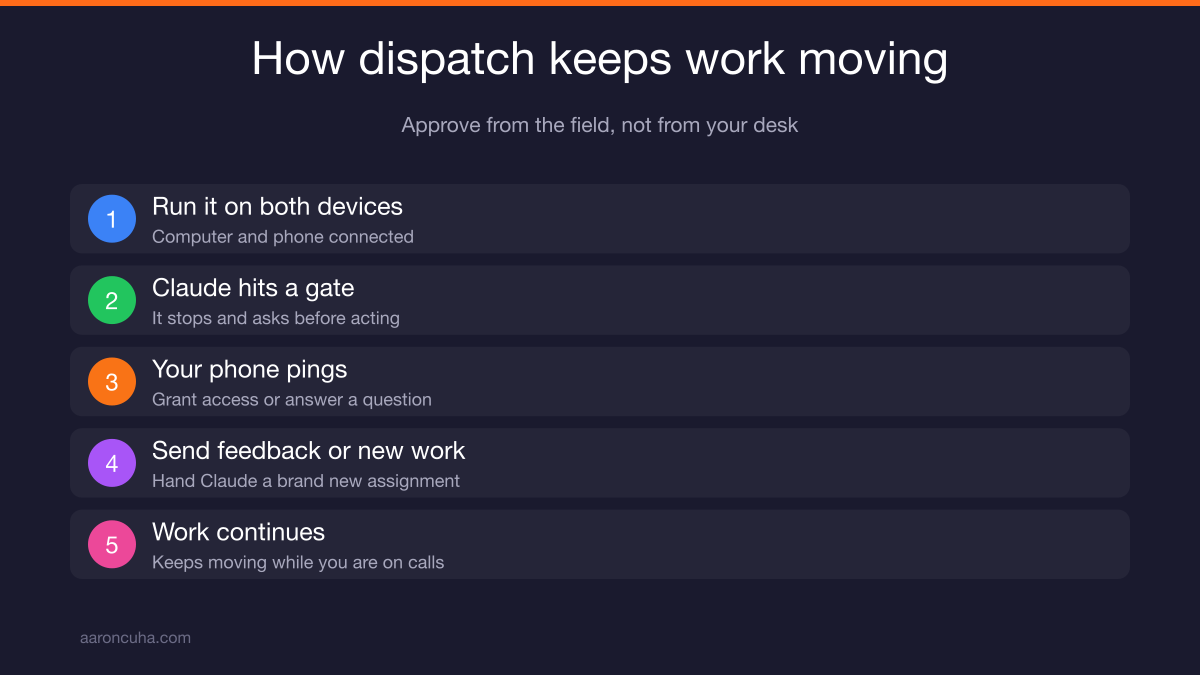
Dispatch lets Claude keep working while you are away. It pings your phone for permissions and questions, so you approve from the field instead of from your desk.
Here is the problem dispatch solves. Cowork has to be monitored. I do not give Cowork unfettered access to everything, and you should not either.
So Cowork stops and asks. Can I open this file? Can I access this site? That is good security and bad convenience if you are chained to a chair.
With dispatch running on your computer and your phone, the two connect. Claude works on the machine and pings you on the phone.
From your phone you can:
- Grant permissions
- Answer clarifying questions
- Give feedback on work in progress
- Hand Claude brand new assignments
I run Cowork on multiple machines with dispatch in the background. The work keeps moving while I am on showings, on calls, or on stage. It is a small tool, and once you learn it, it is simple.
The Ideas Tab: The Fastest Way to Learn
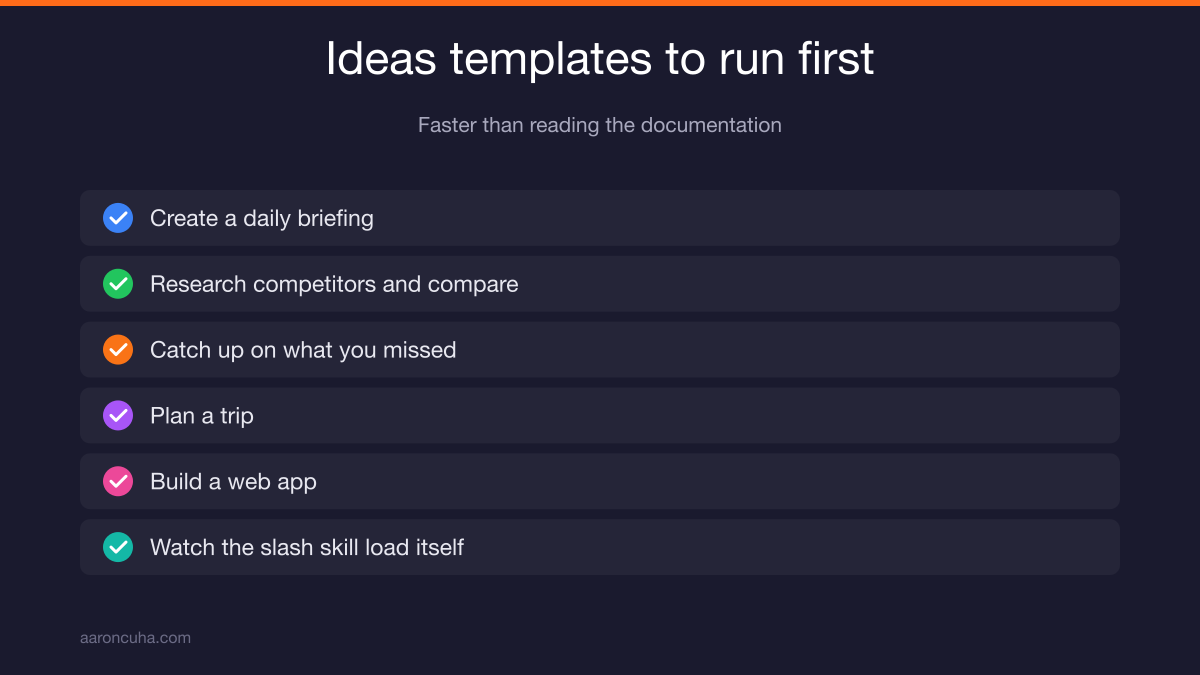
Ideas is a built-in library of starter prompts. It shows you which skills and connectors Claude will use, which makes it the fastest way to learn what the tool can actually do.
Anthropic built it as a teaching tool. Click Ideas and you get a list of things to test.
Look at "create a daily briefing." You can see the connectors attached to it: calendar, Slack, Google. Click it and Claude starts asking what you want to focus on.
Now take "research competitors and compare positioning." Claude loads tools first. Watch the chat and you will see a slash command appear, something like /competitive-brief. That is a skill Claude just gave itself.
Then it starts asking questions. Which business do you mean? It already knows my properties, so it lists them and narrows down from there.
Other templates in the tab include planning a trip, catching up on what you missed, and building a web app.
Run three or four of these before you build anything custom. You will learn more in twenty minutes than in a week of reading documentation.
If you would rather have someone map this to your business directly, book a strategy session and we will build your first automation plan together.
Claude Cowork vs Claude Code: Which to Use
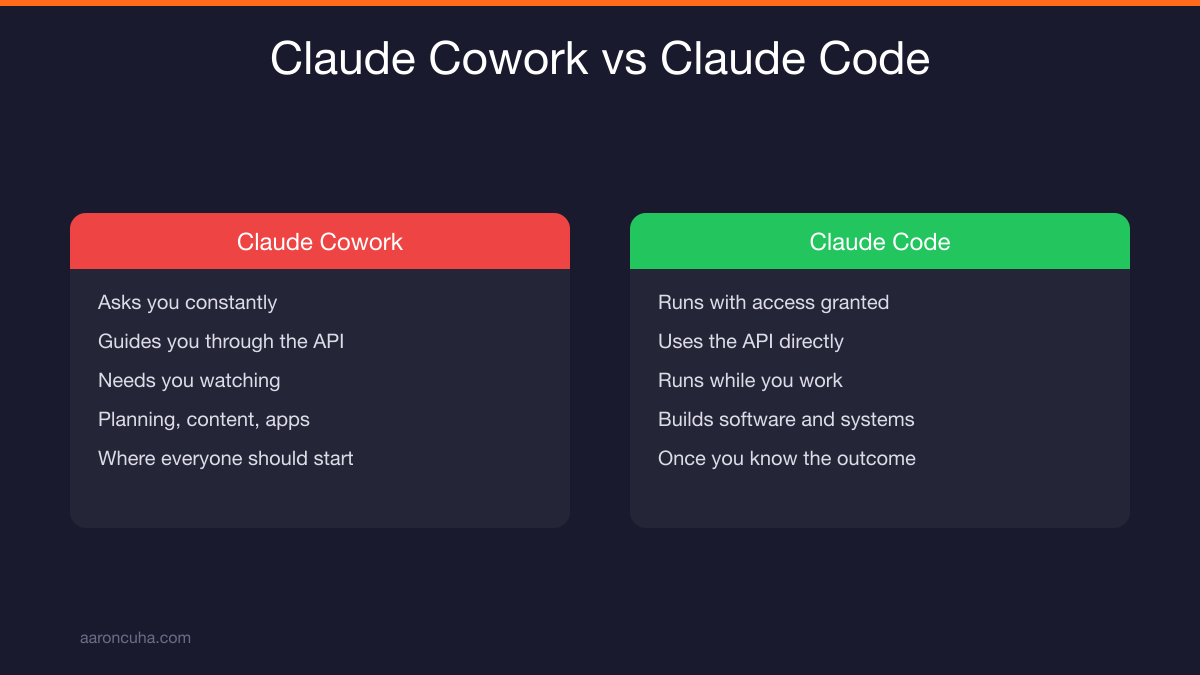
Cowork is your training ground. Code is your builder. Start in Cowork, graduate to Code when you know what you want built.
The clearest way to see the difference is with a CRM. Say you want data pushed into Follow Up Boss.
Cowork gives you clear step-by-step directions. Here is the data, here is the field, here is where to paste it. You do the last mile.
Claude Code takes the API and does it. It goes into Follow Up Boss and enters everything for you.
| Factor | Claude Cowork | Claude Code |
|---|---|---|
| Permissions | Asks you constantly | Runs with the access you granted |
| API access | Guides you through it | Uses it directly |
| Monitoring | Needs you watching | Runs while you work |
| Best use | Planning, content, connected apps | Building software and full systems |
| Skill level | Where everyone should start | Once you know the outcome you want |
As you use Cowork more and add more connectors, it gets easier. The learning compounds. That is the whole point of a training ground.
The Play That Saves Hours: Plan in Cowork, Build in Code
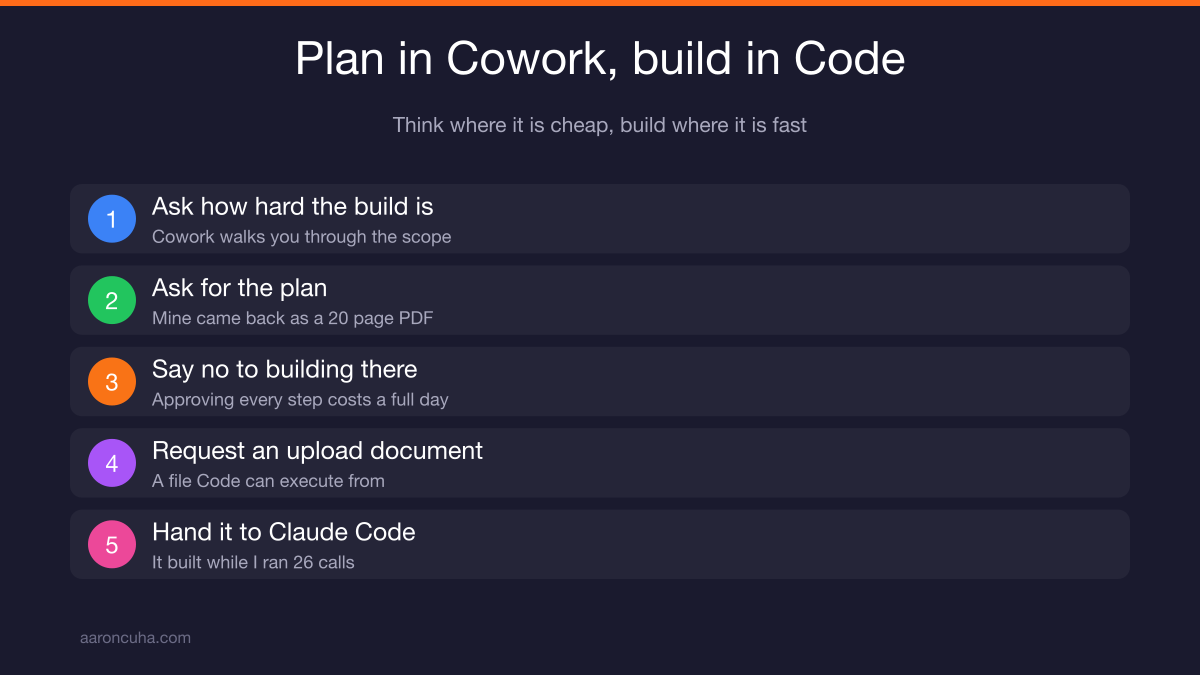
Use Cowork to write the build document. Then hand that document to Claude Code and let Code execute. This one move saves more time than anything else in this tutorial.
Here is exactly how it played out for me this week.
I am building a community. Live group coaching, Q and A sessions, templates and checklists, peer groups, accountability, masterminds, copies of my books, and a pile of resources.
I had originally built it on School, the open community platform. Then my editor on the Crazy Simple YouTube book asked me a simple question. Why did you not just build it yourself?
So I asked Cowork how hard it would be to build the whole thing, code and all. Cowork walked me through it. Then I said, put together the plan.
Cowork produced a 20 page PDF plan. Then it asked if I wanted it to start building right away.
I said no. If Cowork builds it, I have to monitor every single step and approve every little thing. It can do the work, but it costs me my whole day.
Instead I asked for a document I could upload to Code. Cowork agreed that was the smarter path and handed me the file.
I uploaded it to Claude Code. What came out has full community features, courses, events, chat, announcements, and gamification. I already created events inside it. On day one it is more capable than what I had before.
Claude Code built it while I ran 26 calls.
That is the play. Plan where thinking is cheap. Build where execution is fast. It is the same principle behind Systems Over Hustle.
Connecting Apps: Notion, Monday.com, Stripe, Follow Up Boss
Once an app is connected, Claude reads from it and writes to it. That means you can ask operational questions about your business and get answers instantly.
Open the customize section in Cowork and you will find the app connections. This is where it gets fun.
Here is what I have connected: Notion for our boards, Monday.com for project tracking, PayPal, Figma for design, and Jotform. All of them work cleanly inside Claude.
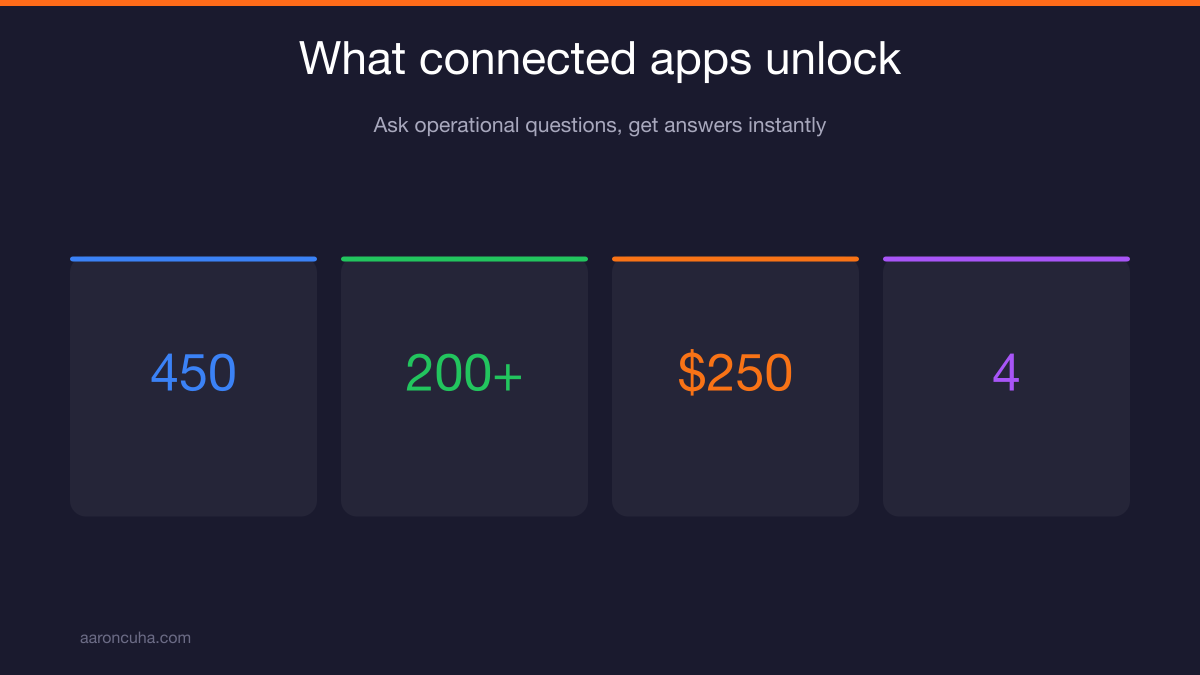
Now watch what that unlocks. We are running 450 YouTube audits right now and we are more than 200 in.
I can say: look at my Monday board, tell me how many audits are left, how many we finished yesterday, and what I can do to get more done faster. Claude goes into Monday.com and answers instantly.
Stripe is connected too. If someone books an appointment with me on my site, they pay 250 dollars. Claude connected Stripe and set that up itself.
When Claude built my site, it also mapped everything to Follow Up Boss. As it created lead magnets, I gave it the API and it wired the connections.
Giving Claude an API is easier than people expect:
- Open Follow Up Boss and click create API.
- Copy the API key.
- Paste it into the Claude chat.
- Claude confirms it has access and starts working.
That is it. For a broader look at wiring tools together, see my breakdown of AI business systems and automation.
Skills: Where Claude Gets 10x Better
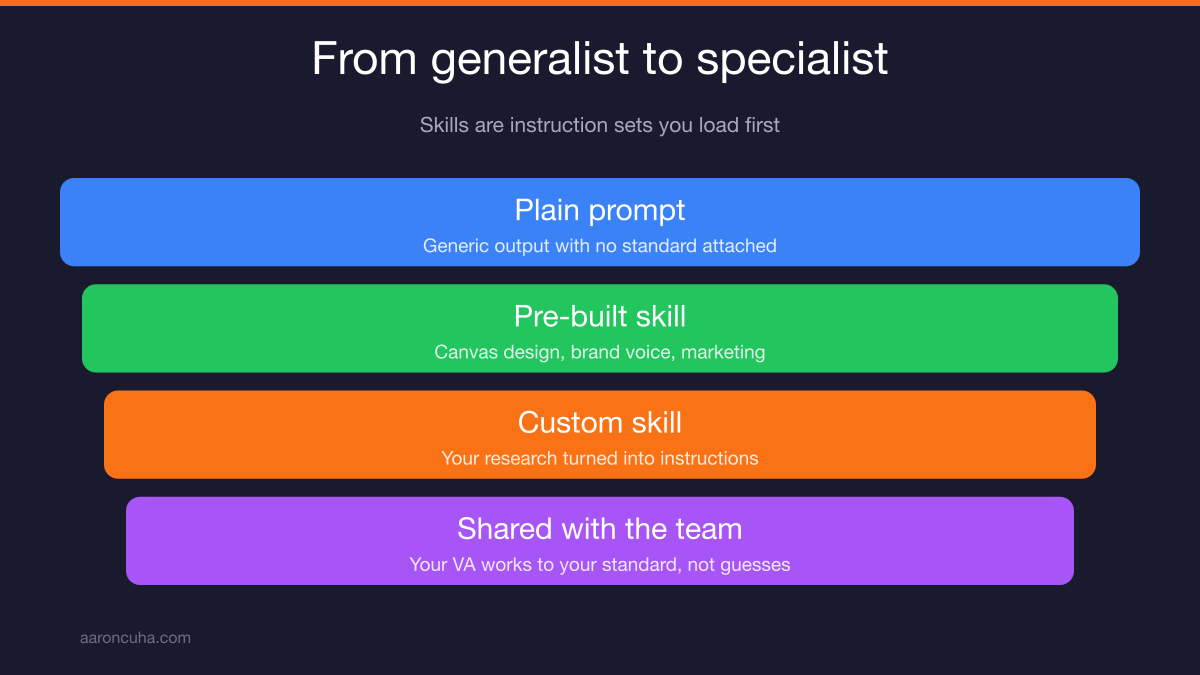
Skills are instruction sets you load before a task. Some are pre-built by Anthropic. Some you create yourself. Either way, Claude stops being a generalist and performs like a specialist.
Open the skills list and you will see two markers. A plus means the skill is available but not added. A gear means you have already added it.
The pre-built ones include canvas design, web artifacts builder, internal comms, and my favorite, skill creator.
Skill creator is the most important one, and here is why. I did research on the best hooks on TikTok, Instagram, and YouTube. I wrote a three to four page document on what makes a hook work.
Then I turned that document into a skill.
Do you think that skill writes better hooks than a generic ChatGPT prompt? It is ten times better, because it is built on my research and my standards.
Every skill tells you what it does and when to use it. Canvas design, for example, creates visual art in PNG and PDF using real design philosophy. So when I build a PowerPoint in Cowork, I load canvas design first. Claude becomes a world class visual designer before it makes a single slide.
Two more worth loading:
- Brand voice. Upload things you have written and give Claude your voice on purpose.
- Marketing. This one runs full SEO optimization, multi-channel campaigns, social posting, and blog creation. It reviews new content against your past writing and analyzes competitor positioning, competitor SEO, and competitor AEO.
Learning to use something this simple is genuinely powerful. If you want the writing side of this, read how to build an AI content engine.
Share Skills With Your Team or VA
With Claude for Teams, your skills become team assets. Share a skill with your assistant or VA and they produce work built on your standards, not their guesses.
This is the part most people miss. A skill is not just a productivity trick for you. It is documented judgment.
Your hook-writing skill holds your research. Your brand voice skill holds your tone. Your landing page project holds your standards.
Hand those to a VA and the output looks like yours. That is a different level of leverage than sending someone a Loom and hoping.
This is how you stop being the bottleneck. You are not delegating tasks. You are delegating tasks plus the standard for doing them.
Most delegation fails because the standard lives in the founder's head. Skills pull it out and make it shareable. I go deeper on this in how to delegate as an entrepreneur, and on the automation side in AI automation for coaches.
For the wider context on how much of this work is shifting, the U.S. Bureau of Labor Statistics and Harvard Business Review both track how AI changes the shape of knowledge work.
Your First Week With Claude Cowork
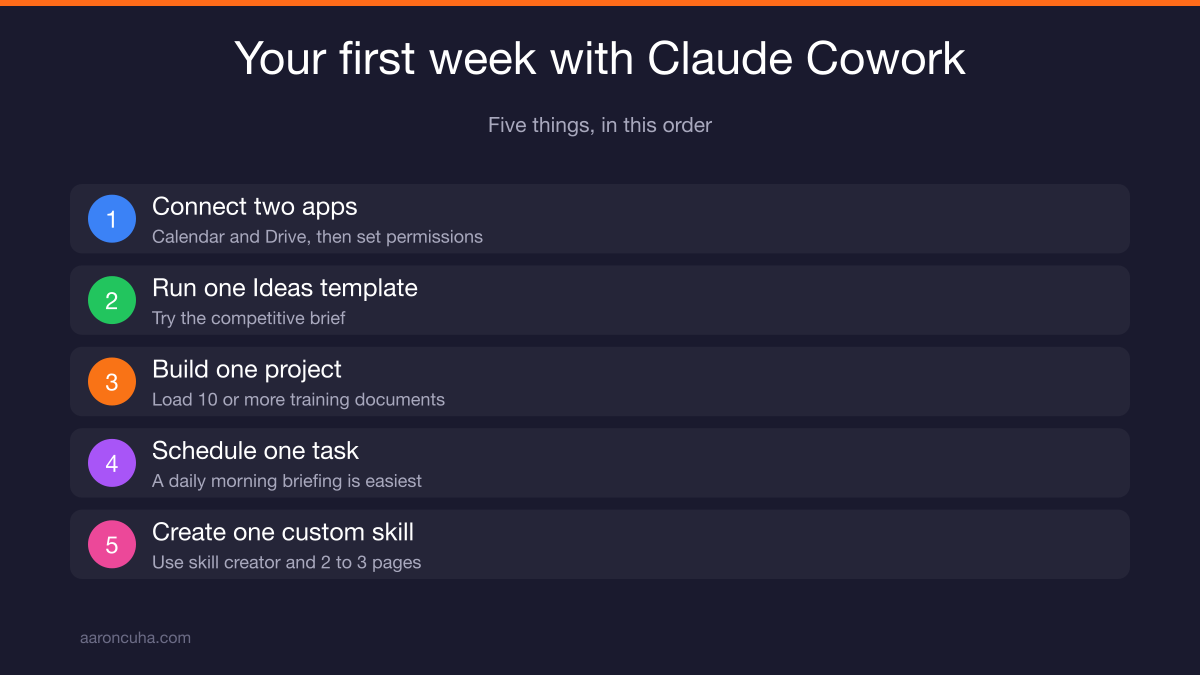
Do five things in your first week. Connect two apps, run one Ideas template, build one project, schedule one recurring task, and create one custom skill. That order matters.
Here is the sequence:
- Connect two apps. Start with calendar and Drive. Set your permissions. Get comfortable with the model.
- Run one Ideas template. Try the competitive brief. Watch the slash skill load. Answer the clarifying questions.
- Build one project. Pick something you repeat weekly. Write detailed instructions and load 10 or more training documents.
- Schedule one recurring task. A daily morning briefing is the easiest win. An MLS or Zillow update is the most useful for agents.
- Create one custom skill. Use skill creator. Write two or three pages on how you want something done, then turn it into a skill.
Do not try to build software in week one. Cowork is the training ground. Get reps in.
Once you know what good output looks like, you graduate to the plan-in-Cowork, build-in-Code play. That is when the 20 page documents start turning into finished products while you take calls.
This is the whole Systems Over Hustle idea in practice. You are not working faster. You are building machines that work whether or not you show up that day.
That is a wrap on part one. Scheduler, projects, dispatch, connectors, and skills. You now know more about Claude Cowork than 99 percent of real estate agents.
Part two covers Claude Code live builds, lead magnets, and landing pages. If you want the systems side of this handled for you, look at AI systems for real estate or join the Systems Over Hustle community where I share every build I run.
Frequently Asked Questions

Written by
Aaron CuhaAuthor of Crazy Simple YouTube, keynote speaker, and executive coach with 20,000+ hours logged. ICF PCC, NLP Master Practitioner, and DISC Certified. Aaron helps entrepreneurs replace hustle with AI-powered systems that generate leads, content, and revenue on autopilot.