In one morning, Claude Code and Claude Cowork replaced my web developer, my marketing agency, and my file organization system. Here are the basics of both tools, exactly how I used them, and what to build first.
This morning I fired my web developer, canceled my marketing agency, and replaced my file system. Not because I hired better people. Because AI did the work in about two hours.
Key Takeaways
- Claude Cowork organizes files and runs research. Claude Code builds and ships real things.
- Always hit Allow, never Always Allow, until you trust the tool.
- Cowork proposes a folder tree first. Nothing moves until you approve it.
- Claude Code built a 31-page guide, a live landing page, and a CRM connection in 90 minutes.
- Start with one lead magnet, one landing page, one CRM link this week.

Want help turning this into a real system for your business? Start with a Channel Audit and Plan and we will map the first automation worth building.
What Claude Code and Claude Cowork Actually Are
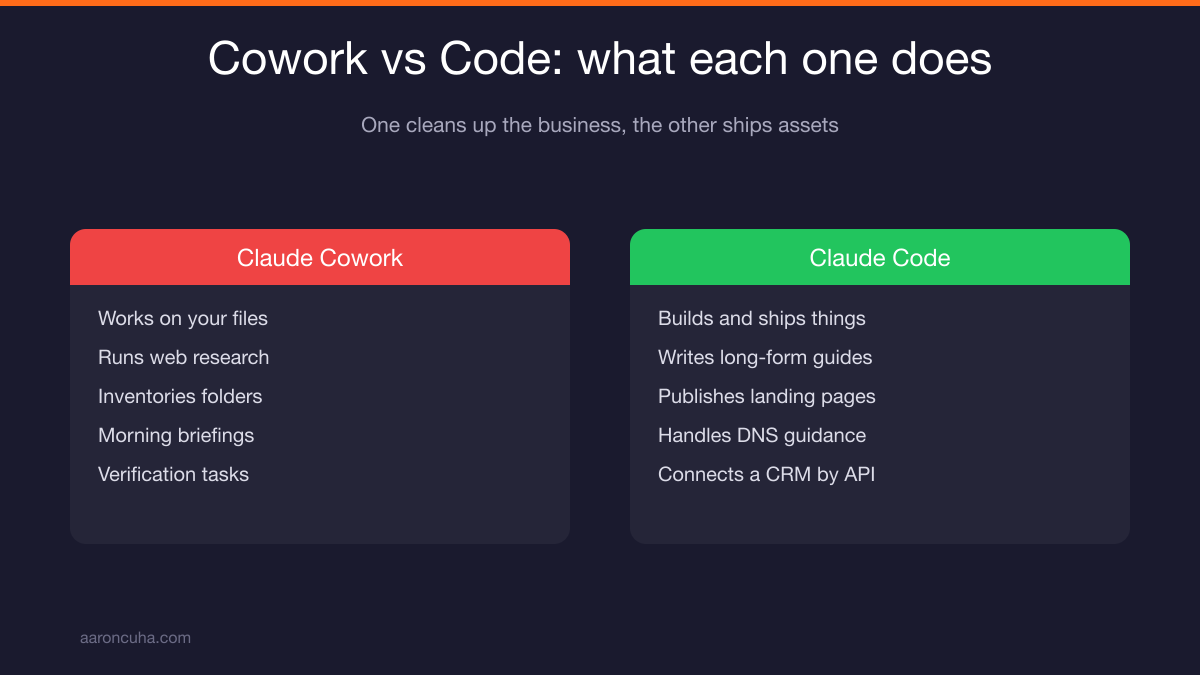
Claude Cowork works on your files and your research. Claude Code builds and ships things. One cleans up your business. The other creates new assets and puts them live on the internet.
Most people still think AI is a chatbot. You type a question, it types back, you copy the answer somewhere. That is not what is happening anymore.
The operating system shift already happened. Claude now gets access to your folders, your website data, your CRM keys. It reads, it plans, it executes.
Here is what that looked like on my machine. Claude Cowork organized thousands of files, contracts, videos, and documents while I sat there drinking coffee and watching it work.
Then Claude Code wrote a 31-page buyer guide, built a live landing page, connected my CRM, and automated the delivery. No coding. No team. No Slack messages about circling back.
That is why I say three industries died on my computer this morning. Not one. Three. And the only thing that changed was who was doing the work.
If you have been reading about how AI will not replace you, but someone using AI will, this is the part where that stops being a slogan and starts being a Tuesday.
How to Start a Project and Give Folder Access
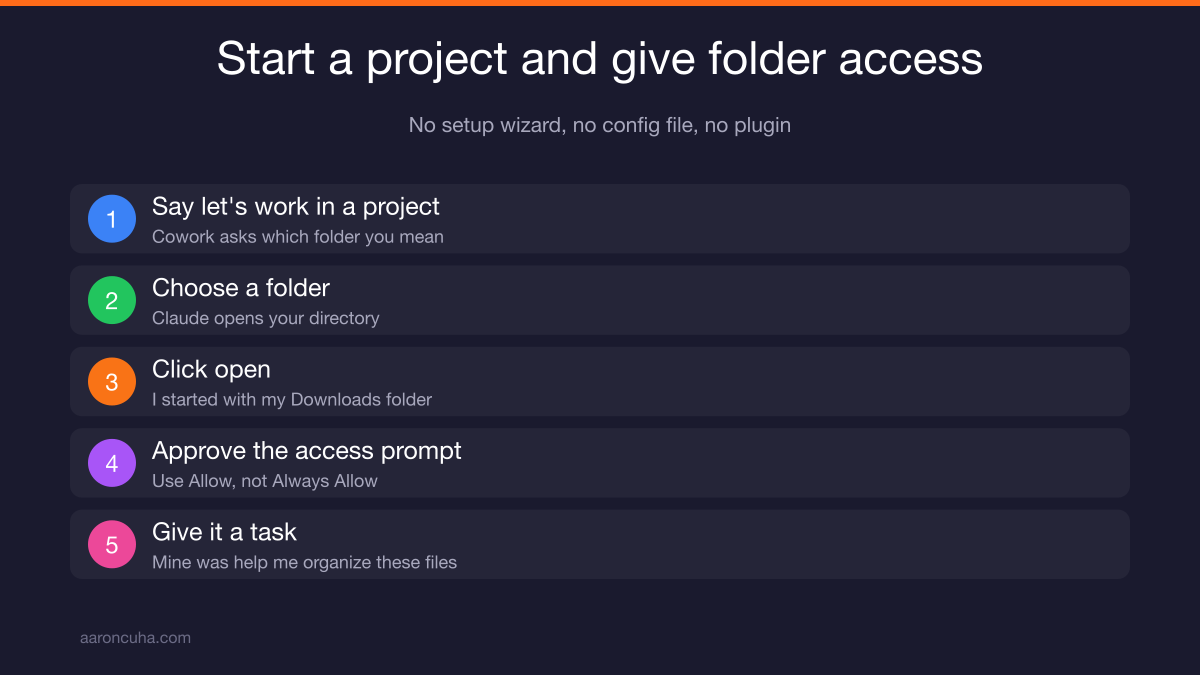
Open Cowork, tell it you want to work in a project, and pick a folder. It will ask which folder, open your directory, and wait for you to choose one and click open.
I started with my Downloads folder because there is always a mess in there. Historically I dump older downloads into a subfolder called organize so they do not get mixed with new files. That subfolder had 149 items sitting untouched.
Here is the sequence, step by step:
- Say "let's work in a project."
- Choose a folder when Claude opens your directory.
- Click open.
- Approve the access prompt.
- Give it a task. Mine was simply "help me organize these files."
That is it. No setup wizard, no configuration file, no plugin to install.
Once you approve access, Claude goes into the folder, looks at everything, and comes back with questions before it touches a single file.
Why You Should Only Hit Allow, Never Always Allow
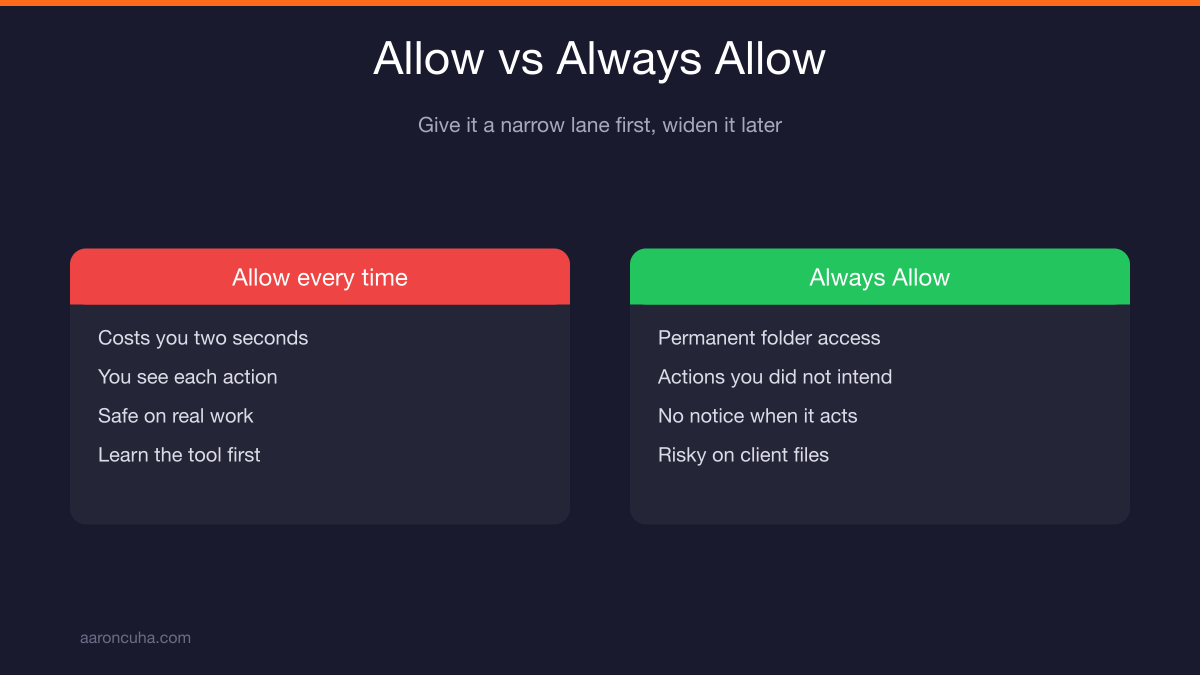
Use the Allow button until you have learned the tool. Always Allow gives Claude permanent access to that folder, and that is not a decision you want to make on day one.
My Downloads folder is disposable. I do not care what happens in there. That is exactly why it was the right place to learn.
But picture the same permission on my coaching folder. Or your client files. Or your contracts.
Claude may do something you did not intend and not tell you about it. Imagine coming back to find a cheerful message that says it ran out of room, so it deleted all your files. You're welcome, coach.
That is a bad afternoon. And it is entirely avoidable.
So the rule is simple. Hit Allow every time until you understand exactly what you are handing over. The extra click costs you two seconds. The alternative costs you a decade of documents.
This is the same discipline I teach around any AI system you put into your business. Give it a narrow lane first. Widen the lane after it earns your trust.
Organizing Thousands of Files With Claude Cowork
Cowork inventories the folder first, then reports back exactly what it found. You get a plain list before any decision gets made.
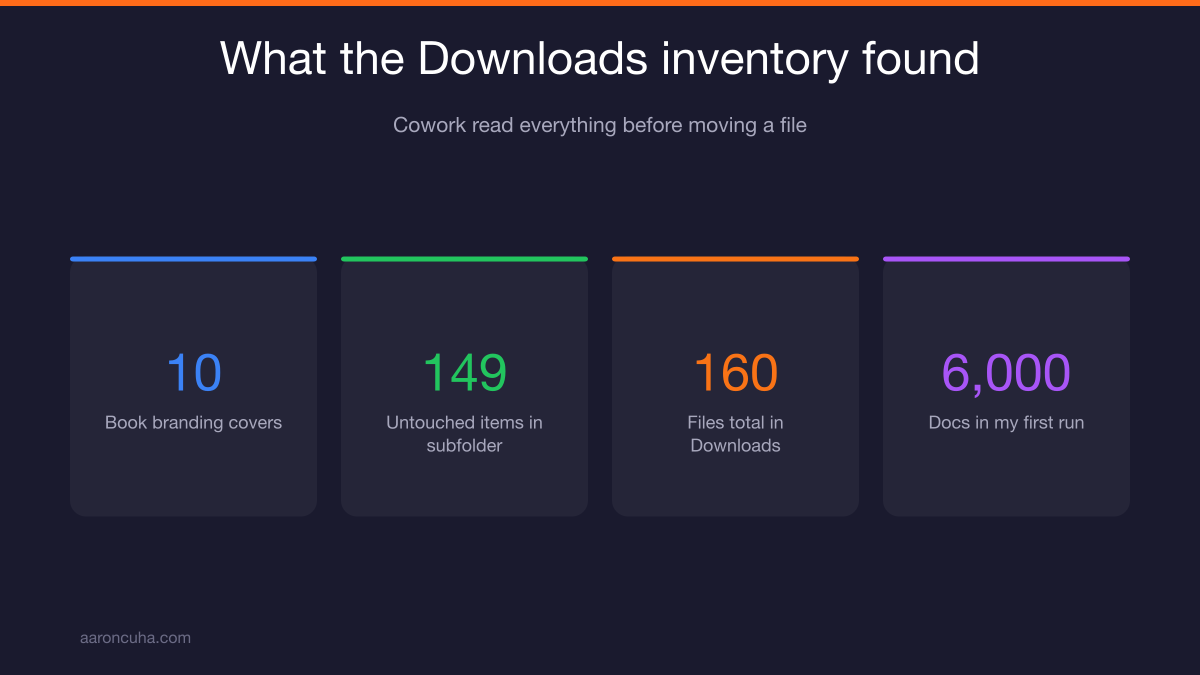
On my Downloads folder it came back with 10 book branding covers, since we are testing different covers for the book. Two miscellaneous images. Two PDFs. One doc. One MP4. Plus that subfolder with 149 untouched items.
Roughly 160 files total. It read all of them before saying a word about moving anything.
The first time I ran this, I pointed it at my main documents folder. There were about 6,000 documents in there. It handled the inventory the same way.
That is the part people miss. The inventory is the value. Most of us have no idea what is actually sitting on our drives, which is why we keep everything forever.
Once you can see it, you can decide about it. And once you can decide, the cleanup takes minutes instead of the weekend you have been promising yourself for four years.
This is Systems Over Hustle applied to your hard drive. You are not working harder on your files. You are handing the whole category to a system.
The Questions Claude Asks Before It Moves Anything
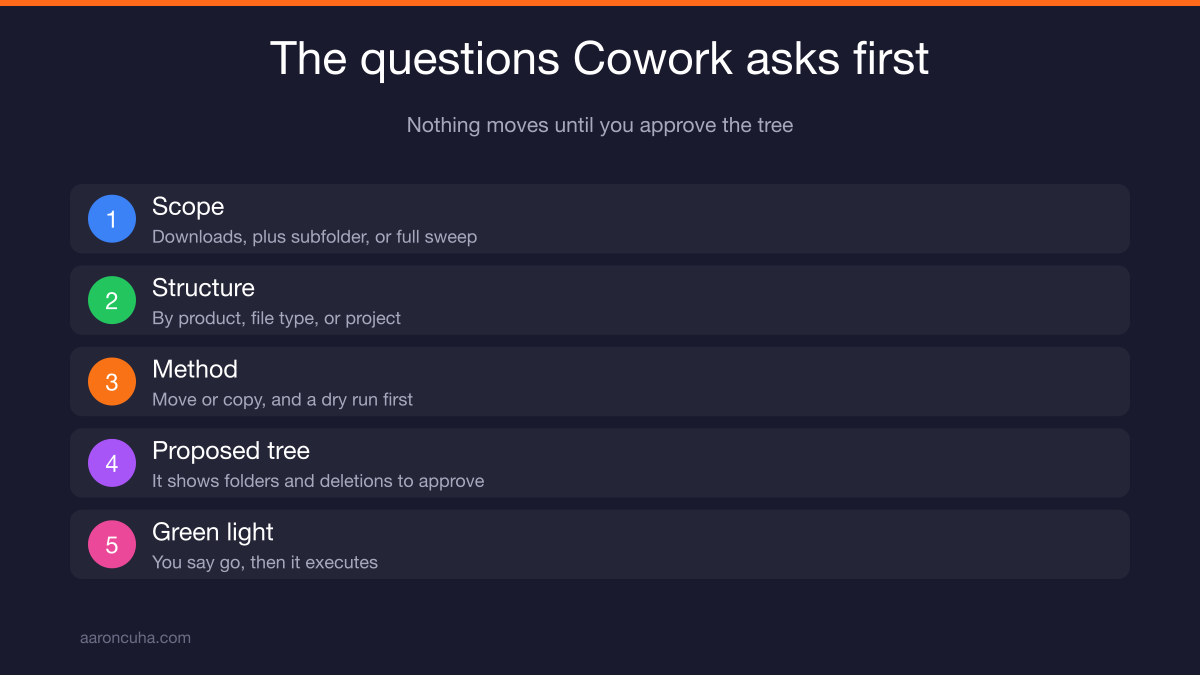
Cowork asks scope, structure, and method questions before touching a file. You answer three or four prompts and it builds a plan around your answers.
Here is what it asked me:
- Scope: Downloads only, Downloads plus the organize subfolder, or a full sweep and cleanup? I picked full sweep and cleanup.
- Structure: By product, by file type, or by project with type inside? I picked project with type inside.
- Method: Move or copy? I asked for a dry run first.
Then it built the plan. The message was clear: a full sweep plan below, nothing has been moved yet, this is a proposed tree for you to approve and execute.
It showed me the whole tree. Where the Crazy Simple YouTube book covers would go. Which folders it would create. What it thought should be deleted.
Before executing, it asked whether it should delete certain items or wait for a green light. I said go. Then it ran everything.
Nothing moves until you approve the proposed tree. That single design choice is what makes this safe enough to use on real work.
What the Cleanup Looked Like on My Drives
The results were better than anything I ever built by hand. Clean structure, consistent names, and files I could actually find again.
On my coaching folder I gave it a specific instruction: reorganize everything, rename everything, start with this structure, date first, then subject, then place.
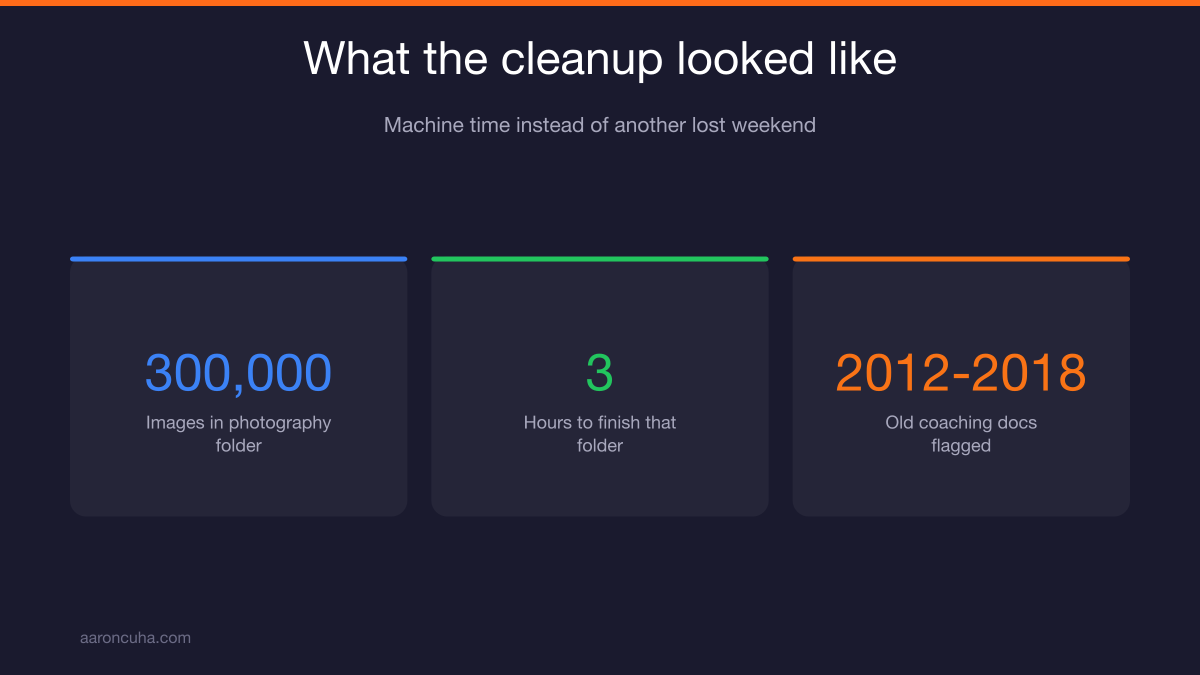
Then I pointed it at my photography folder. That one had 300,000 images. It took about three hours to finish.
When it was done I had a clean file structure with every photo organized, chronicled, and easy to find. Three hours of machine time to fix something I had avoided for years.
My main drive now has numbered folders laid out in a way that makes sense: coaching, speaker training, YouTube, Business Mountain Builders, van life, Nav Pros. Everything numbered. Everything findable.
It also caught something I would have missed. It flagged a pile of documents in my coaching folder from 2012 through 2018 and asked if I still wanted them.
I did not. Nothing I made between 2012 and 2018 is still relevant to how I coach today. So I told it to throw them away, and it did.
That question is worth more than the sorting. A human assistant would never ask it. They would just move the junk into a nicer folder.
Naming Conventions and Structure to Ask For
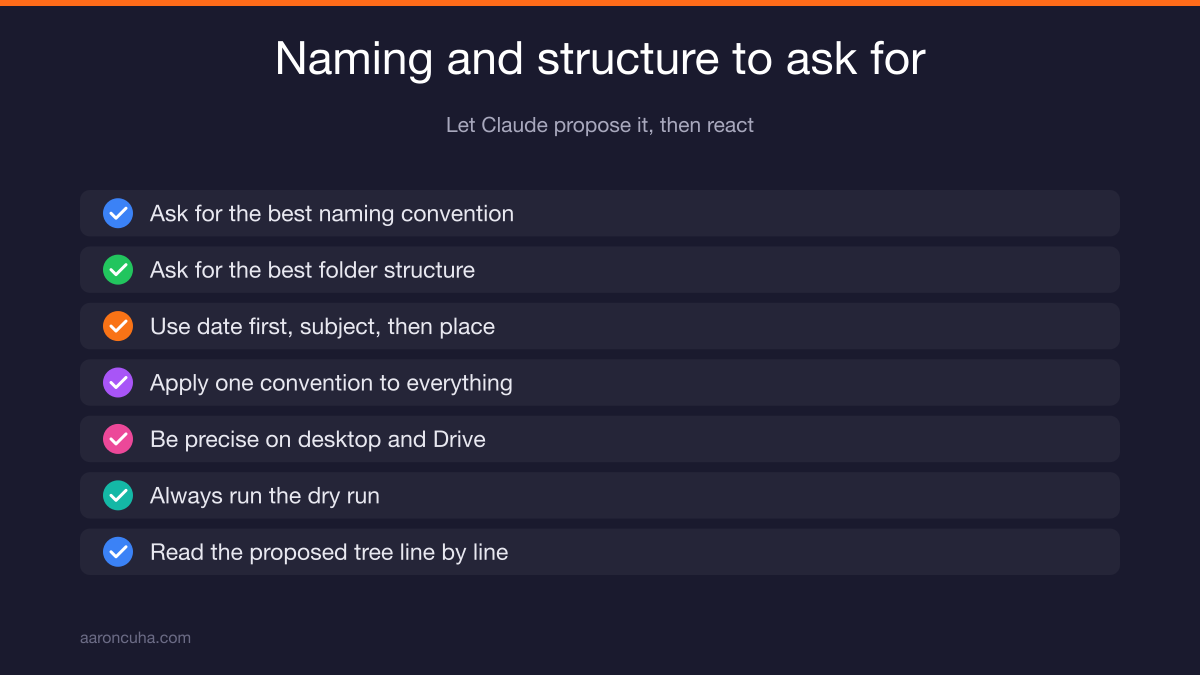
Ask Claude to propose the naming convention instead of guessing at one yourself. Say "give me the best naming convention" and "give me the best folder structure," then react to what it suggests.
The convention I used on my own files was date first, then subject, then place. Date first sorts chronologically without any effort. Subject tells you what it is. Place gives you context.
You can invent your own. The point is to pick one and apply it to everything.
One warning. My Downloads folder is a sandbox, so I was loose with the instructions. If you are running this on your desktop or your Google Drive, be far more precise.
Talk to Claude more before you let it move anything. Ask more questions. Run the dry run. Read the proposed tree line by line.
The tool is not the risk. Vague instructions on important folders are the risk.
If you want a broader view of how to structure the work around your content and assets, my post on content systems for entrepreneurs covers the same principle applied to publishing.
Using Cowork for Research and Recurring Briefings
Cowork does more than files. It runs research on the open web and comes back with a plan you can execute.
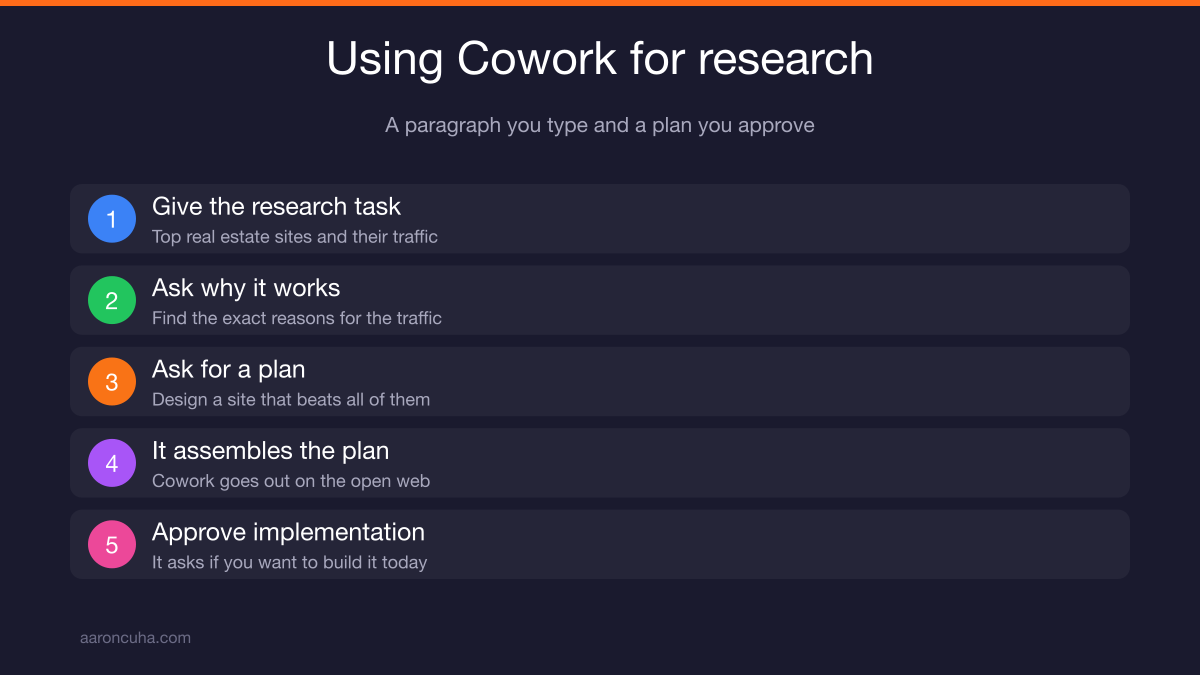
Here is a task I gave it. Research the top real estate websites in the nation. Find out which ones get the most traffic. Figure out exactly why they get that traffic. Then design a plan to build a site that beats all of them.
Cowork goes out on the web, does the work, and assembles a complete plan. When it finishes, it comes back and asks a simple question: would you like to implement that plan today?
You say yes. Then it starts implementing.
Other things I use it for:
- Morning briefings. Set it up once and it runs on schedule.
- Verification tasks. Check these numbers, confirm these details, flag what does not match.
- Next-step clarification. Take a messy project and turn it into an ordered list.
That research task alone used to be an agency deliverable. It used to be a slide deck that showed up three weeks after the kickoff call.
Now it is a paragraph you type and a plan you approve. If you have been paying someone monthly for competitive research, read that sentence again.
My morning routine changed the day the briefing started writing itself.
Claude Teams, Local Drives, and the Claude.md Memory Problem
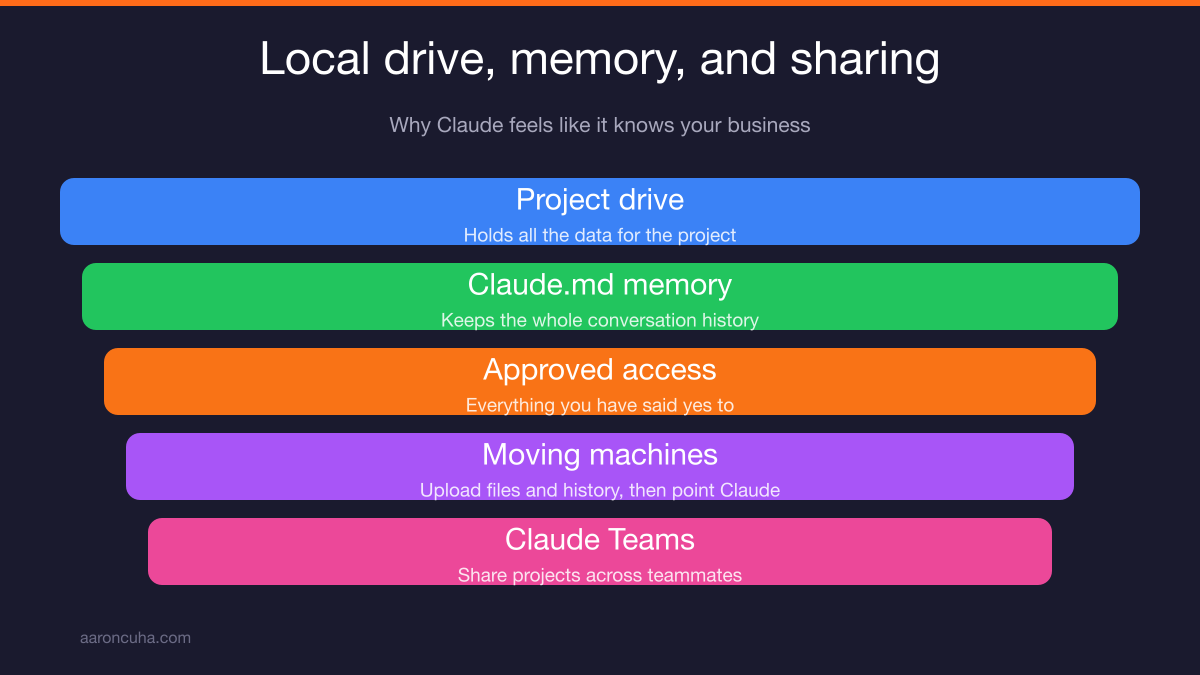
Claude Code keeps a local drive plus a memory file called Claude.md. That is great for you and painful the moment you try to share the project with someone else.
When you work in Code, it creates a drive that holds all the data for the project. It also keeps the memory of the entire conversation in Claude.md, along with access to everything you have said yes to.
That combination is what makes it feel like it knows your business. It does know your business. It knows it locally.
Try to hand that to a teammate who is not on a team plan and it gets difficult fast.
I lived this. I built a project on one computer and needed it on another. So I had to create a document, upload everything to Google Drive, move the entire history over, and move its memory too.
Then I opened Claude on the new machine and said go to this repo, look at this, understand this, so we can use the documents and the data that are there and build from here.
It worked. It was also a chore.
We just switched to Claude Teams for exactly this reason. Teams lets you share what you want to share and access what your teammates are working on. If you have more than one person touching a project, plan for that on day one.
You can read more about how Anthropic structures its products on the Anthropic site, and the documentation for the developer tooling lives at Anthropic Docs.
If you want this built with you instead of by you, book a strategy session and we will design the first system together.
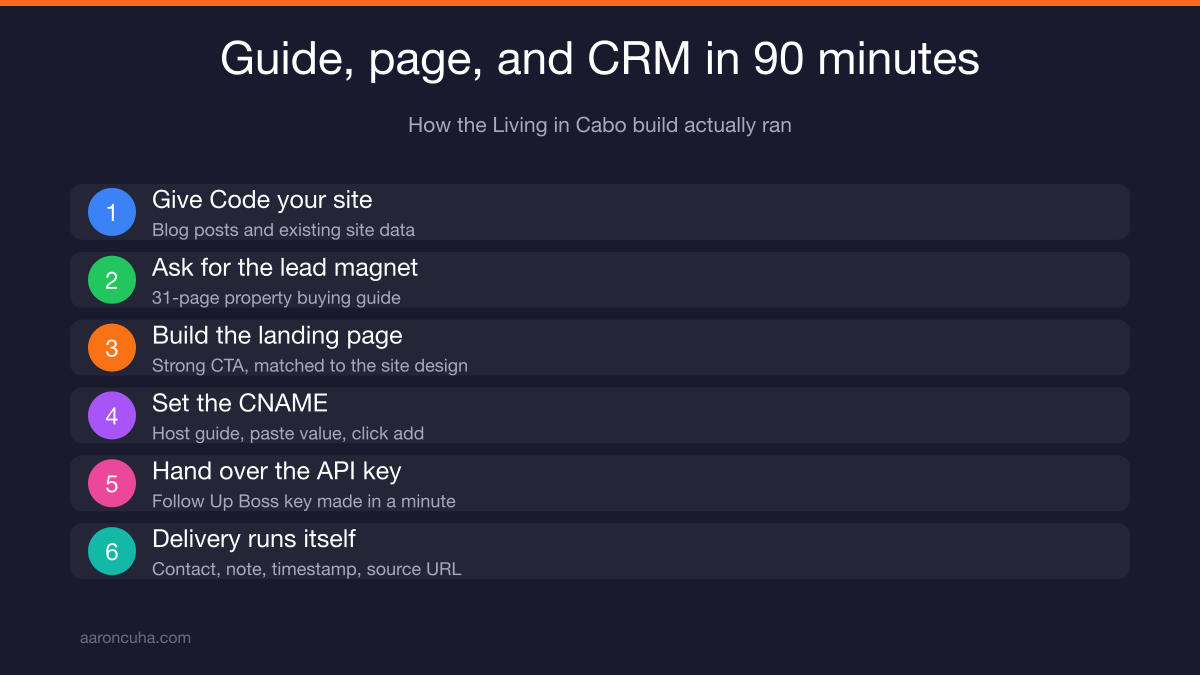
Building a 31-Page Lead Magnet With Claude Code
Point Claude Code at your existing content, then tell it what to write. It uses your real data instead of generic filler.
Nick and I are building a project around Cabo property tours on YouTube. Those YouTube leads feed into the Living in Cabo website. Before I asked Claude for anything, I gave it access to that site so it had all the data.
Then I told it what I wanted. Create a lead magnet for what we deliver on this website.
Claude asked what kind. I said a property buying guide, everything expats and foreigners need to know about buying in Mexico, and make it extremely detailed.
It asked where the data lived. I told it there were three or four blog posts I had written plus a bunch more on Nick's site. I handed all of it over and said create the lead magnet.
What came back was a 31-page guide on buying property in Mexico. The complete 2026 guide for Americans and Canadian buyers.
It covers everything a foreigner would want to know before buying. And I am giving it away free, because I am all about giving.
Every business needs one of these. If you are on Instagram and YouTube, you need a lead magnet on your site to capture the people already paying attention to you.
For the strategy behind that capture, my guide to getting clients from YouTube walks through the full conversion path.
Shipping a Live Landing Page and Setting the CNAME
Claude Code built the landing page and walked me through the DNS setup like I was a fifth grader. It went live in minutes.
Once the guide existed I said let's create a landing page. Claude asked what I wanted on it.
I gave it three instructions. Follow Russell Brunson's format from DotCom Secrets and ClickFunnels. Include a strong call to action. Align the design with our existing website.
Then I told it to post the page online. It asked where. I said let's use a subdomain, so we created guide.livingincabo.com.
I do not know how to build a landing page. That did not matter, because Claude gave me the exact steps:
- Go to your web provider, whether that is GoDaddy or your own server.
- Open your DNS settings.
- Create a CNAME record.
- Enter guide as the host.
- Paste the value Claude gave you.
- Click add.
I followed it exactly. The moment I clicked add, Claude said it could see the record and I was good to go. It was up.
I typed guide.livingincabo.com into a browser and the landing page was there. Done.
Then I did what anyone would do. I said it looks beautiful, now fix this and fix that. I made a bunch of revisions, all through conversation.
If you want a refresher on DNS records themselves, Cloudflare has a clear explainer.
Connecting Follow Up Boss With an API Key
Give Claude your CRM API key and it wires the whole delivery system. New leads land in the right place with the right data attached.
Claude already knew I run Brevo, GoHighLevel, Follow Up Boss, and Sierra. It asked where I wanted the leads to go. I said Follow Up Boss.
Then it reported the status: brand tokens done, 31-page branded PDF done, landing page done, here is what's next.
I asked if it could build the connection with an API key. It said yes, give me the API for Follow Up Boss.
Getting the key took under a minute. I went into Follow Up Boss, opened the API section, created a key, and named it guide living in Cabo. It handed me the key. I handed it to Claude.
Everything worked. It created a new contact record with:
- Name
- Phone number
- A note attached to the download
- Timestamp
- Source URL
Now every new lead drops into the right drip campaign and gets the guide by email immediately. No manual step. No one forgetting to send it.
That is the whole loop. Traffic, capture, delivery, follow up. Built in a conversation.
If you want the strategy side of that loop, read my breakdown of a YouTube lead generation strategy that turns views into booked calls.
What You Should Build First This Week
Build one lead magnet, one landing page, and one CRM connection. That is the stack. My entire build took an hour and a half this morning.
Do not start with the complicated thing. Start with the thing that captures a lead and delivers value automatically, because that pays for itself immediately.
Here is how I decide which tool to reach for:
| Use Case | Claude Cowork | Claude Code |
|---|---|---|
| Organizing thousands of files | Yes | No |
| Renaming with a naming convention | Yes | No |
| Competitor and market research | Yes | No |
| Morning briefings and verification | Yes | No |
| Writing a long-form lead magnet | No | Yes |
| Building and publishing a landing page | No | Yes |
| DNS and subdomain setup guidance | No | Yes |
| Connecting a CRM through an API key | No | Yes |
A simple order of operations for your first week:
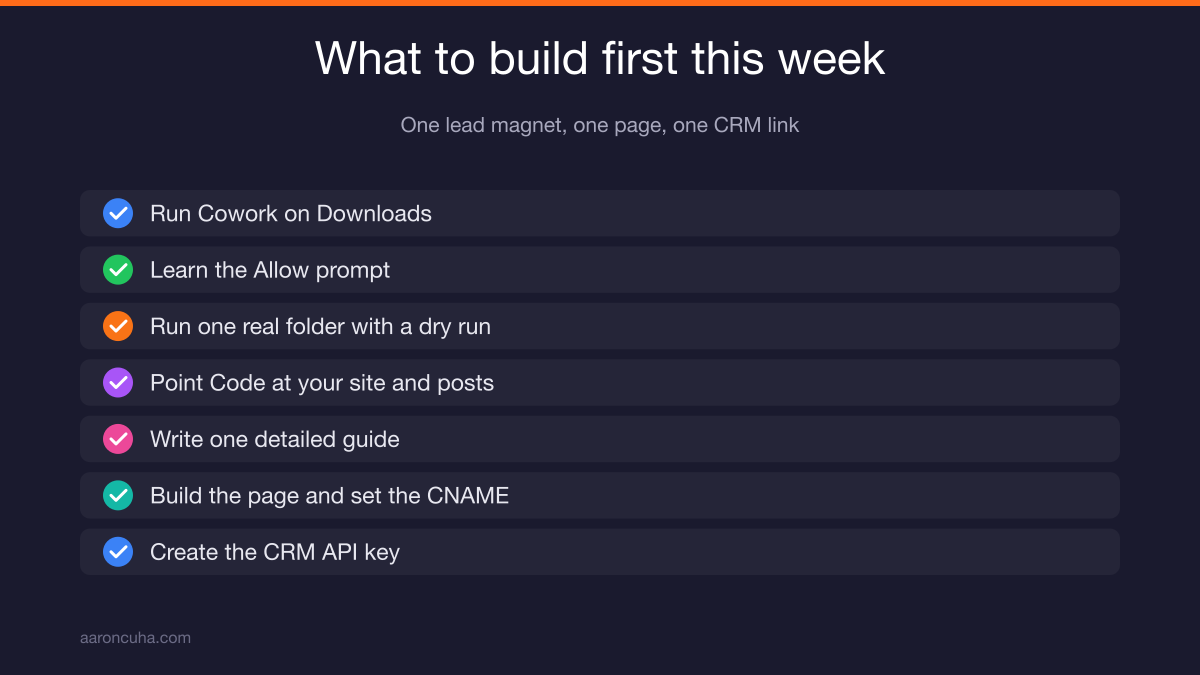
- Run Cowork on your Downloads folder. Learn the Allow prompt.
- Run it on one real folder with precise instructions and a dry run.
- Open Code and point it at your existing site and blog posts.
- Have it write one detailed guide your audience actually wants.
- Have it build the landing page and walk you through the CNAME.
- Create your CRM API key and hand it over.
Claude Code is not the future. It is right now.
Every day you wait is another day your competitor figures this out before you do. Ninety minutes is all it took me, and I do not write code.
So decide what you would build first if AI did the work, then go build it.
Ready to stop reading and start shipping? Join the Systems Over Hustle community and get the builds, prompts, and walkthroughs I use in my own business every week.
Frequently Asked Questions

Written by
Aaron CuhaAuthor of Crazy Simple YouTube, keynote speaker, and executive coach with 20,000+ hours logged. ICF PCC, NLP Master Practitioner, and DISC Certified. Aaron helps entrepreneurs replace hustle with AI-powered systems that generate leads, content, and revenue on autopilot.